hwalk
Members
-
Joined
-
Last visited
-
Great, I will do that. Thank you!!
-
All done, here is the new file!axiom-diagnostics-20250731-2036.zip
-
Got it, here is the diagnostics file. axiom-diagnostics-20250731-0650.zip
-
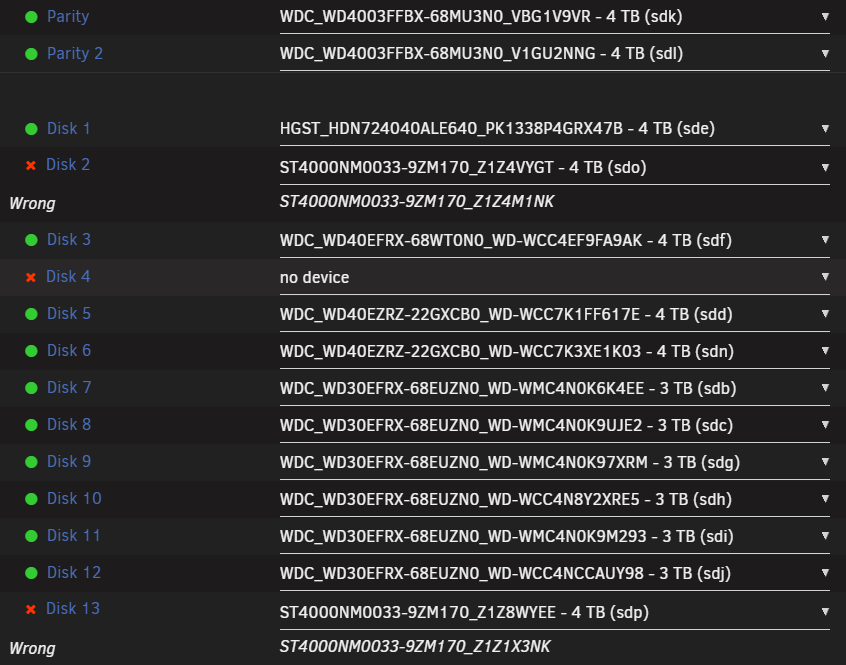
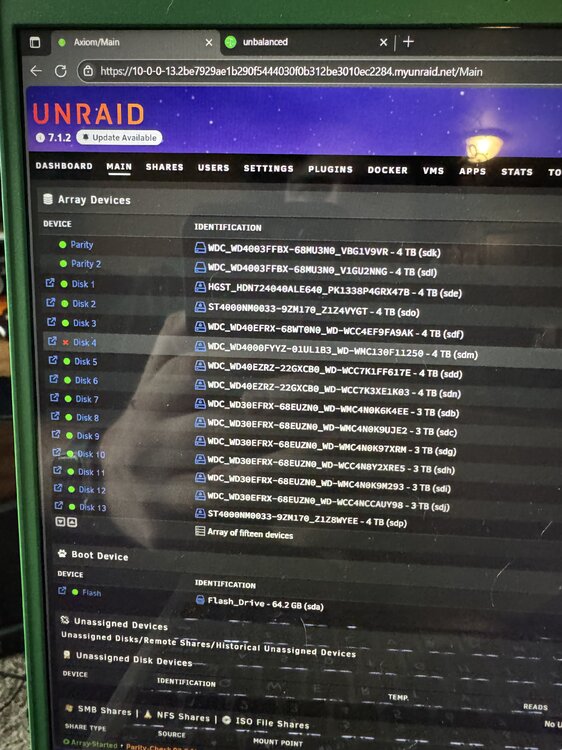
Running version 7.1.2. Last week I replaced 2 of my drives that were failing. A few days after that, I had a third drive fail. When I rebooted to replace that today, the drive configuration seemingly switched back to the previous identification on those two drives. Disks 2 and 13 were the drives I replaced last week, and disk 4 was the drive I was going to be replacing. This was the configuration prior to rebooting to replace Disk 4 (please excuse the awful picture, I just took this to remind me which drive I needed to replace) I'm not sure how to proceed without losing data. I did move all of the data off of disk 4 using unbalanced prior to this, so in theory I think the data still ultimately exists (unless I'm misunderstanding something). Also the array is encrypted, not sure if that complicates things. I appreciate any advice!!