




Skip to content
View in the app

A better way to browse. Learn more.

Unraid

A full-screen app on your home screen with push notifications, badges and more.

To install this app on iOS and iPadOS
  1. Tap the Share icon in Safari
  2. Scroll the menu and tap Add to Home Screen.
  3. Tap Add in the top-right corner.
To install this app on Android
  1. Tap the 3-dot menu (⋮) in the top-right corner of the browser.
  2. Tap Add to Home screen or Install app.
  3. Confirm by tapping Install.

robertq

Members
  • Joined

  • Last visited

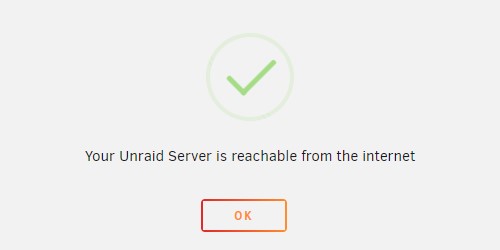
  1. Hallo Liebes Forum, Ich habe mir heute meinen ersten Unraid Server eingerichtet und bin an der Stelle gescheitert, den Server außerhalb des Netzwerks verfügbar zu machen. Ich habe meinen unraid https port im router freigegeben sowie den selben port als WAN port eingestellt. Wenn ich dann auf "checken" gehe, sagt mir Unraid das der Server online verfügbar ist. (siehe Screenshot). Wenn ich nun die Certificate URL in einem Browser außerhalb meines Netzwerks eingebe, tut sich garnichts. Ich habe auch probiert über duckdns zuzugreifen doch auch dort passiert nichts. Alle Tutorials bei YT richten unraid meist nur lokal ein. Hat jemand eine Idee, eigendlich kann es ja nicht so schwer sein.... Vielen Dank im Voraus
Account

Navigation

Search

Search

Configure browser push notifications

Chrome (Android)
  1. Tap the lock icon next to the address bar.
  2. Tap Permissions → Notifications.
  3. Adjust your preference.
Chrome (Desktop)
  1. Click the padlock icon in the address bar.
  2. Select Site settings.
  3. Find Notifications and adjust your preference.