Hamrdeye
Members
-
Joined
-
Last visited
-
Currently
Viewing Topic: RTL8127 ATF (SFP+ Port) - Link Down on 7.3RC1 Kernel Drivers
-
I got this working by installing the 8127 driver from here : https://github.com/ERSTT/unraid-r8127-driver I choose option A. I also installed from the APP tab drivers for the 2.5gb card on the motherboard as Option A disables the internal 8169 driver completely. So with additional install of drivers for both NIC cards, it is now working.
-
I installed this package and the link lights on my 8127 card are now staying on. I see the device listed in System Devices but Unraid 7.3.2 is not assiging it to eth1. I use 2 NIC cards. eth0 which is just 1gb is working fine, but eth1 is now missing. I am updating from a old Mellanox ConnectX 3 card to a modern 8127 based card. This card is directly connected to my PC.
-
I don't know what that is. I only have the one server, so the issue went away for me. It returned again on the most recent UnRaid OS update. But uninstalling and reinstalling fixed it again.
-
Found the issue and have validated it is repeatable. The offending plug in is UnRaid Connect. With it installed the issue return. UPDATE : Apparerntly the issue was I needed to register my server again and sign in. Did that and all seems well now. Not sure why I had to do that again.
-
I will try that tomorrow. Hopefully not a browser issue as I don’t want to use a different browser
-
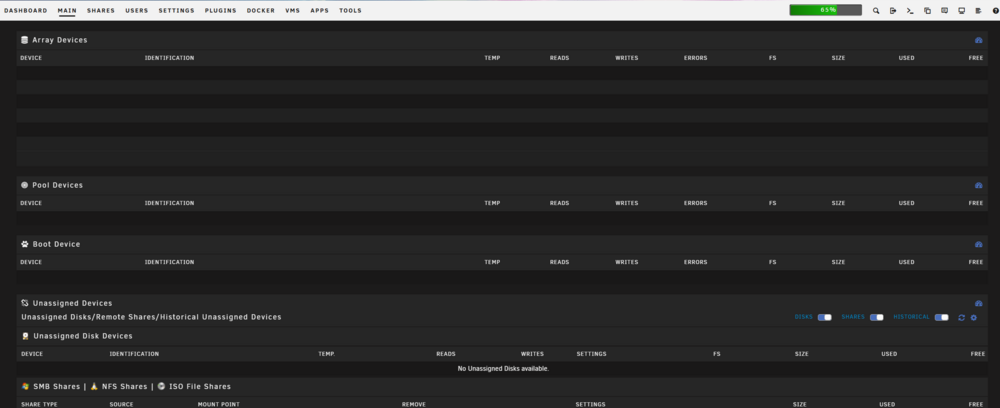
Unraid is working fine, however I left to go out of town last week and now I have noticed that the array devices shown on the main tab are slow to populate. I thought perhaps my USB boot drive was having issues, so I swapped over to a new one, but the problem persists. It is taking 30+ seconds to populate this data. Array is working none the less but this is annoying and new.