谢立顿
Members
-
Joined
-
Last visited
-
找到原因了,是nginx代理默认不转发wss,导致所有组件给拦截了。 把配置修改为这样就可以使用了 proxy_pass http://192.168.*.*:80; proxy_set_header Host $host; proxy_set_header X-Real-IP $remote_addr; proxy_set_header X-Forwarded-For $proxy_add_x_forwarded_for; proxy_set_header REMOTE-HOST $remote_addr; proxy_http_version 1.1; proxy_set_header Upgrade $http_upgrade; proxy_set_header Connection "upgrade";
-
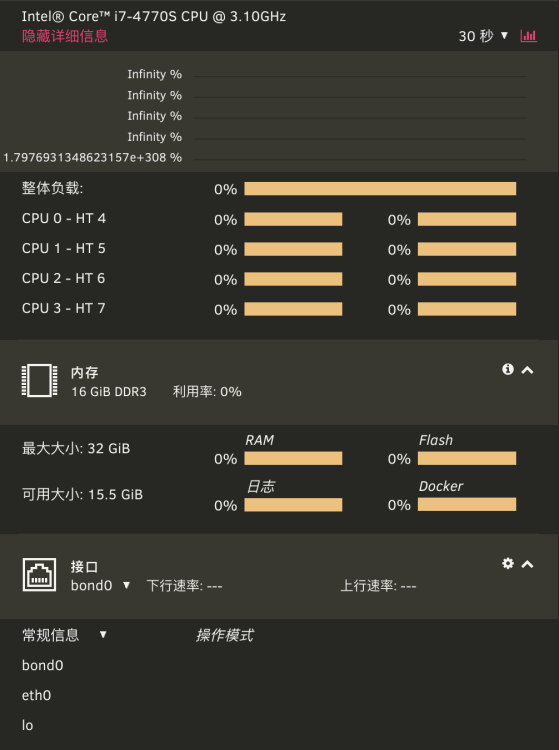
首先介绍一下现在的网络环境,我家有完全端口的双ip,一个ip供家里人使用,另一个交给了一台服务器 Unraid: 192.168.*.200 Unraid Server: 192.168.123.*.100 + PPPoE - IP 192.168.123.0/24内网所存在的公网IP中,80/443端口被群晖占用,故希望通过转发的形式实现外部访问面板 在Ubuntu Server上通过aapenal的反向代理转发了http://192.168.123.200:80,并开启了SSL,可以正常访问,但是所有图标全部无法正确显示(如下图)(已经确认端口及防火墙,防跨站攻击设置) 后通过Gost隧道进行TCP/UDP直接转发可以正常显示面板及图表,但该方式无法使用https。 各位大佬有没有更好的建议呢