




Skip to content
View in the app

A better way to browse. Learn more.

Unraid

A full-screen app on your home screen with push notifications, badges and more.

To install this app on iOS and iPadOS
  1. Tap the Share icon in Safari
  2. Scroll the menu and tap Add to Home Screen.
  3. Tap Add in the top-right corner.
To install this app on Android
  1. Tap the 3-dot menu (⋮) in the top-right corner of the browser.
  2. Tap Add to Home screen or Install app.
  3. Confirm by tapping Install.

Convict38

Members
  • Joined

  • Last visited

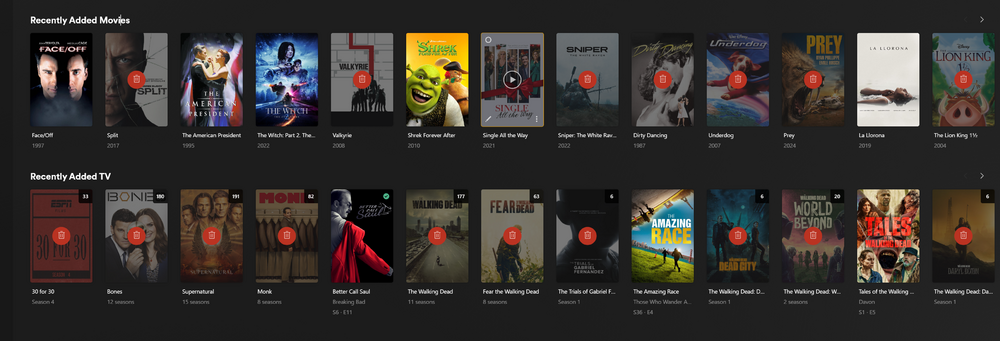
  1. Over the past week or so, I've noticed that media that I've previously used radarr/sonarr to download has disappeared from plex. When I navigate to where the file should be, I see the folder that should have the media file, but the folder is empty. I'm in Houston, didn't have power for about a week, so I thought maybe something got messed up when it shut down, so I started redownloading all the files yesterday, and when I checked this morning, it seems a lot of the new media that downloaded is once again deleted. I'm not sure if this is a plex issue, or if another docker is removing the files. Any help would be appreciated! I have also attached my plex logs from today. Plex Media Server.1.log
Account

Navigation

Search

Search

Configure browser push notifications

Chrome (Android)
  1. Tap the lock icon next to the address bar.
  2. Tap Permissions → Notifications.
  3. Adjust your preference.
Chrome (Desktop)
  1. Click the padlock icon in the address bar.
  2. Select Site settings.
  3. Find Notifications and adjust your preference.