





Alen Voloder
Members
-
Joined
-
Last visited
-
OK, in the meantime got that too. Had to delete remanent duplicate folders in unprotected disk 1. Thanks a lot.
-
OK, just rechecked and they are created. The confusing thing was that even though they were on zfs pool it said array as primary storage device in shares. Thanks. One thing still bothers me why for last two shares it says that some files are unprotected while only storage is zfs pool and all files are on zfs pool. Check out images...
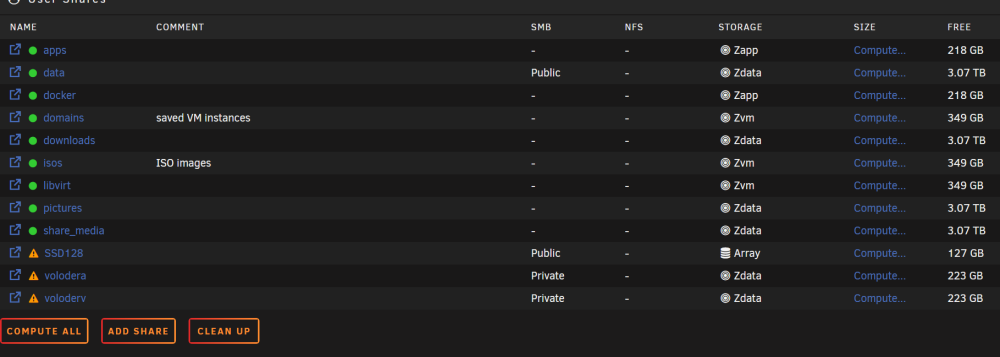
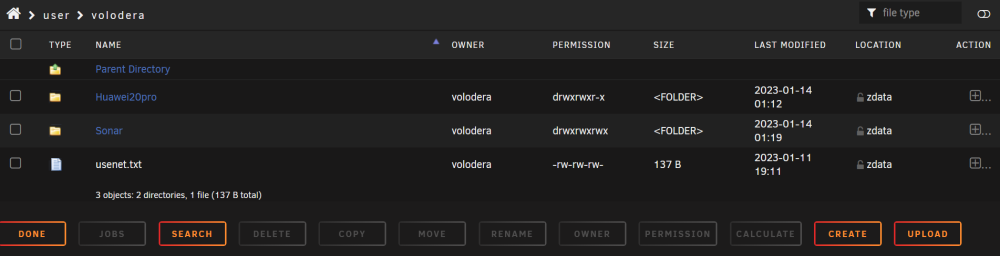
-
I think these are top level in pool. Check out screenshot please.
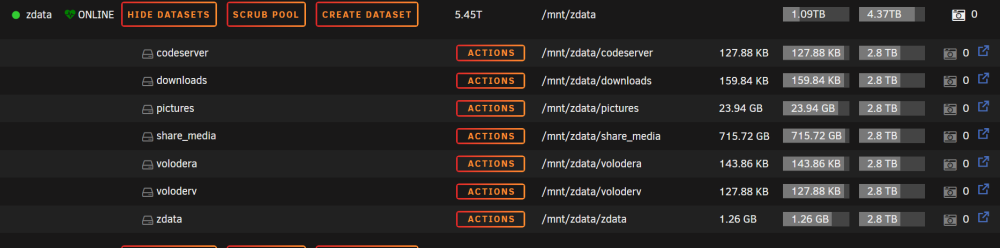
-
Hello, I have a lot of datasets created by ZFS plugin on 6.11. Now only way is to create new share and then unraid creates dataset. My data is already sorted in existing datasets and I don't want to create all the datasets again and copy data from existing ones. How can I link shares with existing datasets? Regards



