Julen
Members
-
Joined
-
Last visited
-
Hey @JorgeB In your experience, setting up a different MTU other than 1500 is a good practice? Got this suggested by the GPT and I changed both my NICs ( Unraid and Client ) and also my Switch ( Mikrotik SPF 10gb ) to MTU 4000 to try and get the highest speed possible. Should I roll back to MTU 1500 and test speeds again? Once again, thanks for your help an patience
-
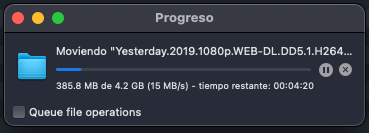
Hi @JorgeB, Same Speed 15MB/s: Thanks for your reply
-
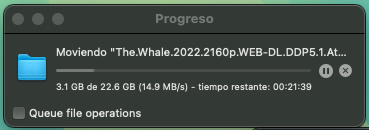
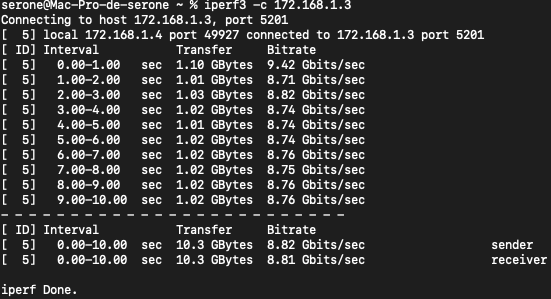
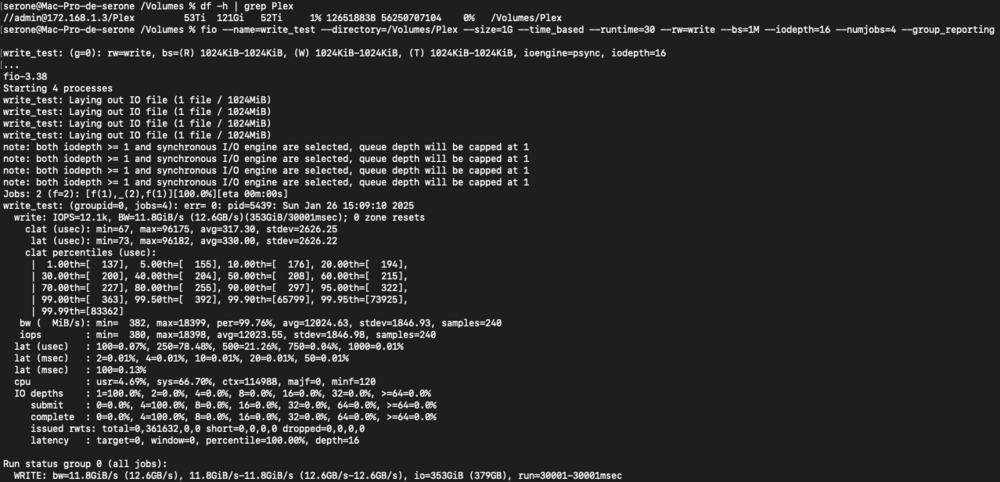
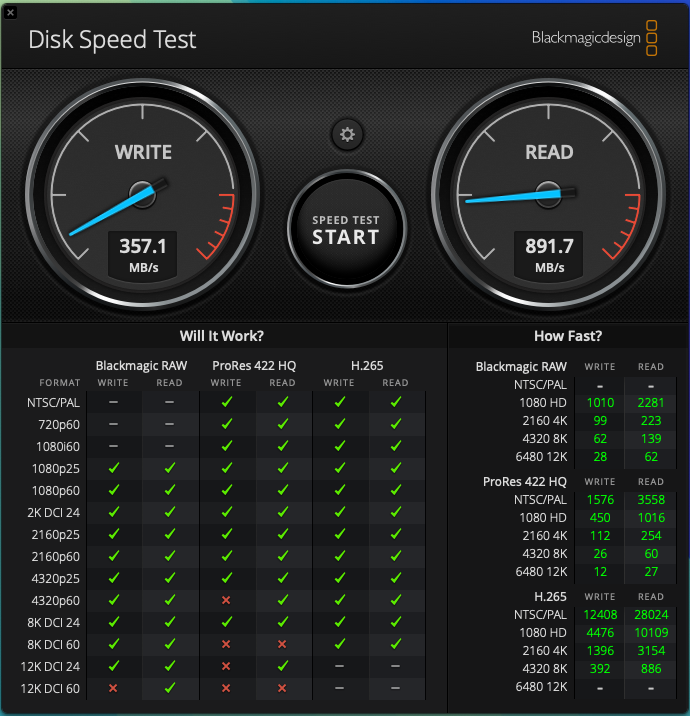
Thanks, I did as I told and now I seem to be writing to the cache drive. Unfortuately, the transfer speeds are really slow ( 14MB/s to max 20MB/s 😞 ) I have a 10GBe network which I have configured at MTU 4000: I checked the speeds using iperf3, the results of the test seem normal to me: I also checked the write speed using fio, here are the results, they seem ok: Here are the results of BlackMagicDesign - Disk Speed Tests, I pointed the tester app to check my remote hard drive I am attaching again my diagnostics to see if you can point me in the right direction. Thanks! mother-diagnostics-20250126-1946.zip
-
Hello Fellow Unraiders, I am experiencing issues with my Unraid 7.0 server regarding a share ( What I use for my Plex files) that should use an SSD cache pool (Samsung EVO 970 ) as primary storage for new files and later transfer those files to a secondary pool (zfs_raid) using the mover. However, files are not behaving as expected. Here are the issues I've encountered: Files copied to the share are written directly to the zfs_raid pool instead of the cache pool, resulting in much slower transfer speeds over my 10Gb network. Despite adjusting the share's settings, the expected cache-first behavior does not occur. ----------------------------------------------------------------------------------------------------- System Configuration Unraid Version: 7.0.0 Primary Storage (Cache): SSD (Samsung EVO 970 ) – 932GB, 11% used. Secondary Storage: ZFS RAID pool (zfs_raid). Share Settings: Primary Storage: Cache Secondary Storage: zfs_raid Mover Action: Cache → zfs_raid Minimum Free Space: Configured correctly for the cache size. ----------------------------------------------------------------------------------------------------- Steps Taken So Far Checked share settings: The Plex share is configured to use the cache pool as primary storage and the zfs_raid pool as secondary storage. Verified cache directory: The directory /mnt/cache/Plex exists and contains some files, but the directory /mnt/zfs_raid/Plex also exists, and it was not fully empty initially. Used the mover in test mode: Executed the mover with the following result: Logs indicate the mover is working but only running in test mode (Test Mode: yes), meaning no actual file transfers occurred. Disabled Docker and VMs: Ensured no other services were using the share or directories in question. Manually moved files using rsync: Verified and manually moved files between /mnt/zfs_raid/Plex and /mnt/cache/Plex using: rsync -avh --remove-source-files /mnt/zfs_raid/Plex/ /mnt/cache/Plex/ Then I tried to clean up empty directories using: find /mnt/zfs_raid/Plex -type d -empty -delete Although, this did not work and I cant figure out why, since there is no process using this folder now: root@Mother:/mnt/cache# find /mnt/zfs_raid/Plex -type d -empty -delete find: cannot delete ‘/mnt/zfs_raid/Plex’: Device or resource busy ----------------------------------------------------------------------------------------------------- Questions Why are some files being written directly to the zfs_raid pool instead of the cache pool, even though the share is configured to use cache as primary storage? Is there an issue with my mover configuration or cache pool setup that could cause inconsistent behavior? How can I ensure the mover processes files as expected, transferring them from cache to zfs_raid only when necessary? i am attaching my diagnotsics files to see if you can point me in the right direction. Any help or insights would be greatly appreciated! mother-diagnostics-20250122-2215.zip
-
Julen changed their profile photo
-
Hello Folks, Just me again, wondering if this feature is being considered to be included in the upcoming 6.13 update. Now that the first Beta has been released to testers, would be nice to know if someone has checked this feature, would love to know. Have a good day everyone!
-
Whoa, that´s brutal, I had to move my entire data to external drives to be able to create my new ZFS pool, thinking, it would operate equally as the Array does. ( facepalming ) @itimpi What would be then the use case for the ZFS pools right now? using it a a secondary backup unit for the array? I think adding disks that I have around the house just so I can have them in my array would be nonesense. Since then the data flow would be like: 1.- I copy a file from my pc to my unraid server( I have a 10gbe network at my place ) that goes into the cache ( a nvme 1TB SSD drive ) 2.- The mover moves the file from the cache to the Array 3.- Finally the mover moves the file from the array to the ZFS pool If this is the current use case... I think I might come back to my previous configuration of 8 10TB disks in the array, I just wanted to try the deduplication and supposed "speed" impovements of a ZFS pool. Thanks again for the help
-
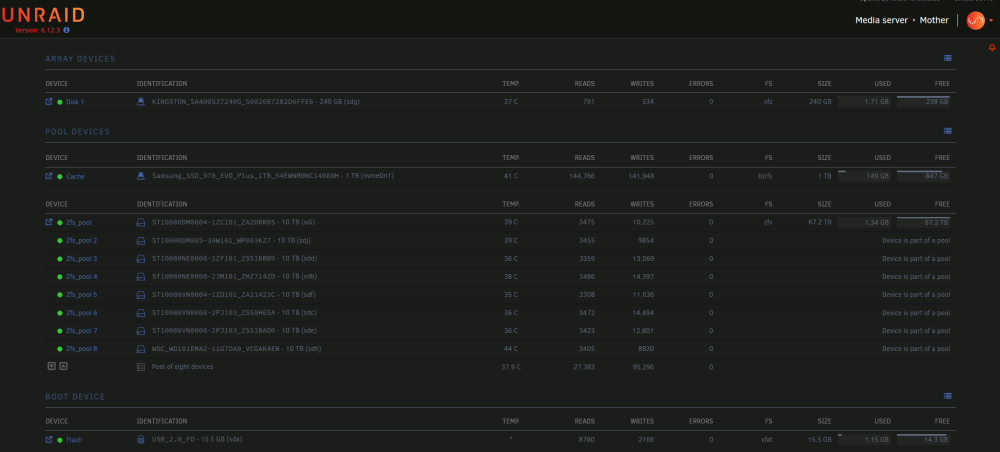
Hi everyone, I am a newbie here and I have recently migrated my array to a ZFS Pool. Since I have done this, I cant find a way to configure the mover to move files from the Cache to the ZFS pool. I dont know if this is an oprtion, I migrated all of my 10TB disk from a previous BTRFS array, to a ZFS RAIDZ pool, and I dont really know how to configure it correctly. Would really appreciate if you could point me in the right direction, i am attaching an image of my current setup. ( I have been forced to add one disk to my array so I could start the array and make it work ). Thanks in advance for the help!