




Skip to content
View in the app

A better way to browse. Learn more.

Unraid

A full-screen app on your home screen with push notifications, badges and more.

To install this app on iOS and iPadOS
  1. Tap the Share icon in Safari
  2. Scroll the menu and tap Add to Home Screen.
  3. Tap Add in the top-right corner.
To install this app on Android
  1. Tap the 3-dot menu (⋮) in the top-right corner of the browser.
  2. Tap Add to Home screen or Install app.
  3. Confirm by tapping Install.

Revvioli

Members
  • Joined

  • Last visited

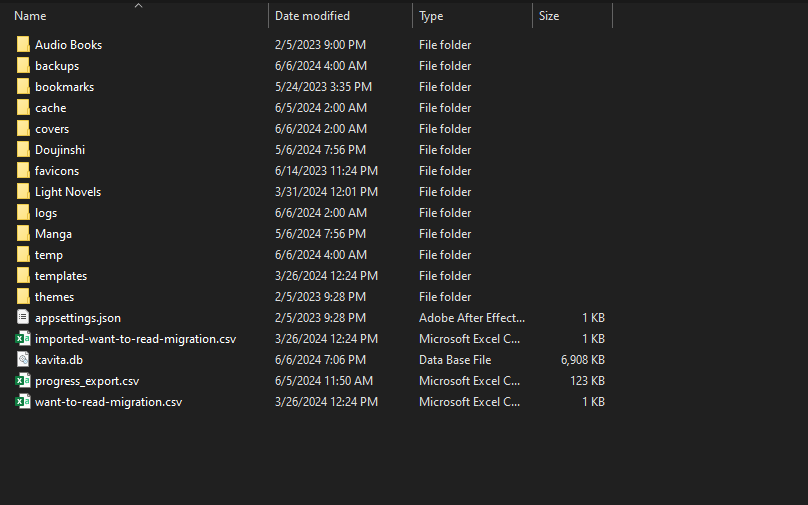
  1. Hi all, When I first started using Unraid a little over a year ago, for some reason, when I installed Kavita, I set the data directory to where I store my media instead of the actual appdata share. I haven't had any issues with it there, but I would like to move it to its proper share. So, I was wondering what the best approach would be to move it from essentially my media share to the appdata share? I was thinking of backing up the appdata-relevant info, uninstalling Kavita, deleting the leftover files, reinstalling it properly, and replacing the fresh install with the backed-up data. But I figured it doesn't hurt to ask before doing so, just in case there is a better process. Thanks!
Account

Navigation

Search

Search

Configure browser push notifications

Chrome (Android)
  1. Tap the lock icon next to the address bar.
  2. Tap Permissions → Notifications.
  3. Adjust your preference.
Chrome (Desktop)
  1. Click the padlock icon in the address bar.
  2. Select Site settings.
  3. Find Notifications and adjust your preference.