





Jelly
Members
-
Joined
-
Last visited
-
Hey there, Did a bunch searching on Google but didn't find any answers. I have a folder with a .vmdk, .vmx, .nvram, .vmxf, and .vmsd file These represent a premade Windows 10 VM. The instructions it comes with use VMWare and in that case they do a simple "open a virtual machine" select the folder and they're done. Is there any way I can do the equivalent with Unraid? I started by trying to copy the folder into /domains but unsure where to go from there. Edit: I tried to put the .vmdk file directly in the Windows 10 template under "Primary vDisk Location:" however Windows bluescreens with "INACCESSIBLE BOOT DEVICE" Edit 2: I followed the steps I found here - same blue screen and error Edit 3: Switching Primary vDisk Bus to IDE fixed it. Is that fine or problematic? - Still open to advice on anything else I should be doing to do this properly.
-
This seems likely actually... This issue coincides with me switching to Plex from Emby and Plex was using /transcode which was not mapped (it was done via some ENV variable and had a path I didn't recognize set as default). Is there a way I can clean out all the accumulated data to see if it refills now that I've changed that? Edit: Down to 57% utilization after changing that
-
No orphaned images (although after a prune there were some I removed which is how I got from 100% to 87% utilization) Diagnostics attachedlakeshore-diagnostics-20230817-0910.zip
-
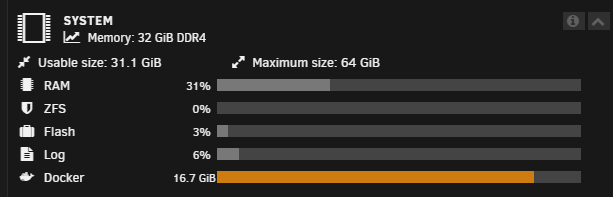
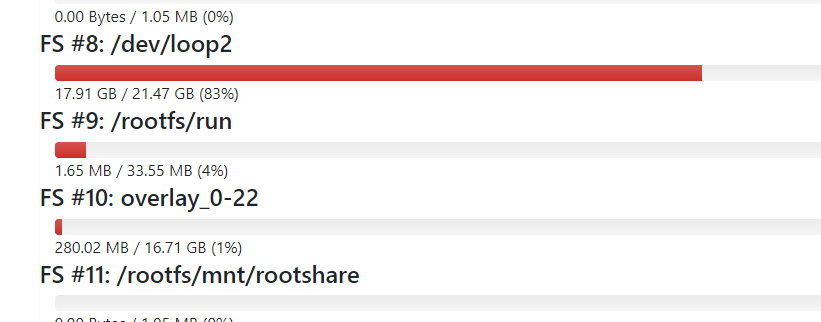
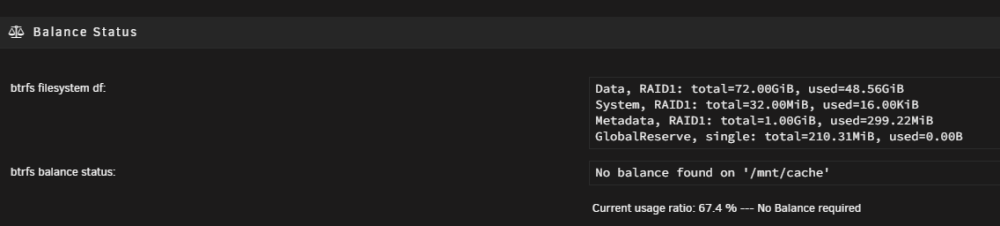
Hi, hopefully somebody can help me as I've googled and read multiple threads on this topic but didn't manage to solve it. I started getting warning about there not being enough space for docker - Fix common problems also flagging the same thing: I read the linked thread I've checked every volume mapping I have, every single one is mapped to a /mnt/user/.. path I checked my download paths in-app for sabnzbd and qBitorrent, they are: /downloads & /incomplete-downloads mapped as: /downloads -> /mnt/user/data/downloads/ /incomplete-downloads -> /mnt/user/data/incomplete-downloads I removed some unused images which took me from 100% docker image space utilization to 87% I heard it could be a caching issue but unsure where to start - I did try doing a balance: Something I found in cadvisor: my cache setup for the relevant shares:

-
I see, that's helpful, much appreciated
-
Coming from Google I can not tell you how much I wish you had simply answered the question here

