gonzalobalbas
Members
-
Joined
-
Last visited
-
Thank you very much for the detailed steps So, just to confirm, I have to do the following steps: -Add one of the 18Tb to the actual pool, wait for the expansion and scrub to complete -Add the other 18Tb and also wait for the expansion and scrub At this point, I should have a two Vdev on Raidz1, with 5x18TB drives each. Right? And then, how should I add the other 5x24Tb Vdev? Just by stopping the array, adding 5 more drives and select the 5x24Tb? Is there any other tip or suggestion? Thank you!
-
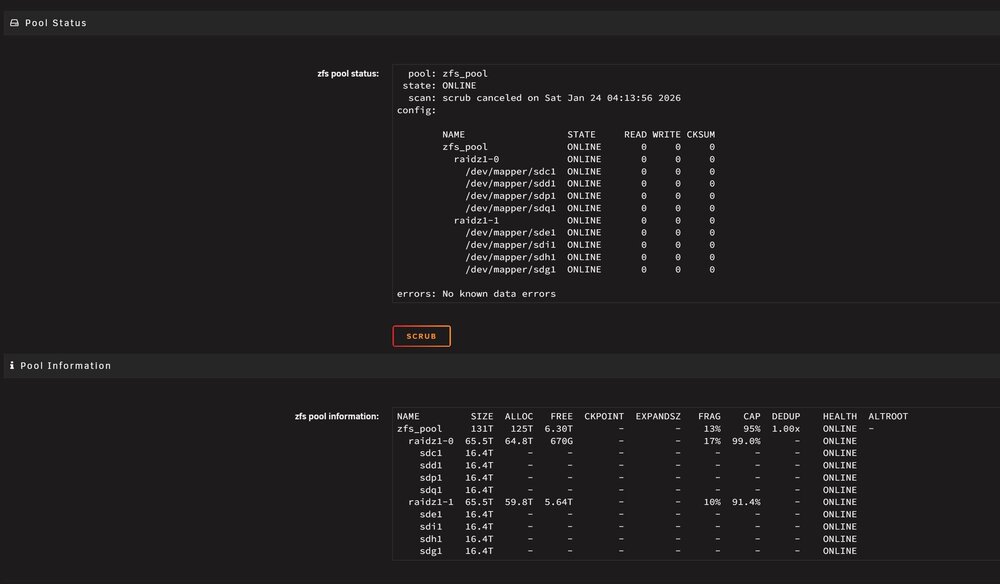
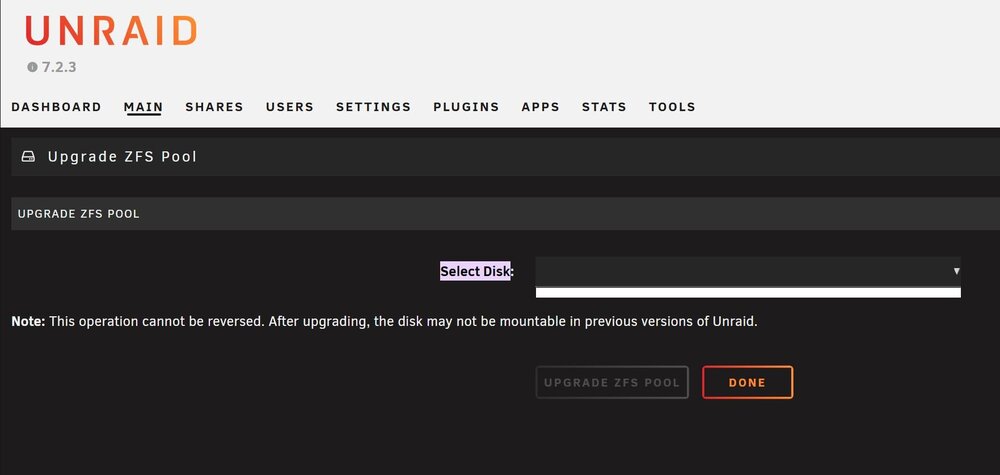
Hello everyone I'm trying to expand my ZFS Pool as explained here, but its impossible for me: https://youtu.be/frtauLMO3-c?si=vrQP5ReH4YVlxr-s My plan Is to add two 18Tb drives to my actual pool (and then create another Vdev or Pool with another 5 drives). But when I follow the instructions, i get an "Invalid expansion" warning when trying to start the Array. I read in the forum and in the documents that this happens when the pool needs to be updated, but as you can see in the screen capture, there is no Update button... https://docs.unraid.net/unraid-os/release-notes/7.2.0/#zfs-raidz-expansion I also searched in the system for "Upgrade ZFS Pool", and it takes me (second screenshot) to a menu where I cant do nothing. So, it would be possible that I upgraded it when updated the Unraid System and I cant remember it. But that still can't explain why I can't expand my ZFS pool... Just as a note, my final plan is to have the following structure in my server: 1 RAIDZ1 of 5x18Tb (Now it's 4x18Tb) 1 RAIDZ1 of 5x18Tb (Now it's 4x18Tb) 1 RAIDZ1 of 5x24Tb (A new one) At this point I'm not even sure how sould I add the new 5x24Tb Vdev or Pool... Thank you very much! zalonas-diagnostics-20260124-0414.zip