




Skip to content
View in the app

A better way to browse. Learn more.

Unraid

A full-screen app on your home screen with push notifications, badges and more.

To install this app on iOS and iPadOS
  1. Tap the Share icon in Safari
  2. Scroll the menu and tap Add to Home Screen.
  3. Tap Add in the top-right corner.
To install this app on Android
  1. Tap the 3-dot menu (⋮) in the top-right corner of the browser.
  2. Tap Add to Home screen or Install app.
  3. Confirm by tapping Install.

shades

Members
  • Joined

  • Last visited

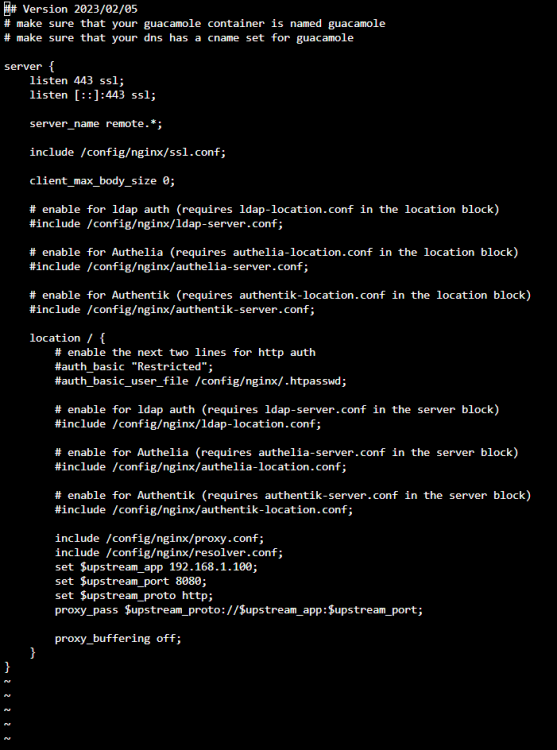
  1. As the topic implies, I am a new user and overall new to this scene. I setup Guacamole using SpaceInvaderOne's video (link below) and Swag using IBRACORP's video (link below). I have tried a variety of port forwarding rules on my router to no avail. I verified that nslookup was able to resolve my domain and public IP. I also use Cloudflare for my domain provider. I attached screenshots of my docker tab in Unraid and forwarding rules from my router. Any advice or help is greatly appreciated. Thank you all! Edit: I can get to guacamole locally via the IP and port. I attached a screenshot from the guacamole configuration as well. Guacamole Setup: Swag:

Account

Navigation

Search

Search

Configure browser push notifications

Chrome (Android)
  1. Tap the lock icon next to the address bar.
  2. Tap Permissions → Notifications.
  3. Adjust your preference.
Chrome (Desktop)
  1. Click the padlock icon in the address bar.
  2. Select Site settings.
  3. Find Notifications and adjust your preference.
