espresso
Members
-
Joined
-
Last visited
Everything posted by espresso
-
the worst part is that it only has 50 h runtime
-
That parity disk faild. After 18 h run time
-
jiraiya-diagnostics-20230311-1232.zip
-
I have read it. Is it the hole .zip file?
-
not sure what you want out
-
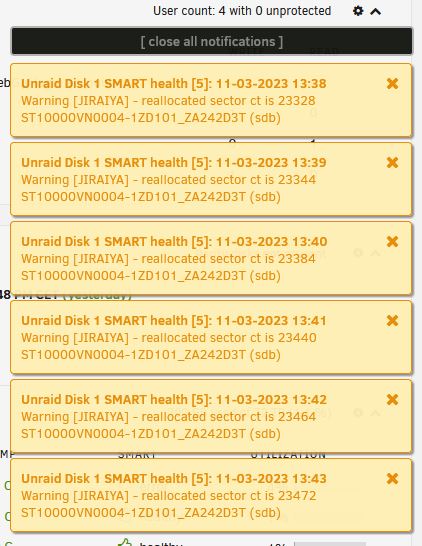
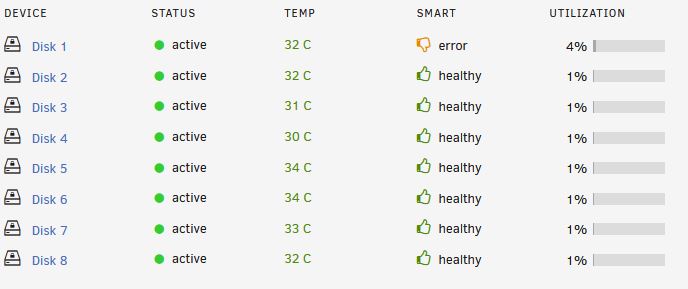
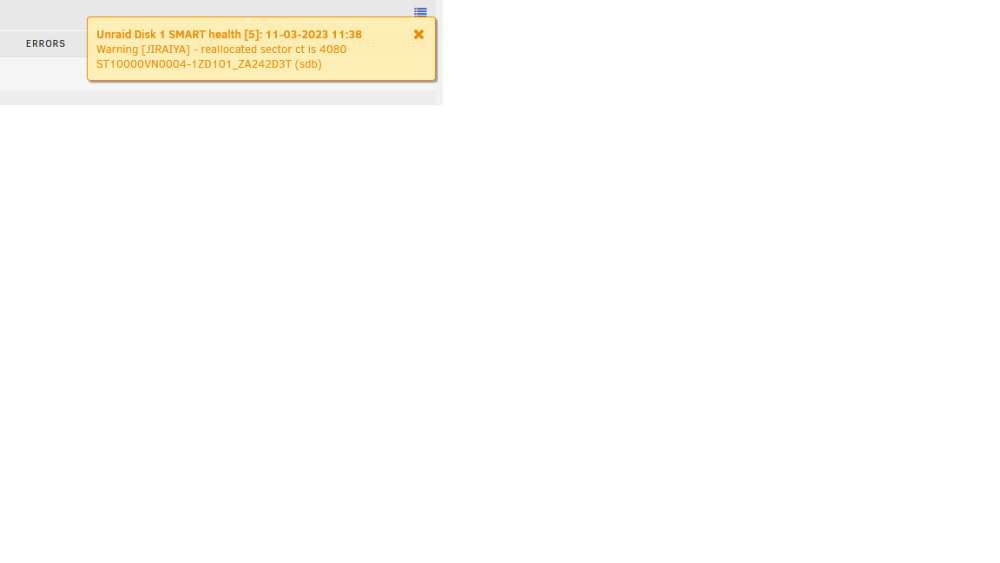
I bought 5 * 10 tb disk 5 year's ago. The prodject dead of and now i got my hans out of my pocket and are trying UNRAID. For now in the tesing stage i skipet the parity drive (It have faild). I have now 4*10tb + 4*8tb disk and now i have formated agin and found how to encrypt the array. tried to copy some fils over and then the first disk in the array now gives warnings. Smart have a tumb down in the dashboard, but in Identety on the drive it said it pass. Is it safe to continue or is that probobly dead? ST10000VN0004-1ZD101_ZA242D3T-20230310-2215 this is the drive that unraid say is the problem. ST10000VN0004-1ZD101_ZA21DLQ4-20230311-1050 disk2 (sdc).txt ST10000VN0004-1ZD101_ZA242BH7-20230311-1050 disk3 (sdd).txt ST10000VN0004-1ZD101_ZA242C0C-20230311-1050 disk4 (sde).txt ST10000VN0004-1ZD101_ZA242D3T-20230311-1050 disk1 (sdb).txt ST8000VN0022-2EL112_ZA1D5YZ9-20230311-1050 disk5 (sdf).txt ST8000VN0022-2EL112_ZA1DXZH4-20230311-1050 disk6 (sdg).txt ST8000VN0022-2EL112_ZA1DY0VK-20230311-1050 disk8 (sdi).txt ST8000VN0022-2EL112_ZA1E0LZA-20230311-1050 disk7 (sdh).txt
-
Have done my first array here and got a few error on my parity drive, when i created the array. ST10000VN0004-1ZD101_ZA242BSY-20230309-0742.txt Is the drive "dead" so i should replace it? Now i have trid to copy som files to the array (pic).

-
Yes, at last i got Unraid to boot proper. I was using USB 3.0 flash drive and got a different resultat when testen version 6.9.2 and 6.11.5 (like the pic from first post). Did also try like the comment above and try differnt USB port's on the motherboard. When a friend read the pic from 6.9.2, then ask me what "bond0" and we read about it on the forum. The conclusions was using a USB 2.0 drive, so had to dig in my bag of old stuff. Then booting from USB 2.0 drive we manage to boot and got in to the web-browser GUI.
-
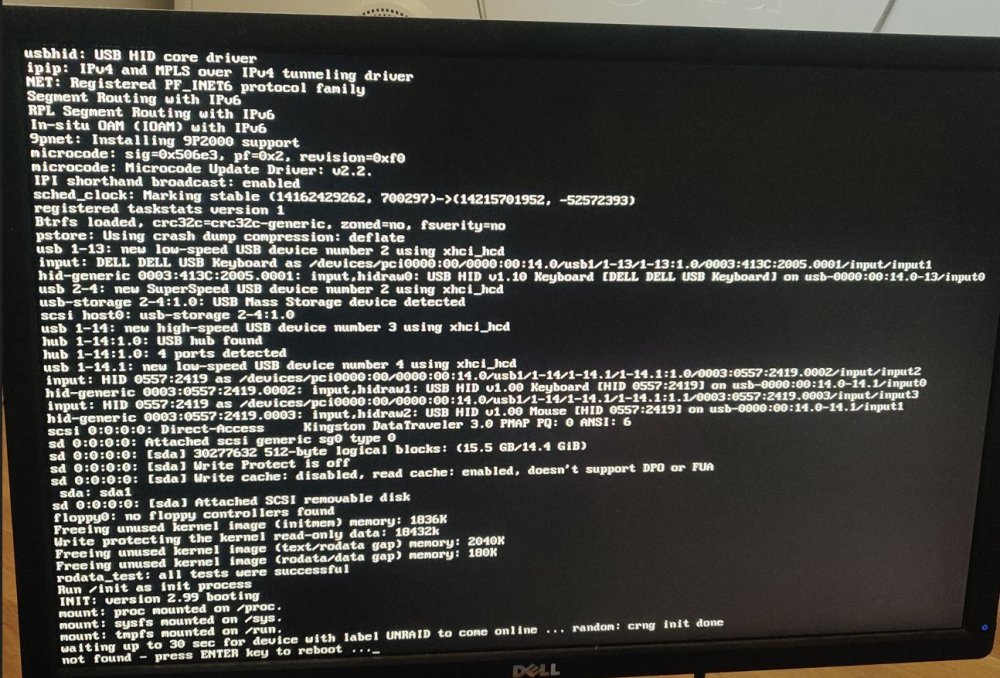
When i use the other LAN-port the motherboard diden't get any IP from DHCP. With the ver 9.11.5 it still stop's like the secund pic.
-
Not GUI The folders name is EFI
-
Booting från UEFI. have been using USB3
-
Yes your where right that the network cable was in the wrong IO port. Had to take out the IO-shield. But the problem still remain when i try both releases 6.11.5 and 6.9.2. Have also trid a second computer to create USB boot drive.
-
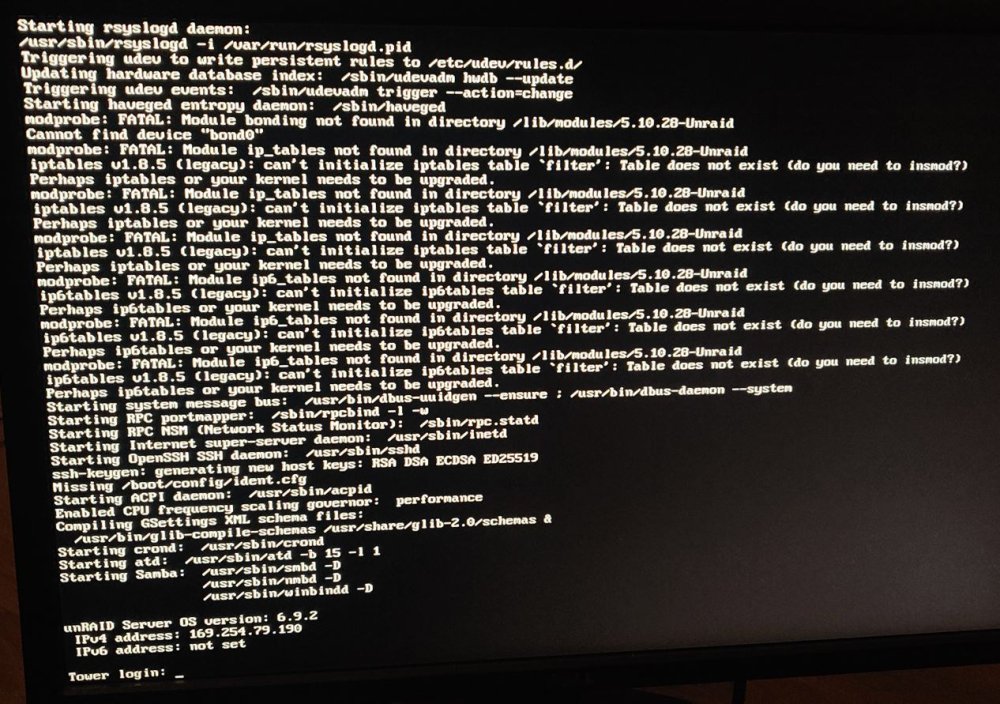
The first screenshot: I know DHCP don't give the IP there. But when the supermicro motherboard "BIOS" loading it show's the right IP from my DHCP. The second screenshot: I tried reflash to the newest releace and check the label was UNRAID and it was all caps.
-
I have now built a server with this motherboard https://www.supermicro.com/en/products/motherboard/x11ssh-ctf First pic: Then I tried to use the oldest that USB creator can do and tried 6.9.2. With this I can log in to Root, but I can’t use the web GUI to create an account. I notice that the motherboard startup get an IP from my router. When the Vers 6.9.2 that boots to login then get a wrong IP. Second pic: I used the unraid USB creator. But then I use the 6.11.5 it stop loading in the middle of the boot.