





DanJ1975
Members
-
Joined
-
Last visited
-
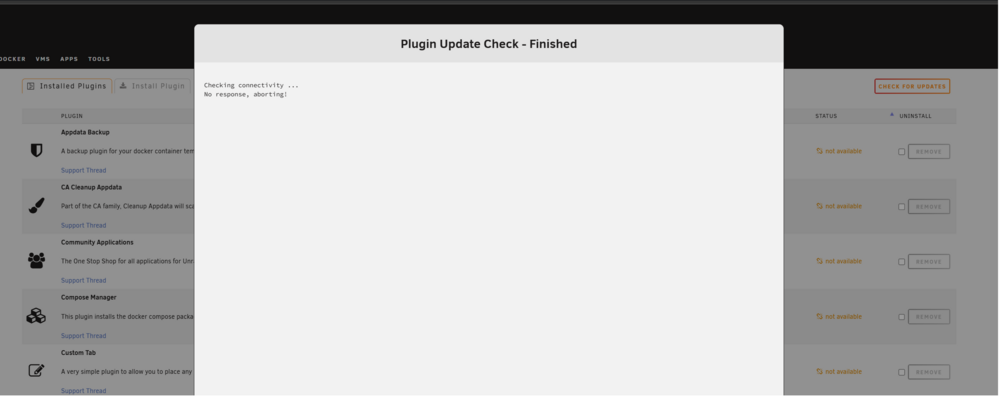
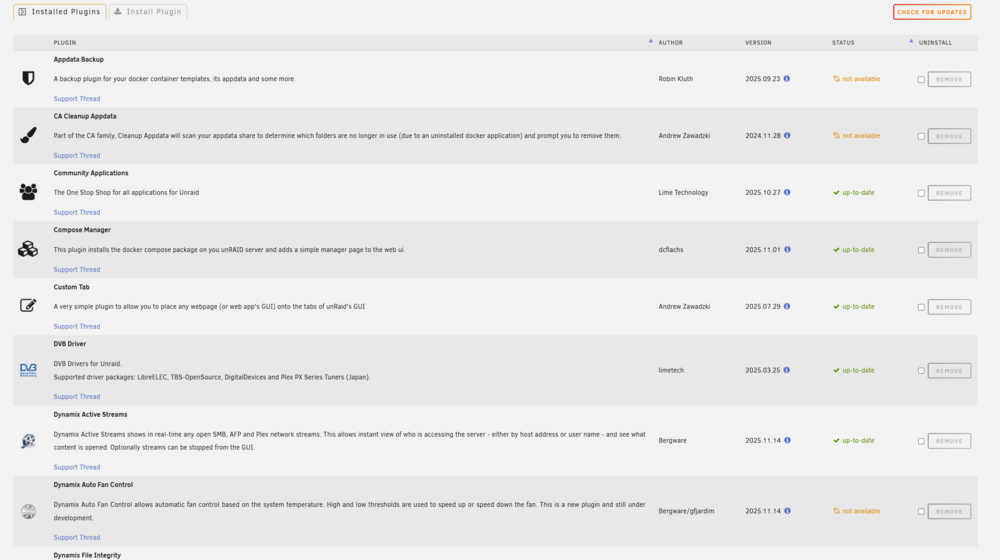
Hi all, I have checked everything i can think of but no joy. I cannot get the plugin version checker to work. On restart it shows all plugin versions as "not available" and then if i click the "check for updates" button it says there is no connectivity (see images). It does however update some of the plugins. All very strange. I have to nics (one on board and one pcie) and they both seem to be working fine and i can ping 8.8.8.8 etc. I have added my diagnostics too... hopefully that helps. Any ideas anyone? Thanks in advance for your help. helios-diagnostics-20260109-1232.zip
-
Just as follow up I think I have solved the issue. My server uses a Ryzen CPU and I think the errors etc I was seeing were being caused by c-states (after some research on this forum). I have updated my BIOS and disabled c-states and at the moment after a solid 24 hours i have seen zero errors, whereas before I would have expected to see multiple warnings and alerts over this period. Thanks to the people who post such a wealth of information on this forum. For newbies like me it really is very useful.
-
Thanks for the response. Yes it restarts itself. The machine itself is on a UPS with plenty of capacity so shouldn't be down to power loss and the the PSU is rated more than enough to support the hardware. I saw errors in the syslog and wondered if they would indicate an issue to someone with more knowledge of Unraid than me. I have already set up an external syslog server to ensure the log is kept between shutdowns which is what I attached to the original message. I guess I can open up the box and check all the cables are seated correctly etc but otherwise i am stumped.
-
As the title says I am getting random unclean restarts. The system can stay up for weeks or days and I don't have a clue why. I have attached the logs. There are some errors in the log but not really sure how to interpret them or more importantly what to do to resolve them. Any help would be appreciated. syslog.zip

