





Mikey_Mike
Members
-
Joined
-
Last visited
Everything posted by Mikey_Mike
-
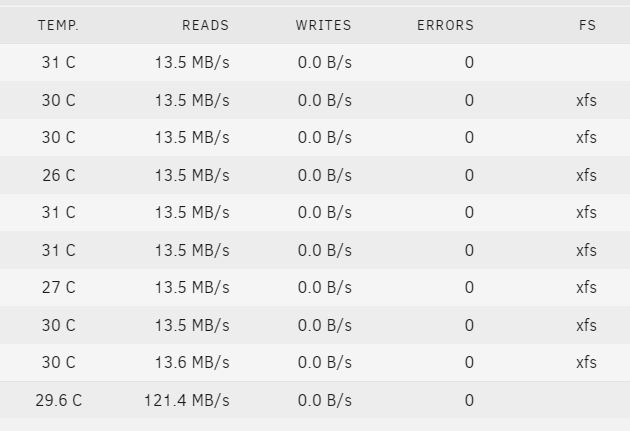
Hello Jorge, Thanks again for the quick response and apologies for the delay. I ran the diskspeed app, there was one error on the parity drive, but the others showed no errors? should I be looking for anything specifically?
-
Hello Jorge, Thank you for the quick response on this. I'd have never have looked in the BIOS, so thanks for the guidance. I've carried out the bios check, but for ports 5-6, there was only IDE available, however, for ports 1-4 there were multiple options. So i selected AHCI under 1-4, this automatically switched the ports 5-6 to AHCI aswel. I've attached a new log, not sure if the check needs to run for longer?, but it looks like its still the same. server-diagnostics-20230315-1427.zip
-
Hi All, I've been using UnRaid for around 5 months(?) now. But I've always had an issue with Parity running slow. Hadn't really thought anything of it until I found another thread stating that their speed was slow at 80mb/s (?!?). My system runs at 13 - 15 mb/s - so something doesn't seem right? I added a SATA card after making my server, but this 'issue' has always been present I've got a diagnostic log and wondering if someone able to take a look? Could it be simply that my system is just old? thanks in advance. server-diagnostics-20230314-2157.zip
