seriousm4x
Members
-
Joined
-
Last visited
-
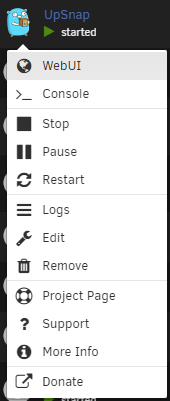
Hey, sorry for not being very active here. I've made a couple of changes to the template (thanks @SOULV1CE): Added link to WebUI. It will automatically link to http://[IP]:[PORT:8090]/ Added PostArgs to make port change more easy Added default mountpoint "/mnt/user/appdata/upsnap/" Added Timezone environment variable Use a png as icon
-
UpSnap A simple wake on lan web app written with SvelteKit, Go, PocketBase and nmap. Github: https://github.com/seriousm4x/UpSnap Ghcr.io: https://github.com/seriousm4x/UpSnap/pkgs/container/upsnap Screenshots: https://github.com/seriousm4x/UpSnap#-screenshots ✨ Features Dashboard to wake up devices with one click Set timed wake and shutdown events via cron Add custom ports to devices which will be pinged Discover devices by scanning network User/Password protected login Dark/light or system prefered color scheme Docker images for amd64, arm64, arm/v7, arm/v6 If you encounter any bugs or issues, please don't hesitate to ask for assistance here. If you have a Github account and are familiar with software development, you can also contribute by creating an issue or submitting a pull request.