





richrodgers
Members
-
Joined
-
Last visited
-
Yes, I initiated the shutdown. I looks like this may have been caused by the integrated network port on the motherboard dying. I noticed a a "Device "eth0" does not exist". error when I booted. Adding a PCI network card has solved the issue.
-
Hi I've recently replaced the cache pool in my server. Everything was back up and running OK so I shut down to re-mount the drives internally and whilst it appears to boot up again I'm unable to connect. It appears to boot OK as I can see all the boot messages on screen, and then when I hit the power button it displays all the shutdown messages and appears to shut down normally. I can't ping the server so I'm wondering if it's a network issue. I've pulled the logs from the USB and attached them. Thanks for any help. Rich syslog
-
Thanks. I fixed this by moving all the files to the array then adding a new cache pool and moving everything back again which was working.
-
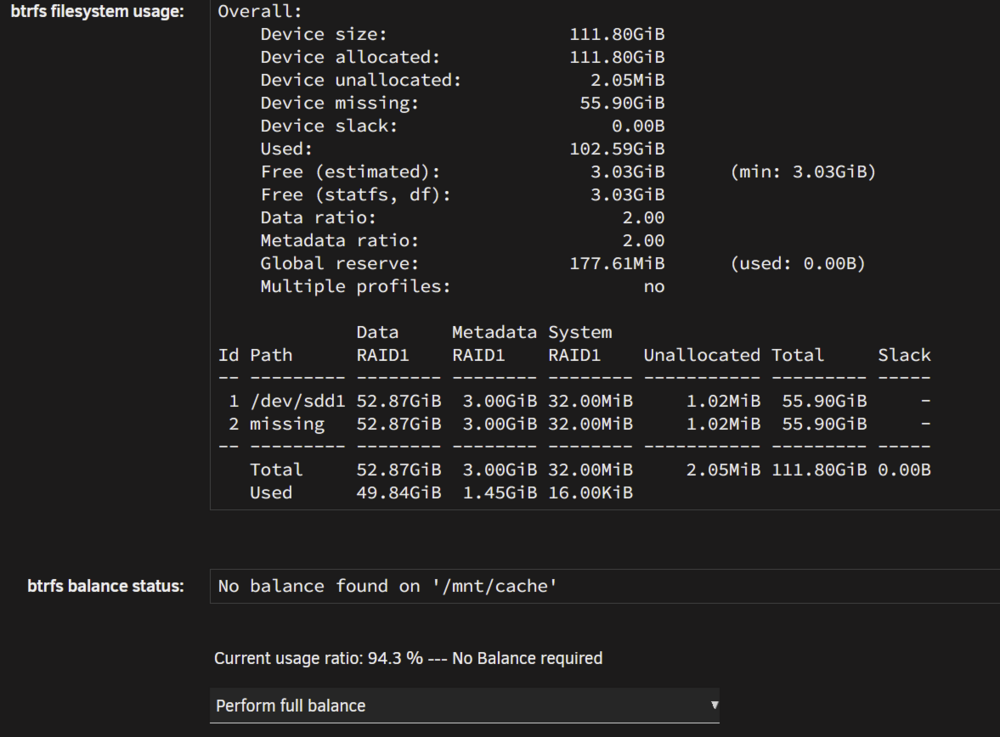
Hi I have (had) a cache pool with 2 x 60gb drives that was reaching capacity so I've bought 2 x 250gb SSD drives with the plan to upgrade. I've shut down unraid, replaced one of the drives, booted up again and assigned the new drive to the cache pool and Unraid is reporting normal operation. But when I look at the status of the balance is indicates I have a device missing. Is this normal? I was planning to balance the drives and then take out the remaining 60gb drive and replace it with the other 250gb drive but don't want to do that if something is wrong. Any help apprecaited, thanks Rich

-
Thanks, that's fixed it.
-
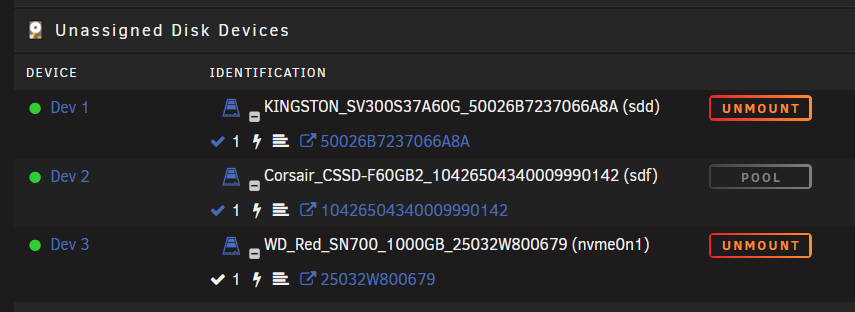
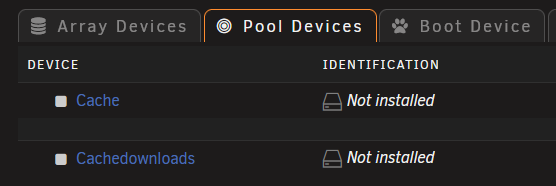
Hi I've had an unclean shutdown today and whilst I can boot up my server and get to the GUI I seem to have lost the config on my cache drives that I had installed. When I boot the server the cache disks are listed in the unassigned devices section and I can mount them OK and browse the data on them. But when I look at the pool devices it lists my 2 caches but it says the disks are not installed and I'm not sure how I can get these working again. I've attached the diagnostics, any help greatly appreciated. Thanks tower-diagnostics-20250707-1642.zip
-
Thanks, this fixed it for me and I've been able to log in to the GUI and add the additional cache drive without any further issues.
-
Hi I've tried to add an additional Cache drive to my server tonight and I've screwed something up somewhere. When I try and log in to the web GUI I get a "500 Internal Server Error". I can log in via SSH without issue but I don't really know what I need to do to try and troubleshoot the issues. I've been able to reboot the server via SSH but this doesn't resolve anything. I've been able to run the diagnostics via SSH and I've attached them to the post. Any help greatly appreciated. Thanks Rich tower-diagnostics-20250502-1951.zip


