dhesse84
Members
-
Joined
-
Last visited
-
Thanks for that link. I was actually able to fix this at some point shortly after, and I hadn't noticed your reply until now. I don't really remember what I did that fixed it. It was probably the combination of stopping everything + deleting the working directories for the containers + deleting the docker image + turning off VM's, rebooting, all in one go. I'm sure that sounds like a lot of destruction for what was likely a small problem. But my Unraid setup being comically simple - just a way to feed dvds onto an array and run Plex. So I really didn't mind just starting over so to speak. If it were to happen again, I'll post the proper info.
-
Hi, This problem came about with no specific reason today. When I try to access WebUI for the MakeMKV docker container, it will not connect. I have tried uninstalling and re-installing the container fresh. I have also stopped Docker, run the mover / removed the image a few times, rebooted the system a few times, and tried reinstalling MakeMKV several times. Once for no apparent reason, it worked briefly but then stopped working again. I am not sure where to look now, or what config files to post here for help. Please help me fix it if you would.
-
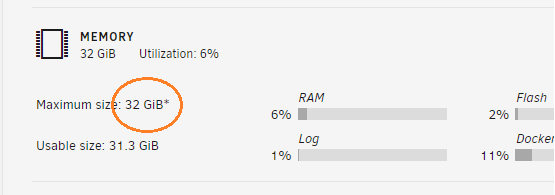
On the Dashboard, I don't understand the meaning of the asterisk next to my Maximum RAM size. I do have the most RAM installed that my motherboard will support. The screen looks like this: