





yanju
Members
-
Joined
-
Last visited
Everything posted by yanju
-
网络应该正常的 访问应用界面都可以看到里面的app
-
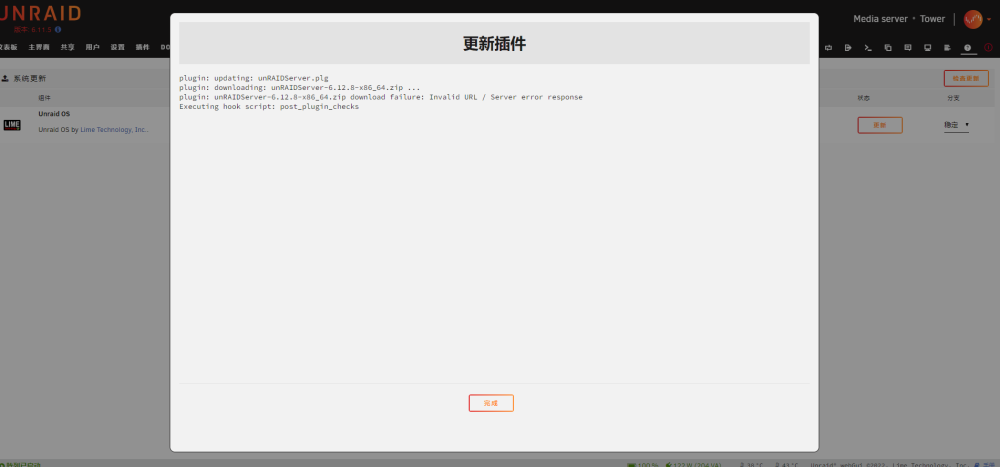
plugin: updating: unRAIDServer.plg plugin: downloading: unRAIDServer-6.12.8-x86_64.zip ... plugin: unRAIDServer-6.12.8-x86_64.zip download failure: Invalid URL / Server error response Executing hook script: post_plugin_checks
-
-
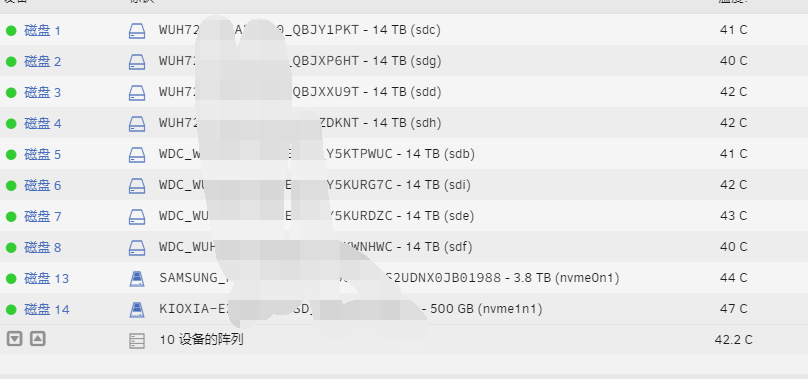
appdata domains system isos 这些文件夹消失了 硬盘都没有掉

-
Thanks I will try to do this
-
是的 自定义网络不行
-
设置成ipvlan 自定义的docker服务器 shh连接 连不上 有什么办法解决吗
-
Hello I switched to ipvlan But my custom docker server SHH can't connect, is there any way to solve it? There is no problem under Macvlan
-
已经改成这样了。试试会不会在崩溃 谢谢
-
Thanks I will try to do this
-
May 14 09:07:16 Tower mcelog: Kernel in lockdown. Cannot enable DIMM error location reporting syslog.txt
-
Hello My server version is 6.11.5 and I have been experiencing crashes and crashes recently I read the system log and found that it is a kernel error I hope to get your help here Supermicro X10SRL-F Intel® Xeon® CPU E5-2618L v3 @ 2.30GHz Linux 5.19.17-Unraid x86_64 bond0: fault-tolerance (active-backup), mtu 1500 May 13 01:12:03 Tower kernel: WARNING: CPU: 6 PID: 1845 at net/netfilter/nf_conntrack_core.c:1208 __nf_conntrack_confirm+0xa5/0x2cb [nf_conntrack] syslog-192.168.1.9.log
-
并没有解决 我今天早上又崩溃了
-
版本是 6.11.5 每隔大概半个月就会发生这种事情。 unraid 崩溃但是服务器本身还在运行,只是与外界断开 无法登录web和上面的任何docke,并且使用超微自带的IPMI也无法远程关机。只能自己手动强制重启


