CyrilGodric
Members
-
Joined
-
Last visited
-
UPDATE: After multiple reboots, tweaks to settings, all with no change, I shutdown the server with the intention of changing up the hardware to see if that would make a difference, I ended up having to go out for a few hours though and by the time I got back I needed the server back online. So no changes made. Booted up the server and everything is snappy and running smoothly. VM's launch in a few seconds and are responsive, dockers reboot a seconds. I don't quite understand why giving the server a "time out" for a few hours seems to have resolved this issue, and this had been going on since I setup unRaid on this server. But its working well now.
-
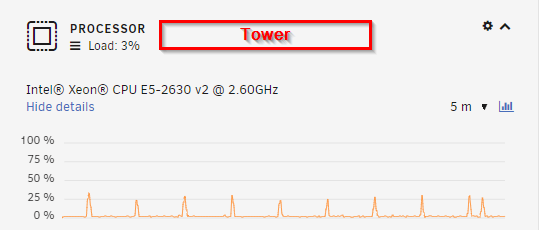
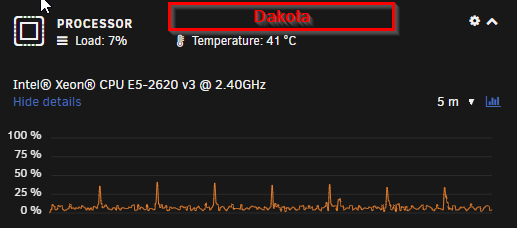
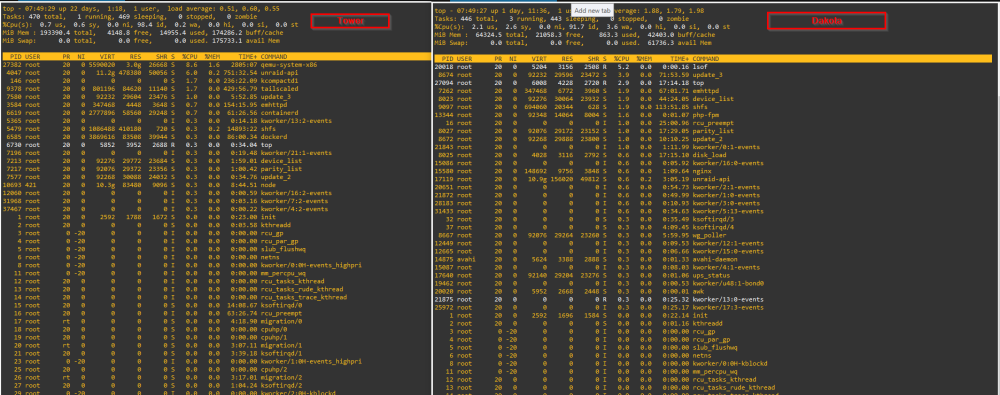
New to Unraid, I started out testing it on a Dell R620 (Tower) and enjoyed it, everything was snappy, the GUI, dockers, VMs. All Good. So I decided to install it on a more permanent server, a Dell R530 (Dakota). Dakota has less ram, but otherwise is a better server normally. However the performance is so laggy on Dakota. VMs take ages to boot and once they do they are unusable, changing menus about 10 sec to load. I have tried google, but most topics I can find are slow transfer speeds, not my main issue atm. I am hoping someone with more experience looking at the diagnostics files can point me in the right direction of what I need to change to get the same performance on Dakota. I am not sure if its a BIOS option or what. EDIT- I've added some screen shots, Dakota seems to be busier looking at the CPU Stats, both servers currently stilling idle, Tower actually has some dockers running but Dakota have dockers and VMs disabled in this screen shot. Thanks tower-diagnostics-20230511-0706.zip dakota-diagnostics-20230511-0552.zip