





jacquesgalore
Members
-
Joined
-
Last visited
-
Thanks. Let me fix that. I am on 6.12.6.

-
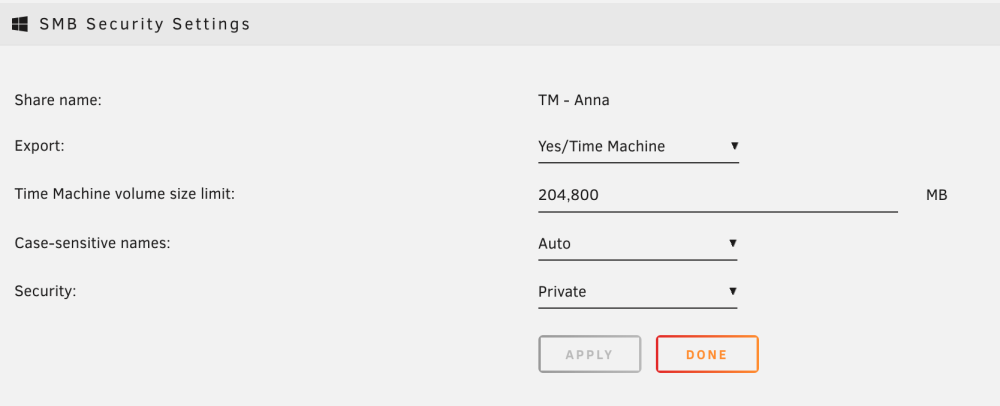
Hello forums - I have been using Unraid TM Shares for some time now. Settings are limited to 200GB. But the usage is above. Has anyone else encountered this? How did you fix it? Thanks, Brandon
-
Thanks. I'll try that later today and see what I can get.
-
I would - but the interface isn’t starting and there’s no network ping. Can I get the diagnostics without that?
-
Hello forum - I have recently been in process of replacing twin 3TB drives with twin 6TB drives. My machine will no longer start. What I did: 1. Stopped the array, unassigned the Parity drive, powered down and swapped out for a new 6TB. 2. Precleared the 6TB drive and then successfully executed Parity Sync. Everything green lights and good SMART checks. 3. The initial problem: when I stopped the array the word "Wrong" appeared by the parity drive. 4. The bigger problem: at this point I restarted the machine (array was stopped). Now the box powers on but that's it. No login, no network pings, no nothing. I'm running 6.12. I'd appreciate any help. Not looking forward to a protracted NAS project over the holiday! Thanks!
-
I was able to solve this by: 1. Unmounting the share 2. Using `zfs destroy -r` instead of `rm -rf` It appears that `rm -rf` is "queueing" the command but upon boot the changes are not successful. By using zfs directly I was able to circumvent this.
-
This appears to be the root of the issue in the boot logs. May 14 07:10:34 Carlino unassigned.devices: Mounting 'Auto Mount' Remote Shares... May 14 07:10:39 Carlino unassigned.devices: Using Gateway '192.168.50.1' to Ping Remote Shares. May 14 07:10:45 Carlino emhttpd: shcmd (530): rmdir '/mnt/user/Time Machine - Jacques' May 14 07:10:45 Carlino shfs: /usr/sbin/zfs destroy -r disk1/Time Machine - Jacques May 14 07:10:45 Carlino shfs: error: retval 2 attempting 'zfs destroy' May 14 07:10:45 Carlino root: rmdir: failed to remove '/mnt/user/Time Machine - Jacques': Device or resource busy
-
I have been able to delete this now (once) via umount, but now the share re-appears every time I reboot. The same thing happens with renames and any settings. Upon reboot, the "Time Machine - Jacques" is back.
-
Hi all - I'm encountering an odd error. I have a share called `Time Machine - Jacques` located on `/mnt/disk1/`. I am trying to delete it, but unraid will not allow it: What happens: If you try to Delete, rename or change in the GUI it "processes" but nothing happens Krusader will not let you delete In the terminal, `rm -rf <directory>` returns "Cannot remove device or resource busy" Details: There is nothing in the share (confirmed in terminal using ls -alh) The permissions are identical to other shares (confirmed in terminal) There are no processes running (confirmed using lsof | grep) There are no loops running on it (confirmed using losetup) I've run in Safe Mode and stopped all Containers and VMs Disk Check ran and came back normal Questions: Ideas or recommendations? Can I delete without mounting the array? Thanks


