obaka26
Members
-
Joined
-
Last visited
-
unraid设置——网络设置,把MTU从1480(我路由的默认MTU是1480)修改回默认的1500解决问题。 虽然解决了。但还是有点搞不懂。
-
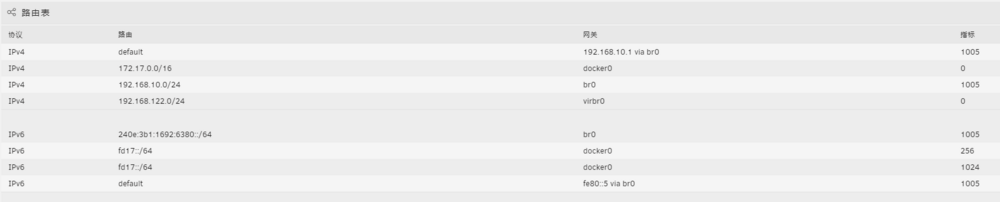
unraid的路由表
-
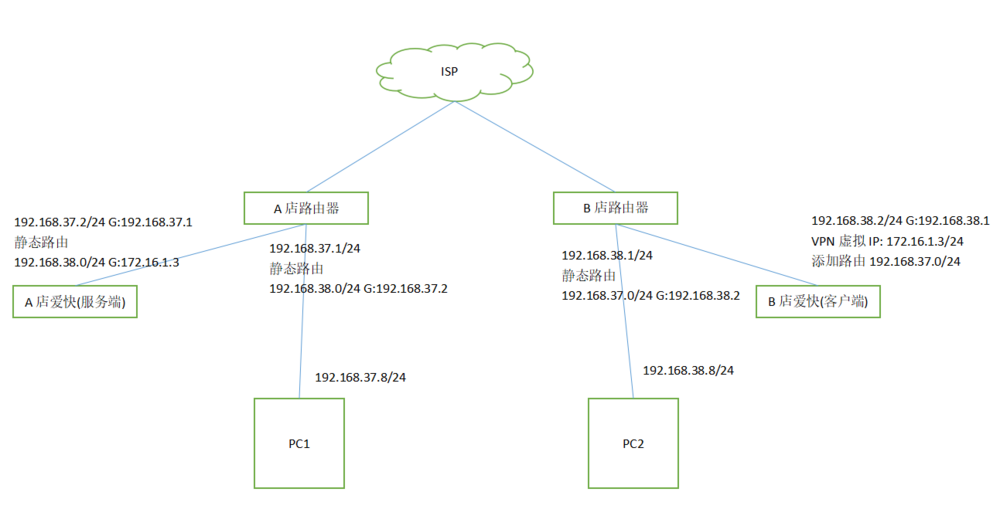
平时是使用NPM反代来实现公司和家里设备和服务的访问,每次增减设备和服务都要设置,自定义的域名越来越多。 为了减少操作,同时提高安全性,最近在学习openvpn组网,遇到一些疑难来请教。 参考资料: https://bbs.ikuai8.com/thread-133294-1-1.html 上图A店相当于家,B电相当于公司。 我在公司用单网口pc安装pve并虚拟一个ikuai2旁路由,公司pc2可以访问ikuai2的WEBUI。 但我在家用单网口pc安装unraid用相同的设置虚拟一个ikuai1旁路由,家pc1却访问不了ikuai1的WEBUI。 家里是光猫——主路由——交换机,交换机下接pc1和unraid。 pc1可以ping通ikuai1,但是访问不了ikuai1的WEBUI,一直转圈。 为了试错我又在unraid虚拟一个openwrt旁路由,同样能ping通但是访问不了WEBUI。 后来我又在unraid虚拟一个ikuai2旁路由和win10,win10手动ip网关指向ikuai1,这时候win10虚拟机可以访问ikuai2和openwrt,但是访问不了ikuai1。 是不是防火墙或者路由表什么的影响。
-
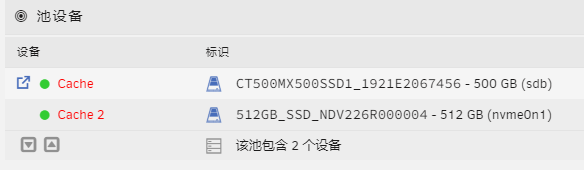
缓存池中有2个500G ssd组raid1,为了硬盘扩展需求,我想把cache 2的500G ssd从原生m2接口更换到pice转m2扩展卡上,把原生m2接口空余出来。 通过pice转m2扩展卡后,请问系统能识别该ssd为cache 2么?如果会识别成新的ssd,我该如何操作把它修复回缓存池? 感谢你的回复。
-
My unraid has been set up with a 512GB SSD cache, appdata and docker data is set as preferred, data is saved in cache, I am worried about the data security, so I am going to add another 512GB SSD to make up the raid1 cache to protect the data security. Do I need to MOVE the cached data to the array and then setup the raid1 file system? Thanks for your answers.
-
我的unraid已经有1个512GB的SSD缓存,appdata、docker、vm等数据都设置为首选缓存,重要数据长时间保存在缓存里,我担心它们的安全,因此我准备再添加1个512GB的SSD,组成raid1的缓存保护数据安全。 请问是否需要把当前缓存盘里所有数据先move到阵列里,再设置raid1文件系统? 期待和感谢你们的回答。
-
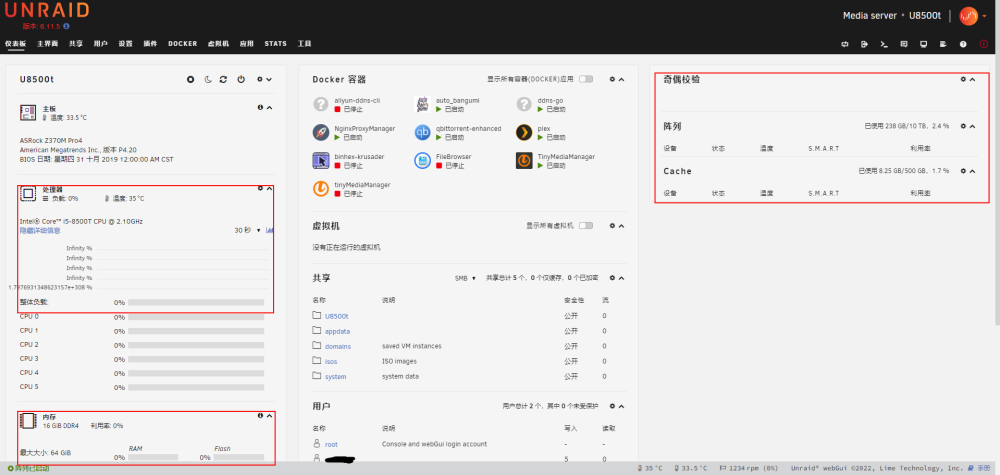
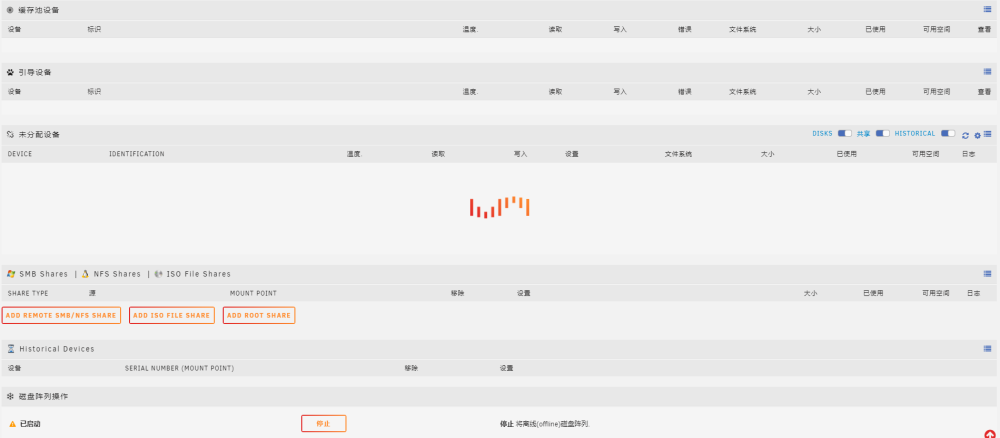
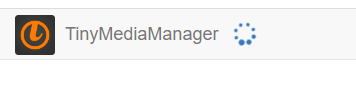
rt 1、仪表板无法显示阵列、cpu、内存、接口等信息 2、主界面无法显示磁盘信息 3、tmm无法读取,可能是因上述问题引起 其他界面和容器基本正常访问,比如qb、plex。