eChristopher
Members
-
Joined
-
Last visited
-
Thanks for your response, although the situation spontaneously resolved itself. I don't know how. It may have coincided with a windows update.
-
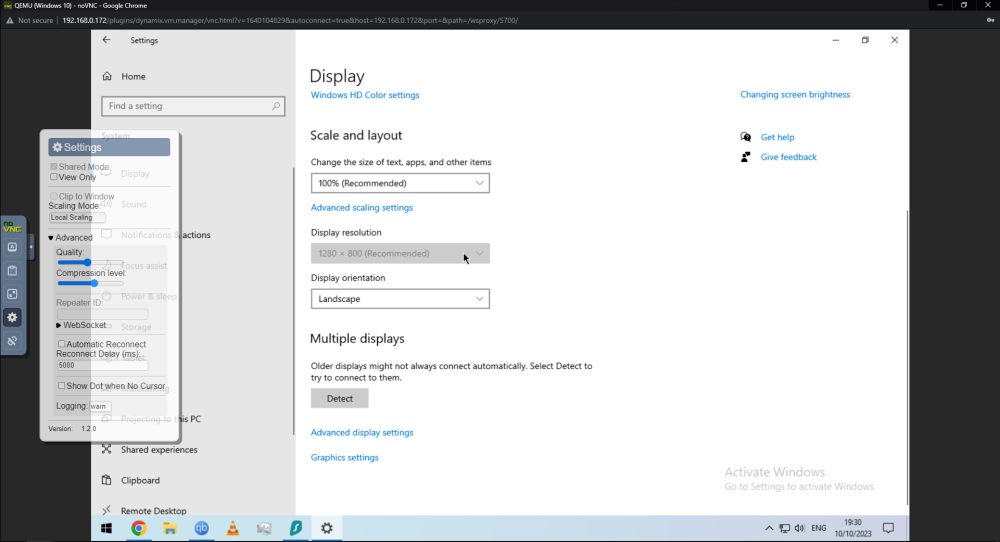
It's been a while and I cannot recall how, but I used to be able to change the OS level display resolution of my Windows 10 VM, which is currently at 1280x800. As you can see in the screenshot, the resolution option is greyed out at its current setting. Any help would be appreciated.
-
Everything went smoothly, thanks. I didn't know my shares would come back automatically.
-
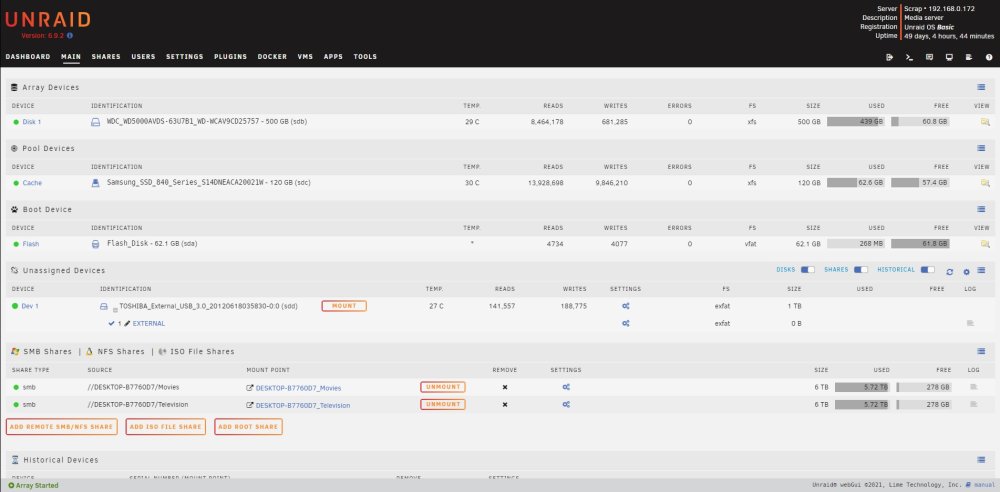
Complete noob, Version 6.9.2 Hopefully the image is visible. I have one 500GB data drive and a 120GB cache drive, with no parity. I want to replace the 500GB drive with a 2TB drive I just acquired. I am running one Windows 10 VM and one Docker container. Ideally I would like to not have to remake the VM. I made a disk share and have backed up the contents of Disk1 to my main PC. My plan is to stop the array, shutdown, replace the disk (this machine has only 2 sata ports), remake the array and move the files back, but I feel like this is certainly going to break something or everything. How is this supposed to be done?