SrKitos
Members
-
Joined
-
Last visited
-
maybe i will try to install a new SSD for cache and leave one only for docker, VM and isos. but how to know which service is constantly activating the disks?
-
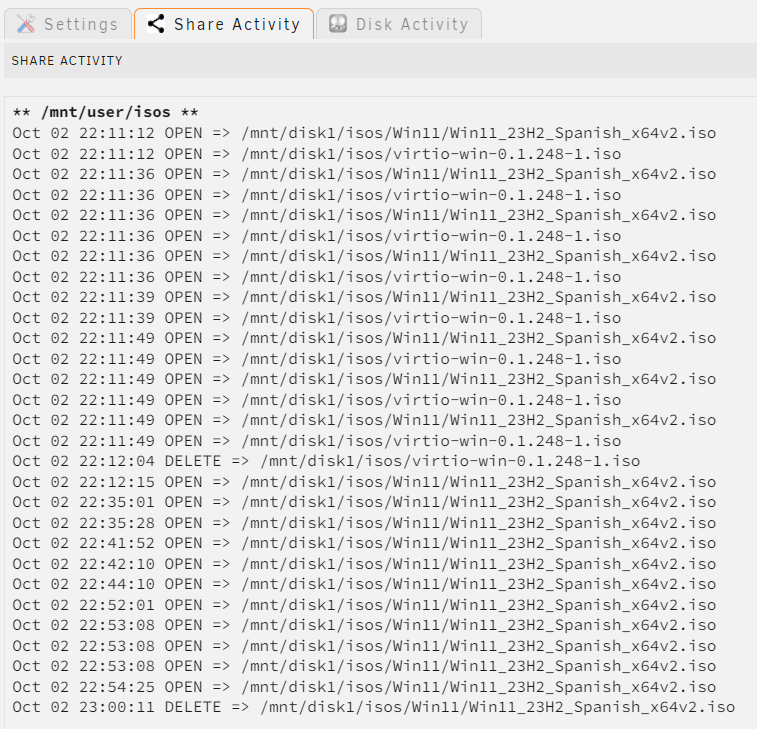
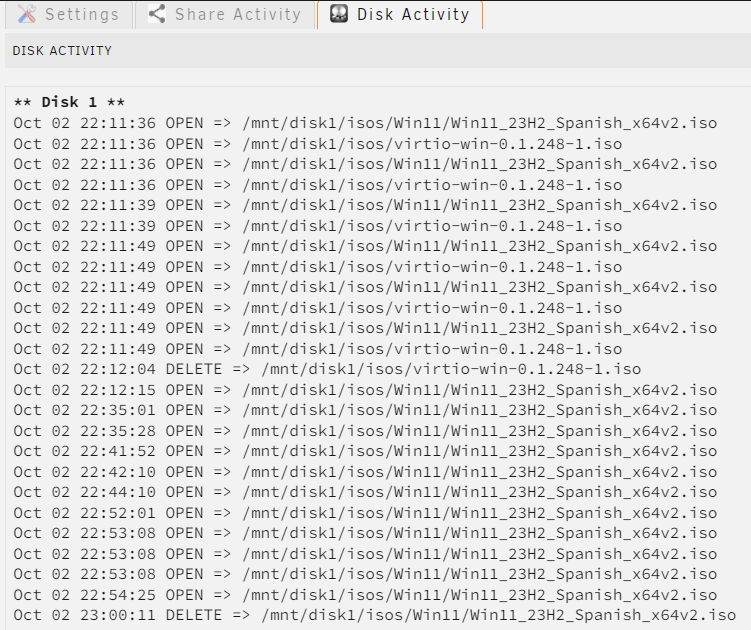
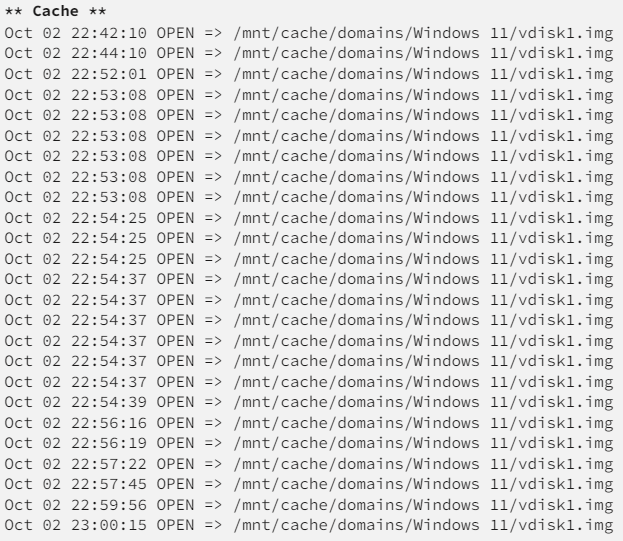
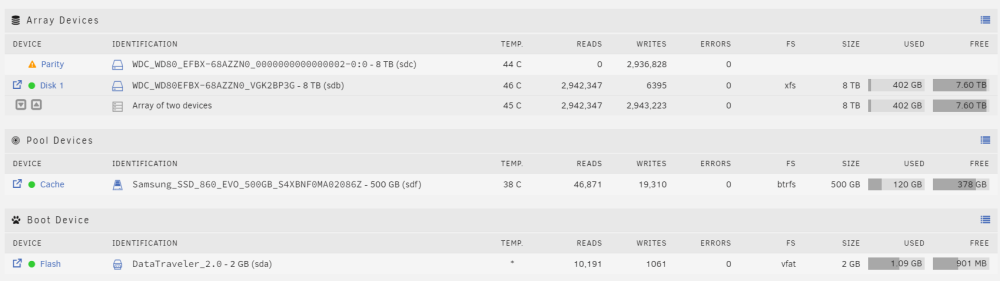
Hi, guys! It's been happening to me for days and I don't understand why. The disks of the Array, Disk 1 and parity never spin down (configured to spin down after 30 min). I was monitoring from the plugin file activity and saw that there were accesses to the ISO of W11 that I had hosted and the .img of the VM of W11 that I have created. All this with the VM turned off. I deleted the W11 Iso and virtio iso, deactivated the VM and no longer see access in the file activity. After that, the disks still don't spin down. If I manually turn them off they go to sleep, but after a few minutes they spin down again. 1 hour after deleting ISO and turning off VM, there is no activity and the disks spin up by themselves again. Any idea what wakes up my disks? Thanks! unraid-diagnostics-20241003-0005.zip
-
Hi, I have problems again... and two different ones: Sometimes web interface and syslog-previous.logssh stop responding, nginx error. Docker and VM works ok Sometimes everything fails, like now. I don't understand the docker problems that you indicate in this log. I have already uninstalled the unbalance plugin after seeing the error.
-
I am attaching another log in case you can help me, since on March 28 I suffered another server crash again. syslog-192.168.0.200 (1).log
-
hi, thanks for your response. These days I'm away from home and I couldn't check anything, also, I don't have access to the server through wireguard, so I assume something has happened again and it's not active. The attached log is already persistent, the system log server was enabled and saved in appdata, so that should be enough, right?
-
Hello, I have a problem lately with Unraid. After several days, between 1 and 2 weeks, it freezes. I thought it was the problem that I have read about mclan and iplan, but I have changed to iplan and the same thing happens. This time I have saved the syslog and attached it, because I see that it seems to lose the Ethernet connection, but I don't understand anything. But this time it was worse... it didn't detect the parity disk Ignore the "communication with UPS lost, I can't communicate with my PHASAK brand UPS. Thank yousyslog-192.168.0.200.log
-
I tried that and it didn't work. Deleting the array, formatting the disks again and starting Docker has solved the problem. Thank you.
-
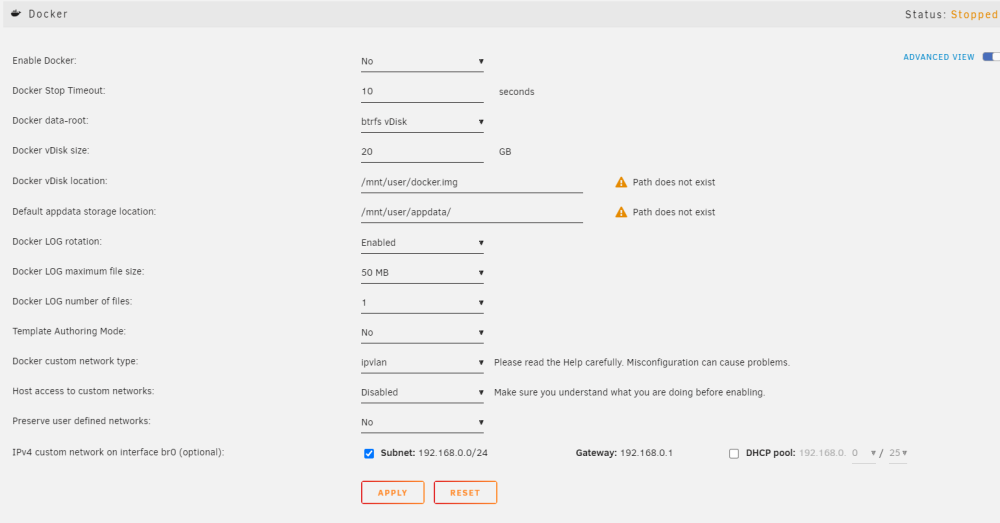
Hi, I've been with Unraid for a short time, I tested with Docker and everything was perfect, but I did it with disks that I use for testing. I have changed the disks to the definitive ones to make the array and cache pool and logically I have lost all the Docker and VM. That doesn't bother me, I boot them back up, but when I activate Docker, it looks like the following and I'm not able to fix it (image). I cannot recover the original directories of the test disks since I have formatted them. I only have 1 disk in array (i will have parity ofc but when i have it configured) and 1 ssd as caché. Only a share, "shared_media" to start. How can i resolve it? or how can i reset to defaul and start over with unraid from default? I have a license purchased, ofc. Thank you very much