





that1guy
Members
-
Joined
-
Last visited
Everything posted by that1guy
-
backup code fsa.txt
-
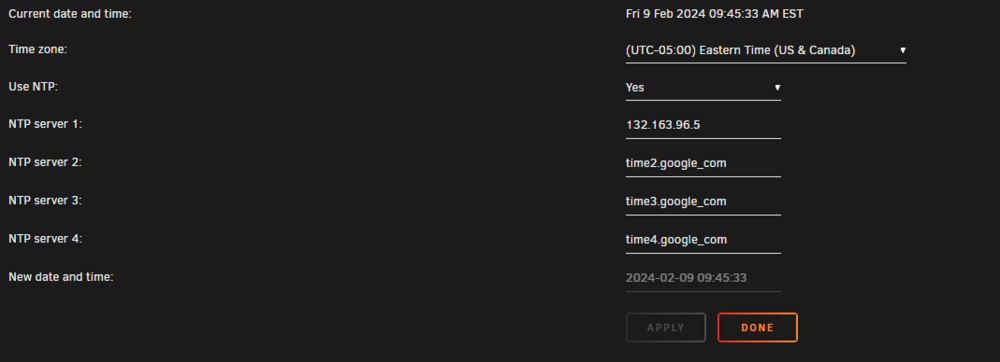
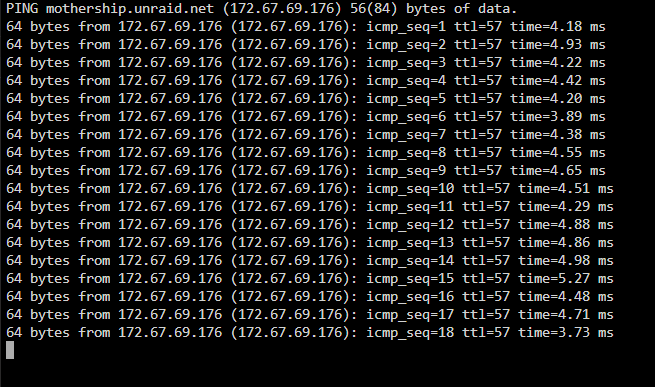
i've tried, did double check again, still same issue, i've tried verifying time, resetting my network settings, and im sure some other stuff im missing. next steps?
-
none of the comments on that particular thread seem to be of help, i'm still getting the same ssl verification issue when i run the install, i probably should have mentioned the specific error that i was getting on the initial post
-
so, this all started when i had an issue with my plex install and as a troubleshooting step i went to reinstall it, when i went into the app store initially it said it didn't have an internet connection, i've already tried verifying time servers, i've tried a bunch of different dns servers, im at a bit of a loss, that being said my experience with unraid has been mostly surface level thus far. any and all help would be appreciated, i included a diagnostic folder as well. tower-diagnostics-20250204-0752.zip
-
I've tried both the onboard as well as the add in 10 gig card, I've used several different cables, and its plugged into the same switch as my other windows system that is getting internet, and just for the sake of completeness i also checked that the port i was using is also working by testing it on my main rig as my main rig,, any other ideas as to what to try?
-
hi all, i had to shut down my system to do some changes to my desk and whatnot and when i fired it back up it back up ive been unable to get it to grab an ip address, im v new to all of this but was hoping for some guidance a to what my issue is and a point in the right direction as to fixing it. lmk if theres more information needed. tower-diagnostics-20230315-1931.zip

