Skip to content
View in the app

A better way to browse. Learn more.

Unraid

A full-screen app on your home screen with push notifications, badges and more.

To install this app on iOS and iPadOS
  1. Tap the Share icon in Safari
  2. Scroll the menu and tap Add to Home Screen.
  3. Tap Add in the top-right corner.
To install this app on Android
  1. Tap the 3-dot menu (⋮) in the top-right corner of the browser.
  2. Tap Add to Home screen or Install app.
  3. Confirm by tapping Install.

inphy_bj

Members
  • Joined

  • Last visited

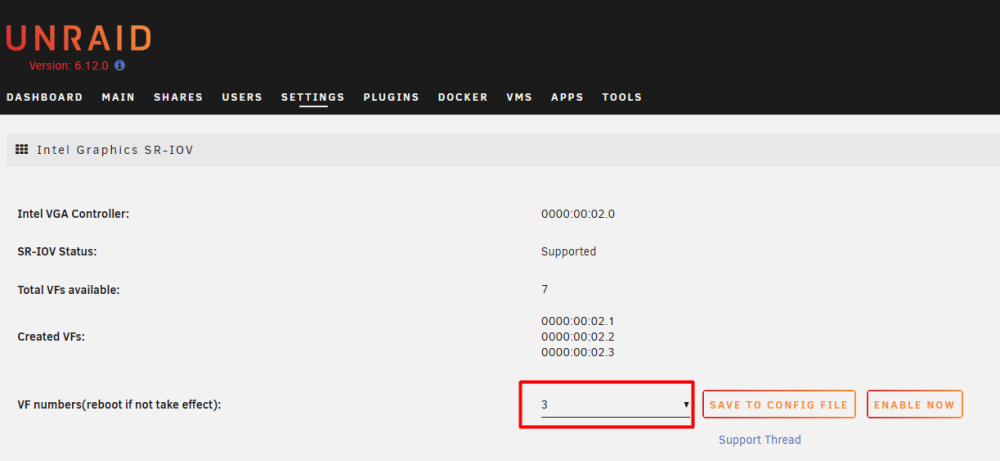
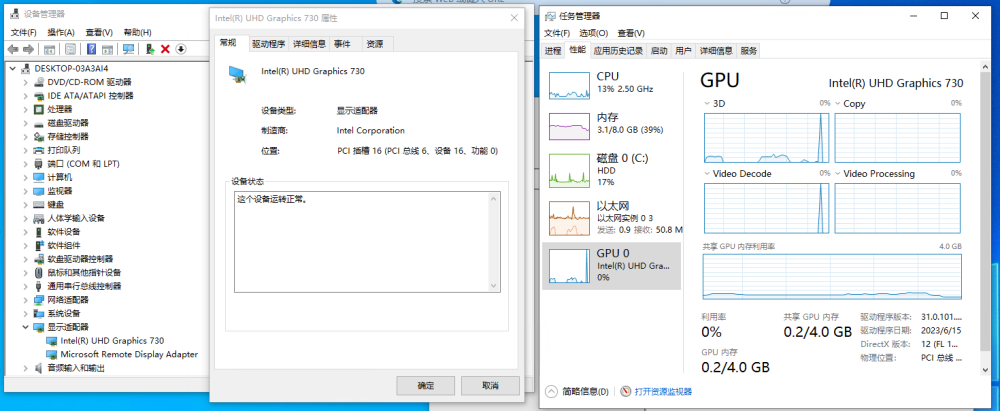
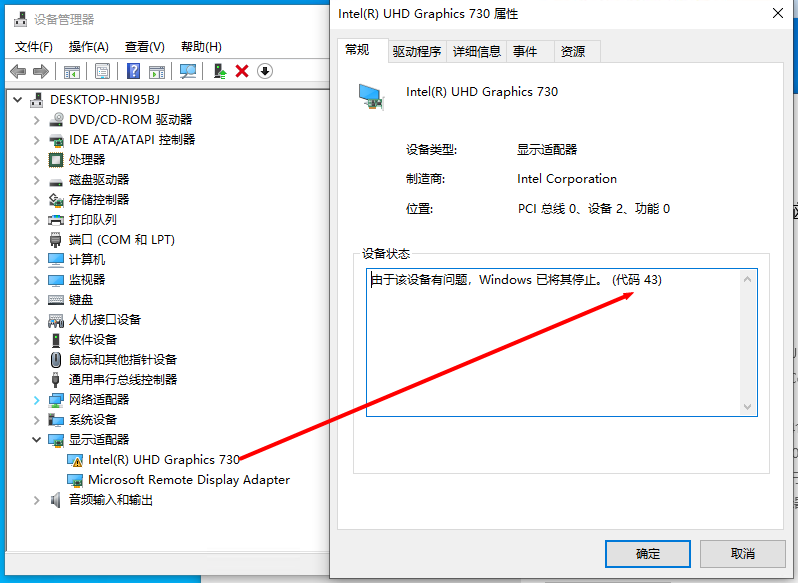
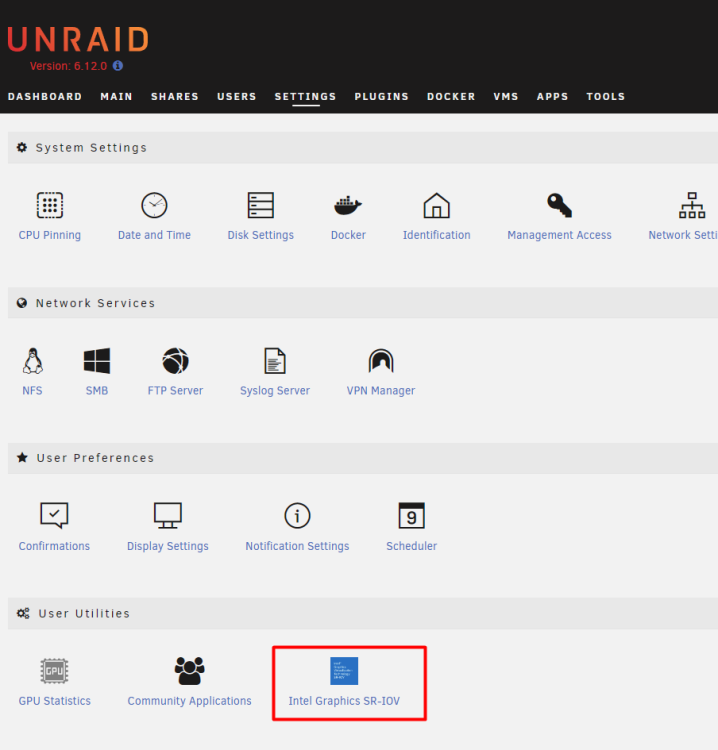
  1. 困扰我2天的intel核显【错误代码43】的问题终于解决了。 之前走了各种弯路。 最后发现在[settings - User Utilities - Intel Graphics SR-IOV]中设置[VF numbers]后就OK了。之前一直没到这里设置过。 希望能帮到同样报错代码43的朋友。 之前走了不少弯路,但实际上: 虚拟机机型选择:q35, i440fx, 都可以. 显卡驱动: 之前看有网友说驱动版本的事儿, 但实际win10没装驱动也能正常识别(装intel官方的当然也可以) 核显要不要直通: 我没直通, 就是没在[tools - system devices]里面勾选并BIND。bind之后,docker就用不了这个核显了呀 BIOS里开启SR-IOV:我BIOS里只有VT-d这个选项,开了,没看到有开启SR-IOV的选项。 最后说下我的硬件: CPU: i5-13400 主板: 七彩虹 CVN Z790D5 GAMING FROZEN , Version V20 ----------------- 再说一个点: 我在Intel Graphics SR-IOV设置完VF numbers,有一个虚拟机正常,但另外一个虚拟机设置显卡为核显后,一启动虚拟机,unraid就死机(这个虚拟机BIOS选择了SeaBIOS,不知跟这有没有关系)。只能拔电源重启。。后来又重新新建一个BIOS是OVMF的虚拟机就正常了。 ----------------
Account

Navigation

Search

Search

Configure browser push notifications

Chrome (Android)
  1. Tap the lock icon next to the address bar.
  2. Tap Permissions → Notifications.
  3. Adjust your preference.
Chrome (Desktop)
  1. Click the padlock icon in the address bar.
  2. Select Site settings.
  3. Find Notifications and adjust your preference.