





varg86
Members
-
Joined
-
Last visited
-
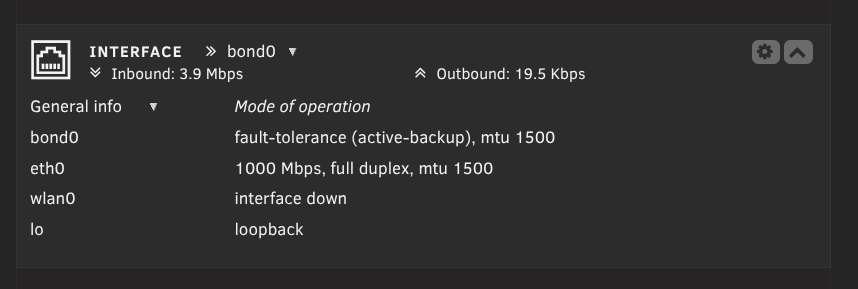
@all , Danke für Eure hilfe. Habs problem gelöst. Scheinbar hat das Netzwerkkabel das Problem verursacht. Habe mit iperf3 -s und iperf3 -c geprüft, und da kam nur 100mbit raus. Dann auf dem Router explizit auf das Gerät geschaut, und er hatte im Port 100mbit weil er erkannt hat dass das Kabel schlecht ist. Gegen neues getauscht, direkt Gigabit. Was ein quatsch. Vielen Dank nochmal an @mgutt @alturismo
-
Ich habe es so eingestellt dass der erst auf den cache schreibt und dann auf das array schiebt. ich gehe der sache mit der intel nic mal nach, sonst bestell ich mir mal eine billige pci nic die ich mal reinhänge als test.
-
Achja, und wenn ich bei Steam ein spiel aktualisiere, dann nutzt er die gesamte Bandbreite. Was auch gegen PC oder Router spricht.
-
sff-diagnostics-20251018-1739.zip Mein Client nutzt Nobara Linux: enp37s0: <BROADCAST,MULTICAST,UP,LOWER_UP> mtu 1500 qdisc fq_codel state UP group default qlen 1000 link/ether 00:d8:61:c8:ee:a2 brd ff:ff:ff:ff:ff:ff altname enx00d861c8eea2 inet 192.168.50.97/24 brd 192.168.50.255 scope global dynamic noprefixroute enp37s0 valid_lft 83131sec preferred_lft 83131sec inet6 fe80::8574:9533:8a79:39/64 scope link noprefixroute valid_lft forever preferred_lft forever Den Router habe ich eigentlich schon ausgeschlossen da ich alles über ein Switch gebrückt hatte zum testen.
-
network.cfg Unraid version 7.1.4
-
Stimmt:) Bittesehr Welche Daten aus der Diagnostics benötigst Du?
-
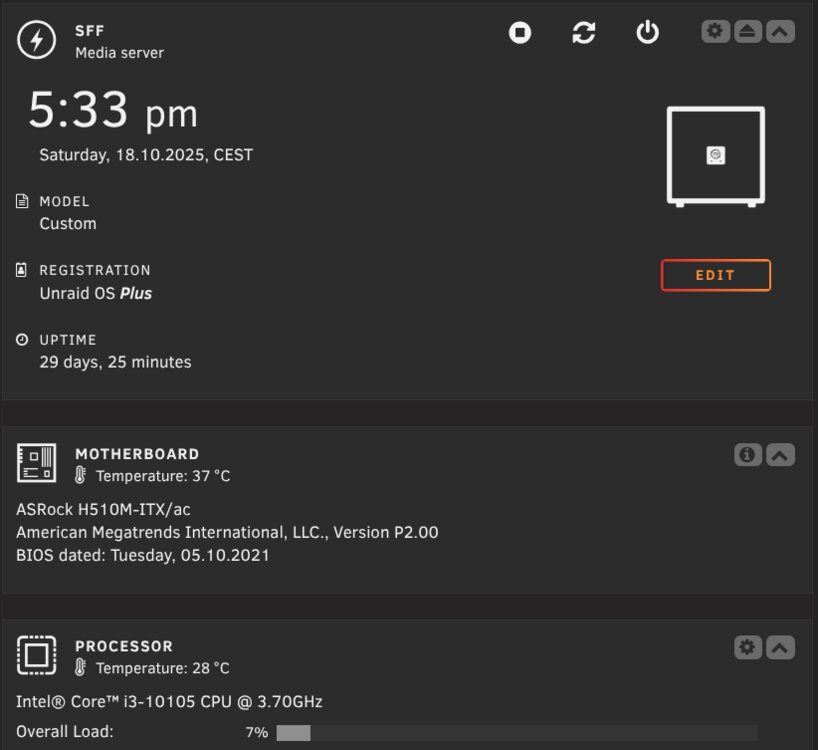
Hallo zusammen, habe 2023 meinen Server umgebaut auf Unraid. Anfangs lief alles mit 100MB/s, jedoch irgendwann nicht mehr. Ich kann garnicht sagen wann, da es mir erst letztens aufgefallen ist. Welche Daten kann ich euch liefern damit ihr da eine Aussage treffen könnt? besten Dank Florian
-
ist zwar ne ältere platte aber laut nas compares ne cmr. aber wenn 50 mb/s normal sind unter unraid, dann ist das so ist nur ne 5400er, das hat im raid 5 damals genug performance für datengrab und mediaserver gebracht.

-
Servus, ich habe es mit UD und USB versucht. Habe bei Spaceinvaderone den Hinweis gefunden dass man das dann in /mnt/user/<sharename> schreibt. habe ich auch so versucht, nur leider bricht die transferrate dann extrem ein. Kp warum....habt ihr ne idee? Das mit high water werde ich versuchen umzustellen.

-
okay, so i did this. And the transfer to the usb disk worked like charme. but the copy back is taking ages. starts with 170mb/s and then drops at 45mb/s . why?
-
Servus, ich habe meinen Server jetzt erfolgreich von Truenas zu Unraid umgezogen. Habe eine 3 TB als Parity und 3x3TB als Datenplatten. 1x 1 TB NVME Cache. Da die Platten ja nicht wie in einem RAID 5 als ein ganzes zu sehen sind hab ich so meine Verständnisprobleme wie ich jetzt die daten verteilen soll bzw. wie das generell funktioniert. Ich habe meine Daten vorher auf eine externe USB Platte gesichert und will die jetzt per USB zurückspielen. Ich habe auch ein Share eingerichtet mit der Einstellung "Most Free". Hoffe ihr Könnt mich da erhellen. besten Dank Florian
-
Yeah, you could use an ebook reader with e ink. most of them have a webbroweser build in. then you could show home assistant or the unraid dashboard.
-
Awesome, thank you!
-
Good Morning everybody. My Proliant Microserver is getting replaced with newer hardware and I also jump over to Unraid. Now to my problem: I have 4x3tb HDD with ZFS Z1. Plug the drives to the new NAS HW. Import the Pool. Transfer the data (7TB) to a 8tb USB HDD(Can unraid write NTFS or do I have to format it to xfs as well? ) Then format the ZFS Disks for use with Unraid and XFS and transfer the data back. Can I plug the USB drive(Just 4 SATA Ports) to Unraid and do this via USB or do I have to transfer the data though the network with the HDD plugged to another pc? Thx.



