




Skip to content
View in the app

A better way to browse. Learn more.

Unraid

A full-screen app on your home screen with push notifications, badges and more.

To install this app on iOS and iPadOS
  1. Tap the Share icon in Safari
  2. Scroll the menu and tap Add to Home Screen.
  3. Tap Add in the top-right corner.
To install this app on Android
  1. Tap the 3-dot menu (⋮) in the top-right corner of the browser.
  2. Tap Add to Home screen or Install app.
  3. Confirm by tapping Install.

DK_v

Members
  • Joined

  • Last visited

  1. 你的文章我看了,看到Q5 黑名单 正是我的问题,但是内容没了。。。。。。。
  2. 今天想重装一个系统盘,但是用官方的写盘工具,显示黑名单 为什么。请问要怎么处理
  3. 我7.1.2升级到7.1.4也出现这样的问题,重启完以后隔一段时间就无法链接了。然后我就回退了,回退完就正常了
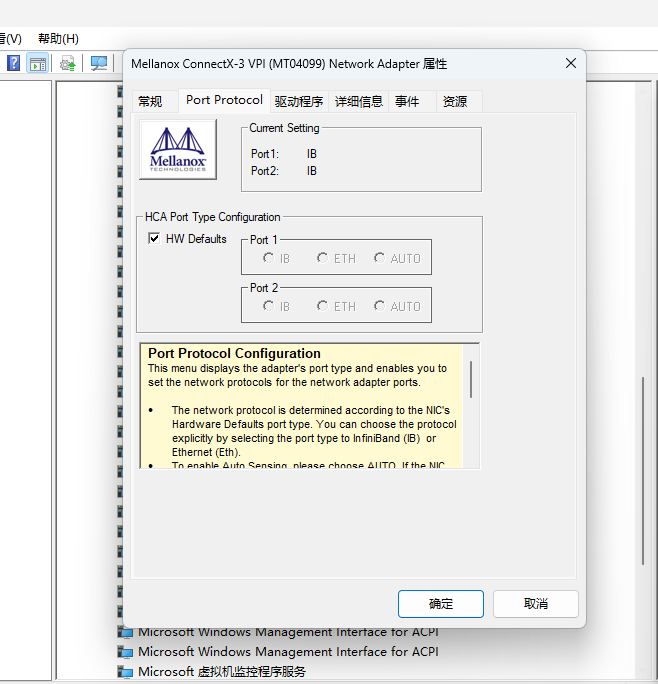
  4. 最近买了两张40G网卡 Mellanox/迈络思 MCX354A-FCBT,卡是Infiniband模式的,能在系统设备信息里面看到,但是在网络设置里面是无法设置的,查了一部分资料,说是unraid不支持Infiniband。有什么办法解决吗? 这里有个难点是,主用电脑是win11 13400的cpu 这套电脑只要把网卡设置成以太网模式,就蓝屏。只能使用IB模式有点无解。 有人有升级的案例吗,有什么好的方案吗。 我的nas主板是华硕z10pa-u8,之前尝试用HP 544+ 不兼容,nas无硬件信息
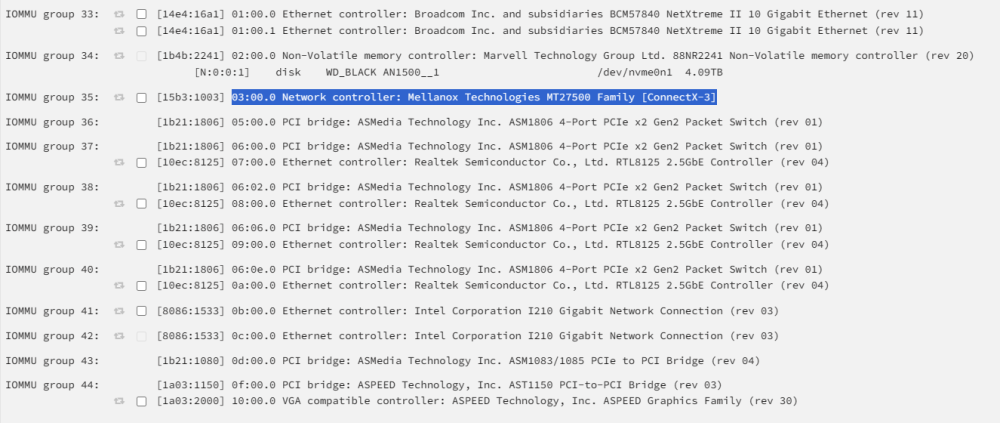
  5. 您好,按照你的办法输入以后可以在连上了,但是有个问题是 每次系统重启的话 都需要重新设置一下。有什么办法解决吗
  6. 我是清空u盘,重新安装的系统,插件也重新安装,所以应该不是升级覆盖导致的问题 情况是:用zerotier和蒲公英都不能在外网打开unraid的页面,但是加上端口访问docker是正常的。 是80端口的问题吗?

Account

Navigation

Search

Search

Configure browser push notifications

Chrome (Android)
  1. Tap the lock icon next to the address bar.
  2. Tap Permissions → Notifications.
  3. Adjust your preference.
Chrome (Desktop)
  1. Click the padlock icon in the address bar.
  2. Select Site settings.
  3. Find Notifications and adjust your preference.