Dubinception
Members
-
Joined
-
Last visited
-
I just want to say that I ended up finding another post that recommended getting rid of the vfio configs. I ended up moving them to my laptop and it booted without those configs so something must have been corrupted in that. I feel like I've had a lot of issues so far with getting Unraid to play nice with devices, usb or others and I've def had those configurations cause issues. I'm just not sure why it happened upon an OS update. At least things are working and it doesn't appear that I've lost anything important.
-
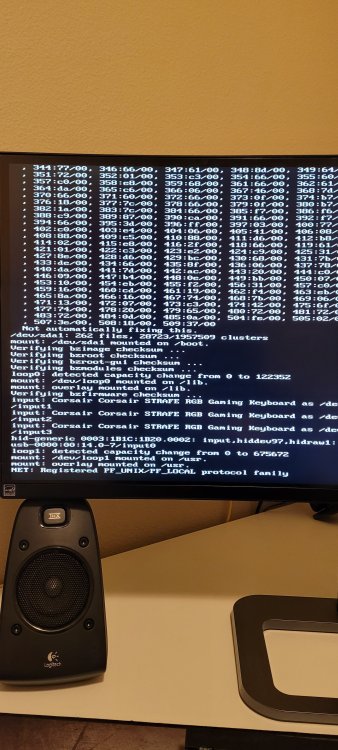
Hi, I'm having an issue after attempting to upgrade my Unraid OS to the latest version. I downloaded the update, shut off my VM and waited for the server to prompt "ready for reboot". I then proceed to begin a reboot. The server acted like it was shutting down but just seemed to hang for a quite a while. I eventually forced a hardware restart and now I'm met with a wall of text that won't proceed. I've provided an image below. I am guessing my Unraid install has been corrupted but I'm hoping that's not the case and I can still fix it. Any help would be greatly appreciated.