





Amartin
Members
-
Joined
-
Last visited
-
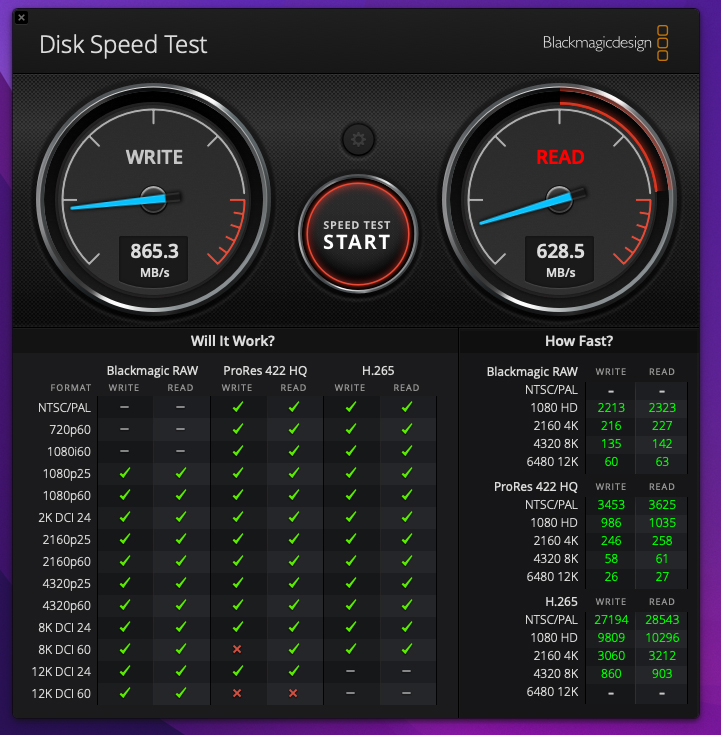
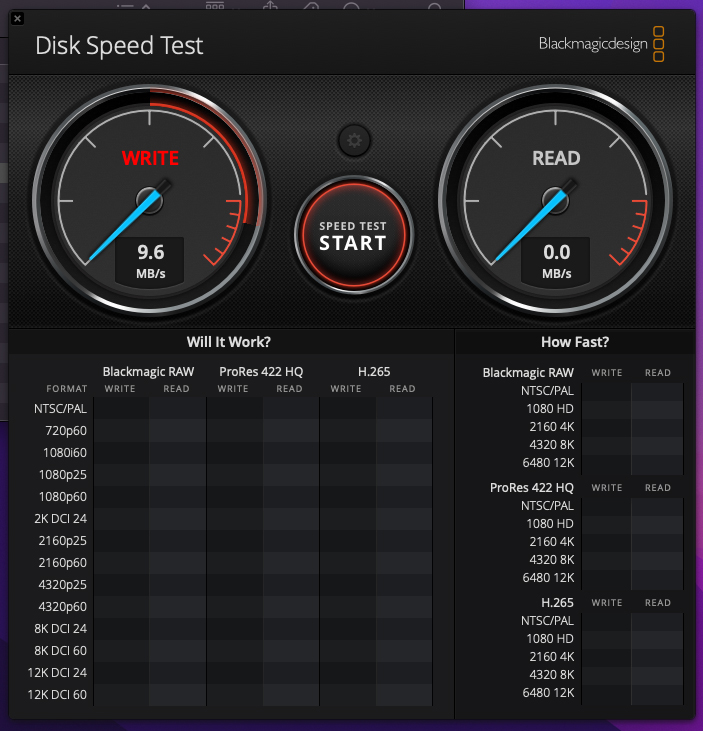
So I added a Mac Studio a few months ago and noticed the connection speed to my unraid share goes down the toilet after the Mac goes to sleep. The only work around I have found is to unmount the drive and re mount and it works fine. I have a 10G connection on both ends so I'm getting 865mb/s write , but after sleep I'm only getting 9mb/s. Trash the share an remount and its back up again. What am I missing? Thanks in advance!
-
So I tried a few things and ended up swapped USB drives with a clean install and it booted. So I reformatted my original USB and copied the clean install over to it that worked so I then copied the old config folder over and it was back to normal! Really weird! I did create a USB back up and set it to auto back up monthly to be safe! Thanks for the help!
-
So I upgraded to 6.12.0 and now Server stuck in boot loop. It comes to the boot screen when I can select safe mode and that doesn't help. I think something on the USB got corrupted. Unfortunately the last USB back up I can find is from 2021. The good news is I could mount the USB and the config folder and everything was there. I copied the whole USB it to my Windows machines SSD so I have a copy of it. I tried just doing a clean install on the USB with Unraid Flash Creator and then just deleting the new config folder and copying the old config folder to the USB but, same issue. I tried all 4 boot options and same thing. I know my data is fine and I had parity drives set up. I just don't know how to set a USB back up so I can access it. Are there just certain files in the config folder I can try adding to the clean install that will let me access my data again? I'm not concerned about losing my VM's and dockers and plugins as I am accessing the data on the array. Thanks in advance for the help!
