





chagercloud
Members
-
Joined
-
Last visited
-
Just restarting the array resolved it, thanks. Actually, as soon as I stopped it, I got an "array turned good" email. I could have sworn that I've rebooted (possibly even had a power outage/rest) since the rebuild finished, but I guess not.
-
Thanks a bunch, I'll give those things a try.
-
Attached! michigan-diagnostics-20240418-0958.zip
-
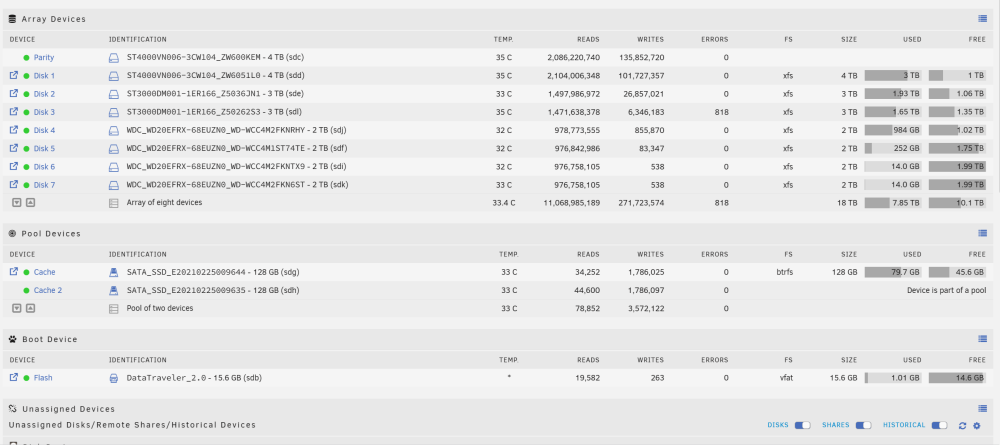
I see the 818 errors, I hadn't noticed that before. I will have to watch to see if that's increasing. Could that be left over (requiring clearing/acknowledgement) from before I replaced the disk?
-
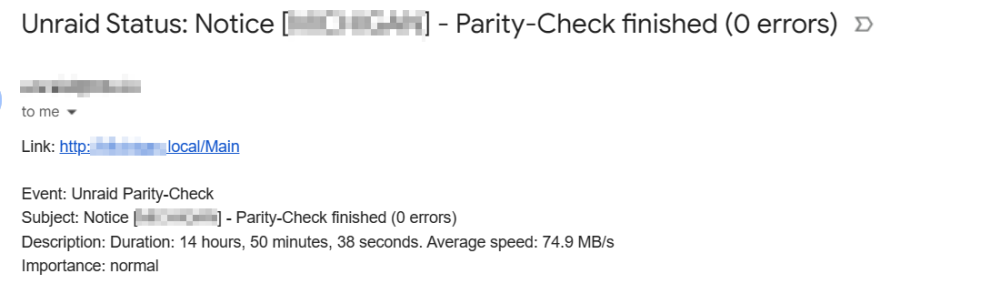
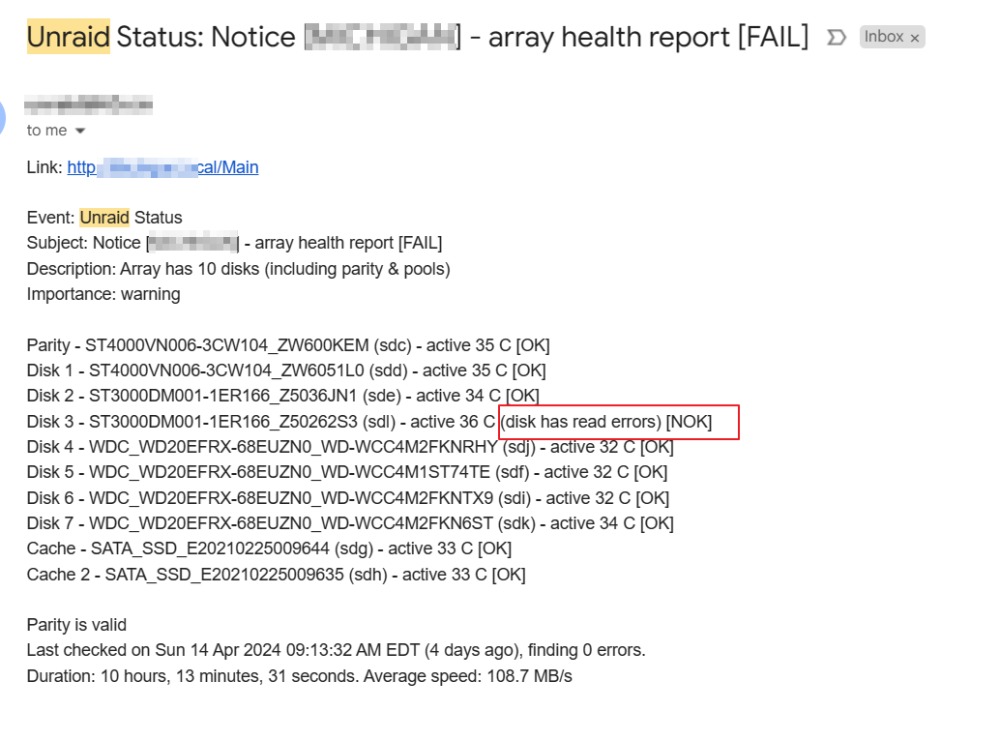
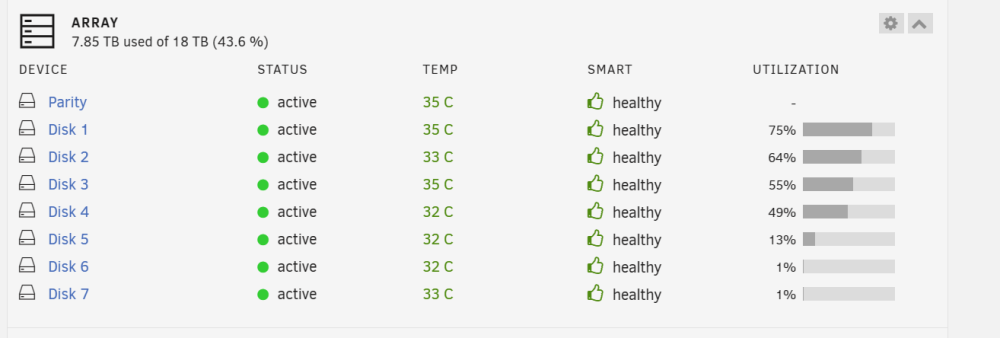
I had a disk with SMART errors (read errors) so I replaced it with a new disk. The new disk is in the array, rebuild went perfectly fine, and it's showing healthy and passes manual smart checks. The weekly parity check runs with zero errors. But the daily array status email, while showing the correct new serial number for that disk (disk 3) shows read errors for disk 3 and an overall status of FAIL. So I log into the web ui and everything is healthy and green, no read errors on any array member. I think the daily email is just broken. Attached some screenshots showing the weekly and daily email and the current array status. Any ideas or suggestions?
-
Thanks for responding. The files in question are being downloaded to my qBittorrent docker's downloads subfolder, and then at some point I drop to the command line and use linux mv commands to move completed downloads up to the Media folder (/mnt/user/Media). The Media folder/share is set to array only. No cache, no mover actions. I'll look at the infor you linked!
-
Hi there! I'm pretty new to unraid and loving it so far. I do have a couple of issues. One of them is mentioned fairly often in the forums and elsewhere but the responses all refer to settings that I do not see anywhere, and so I am guessing the interface verbiage has changed in a way that I cannot translate or something. I have a Media share that is set to "array only" that contains movies, TV shows, home videos and photos. For some reason, even though the share is set to array for primary storage with no secondary (for which cache isn't even listed as an option) Unraid has started placing copies of new Media files and folders in my meager 128GB cache, quickly filling it to 100%. There are posts all over about a cache setting for shares with the options "yes, no, preferred" and I do no see these anywhere. Since the copies in /mnt/cache/media are redundant, I deleted all of the movies and TV series from within to quickly free up cache. Why would Unraid be creating copies of share data in cache when it's not configured to do so? My second problem, which I haven't dug into yet, is that I cannot stop the array succesfully. I stopped it early this morning to see if stopping the array unlocked more settings for me to look at, and for the second time, it got stuck at "stopping" and all of my dockers were down. I can only resolve by rebooting. My disks are all good and my parity checks are passing.



