Clothes2394
Members
-
Joined
-
Last visited
Everything posted by Clothes2394
-
Setting the secondary storage option to array worked thanks. After moving I can remove the secondary storage option, right? Also did I realize correctly that I don't need to set the default appdata storage location in the Docker Settings to /mnt/cache/appdata/ and can keep it on /mnt/user/appdata/, since setting it in the Storage Settings will symlink it to the selected storage disks?
-
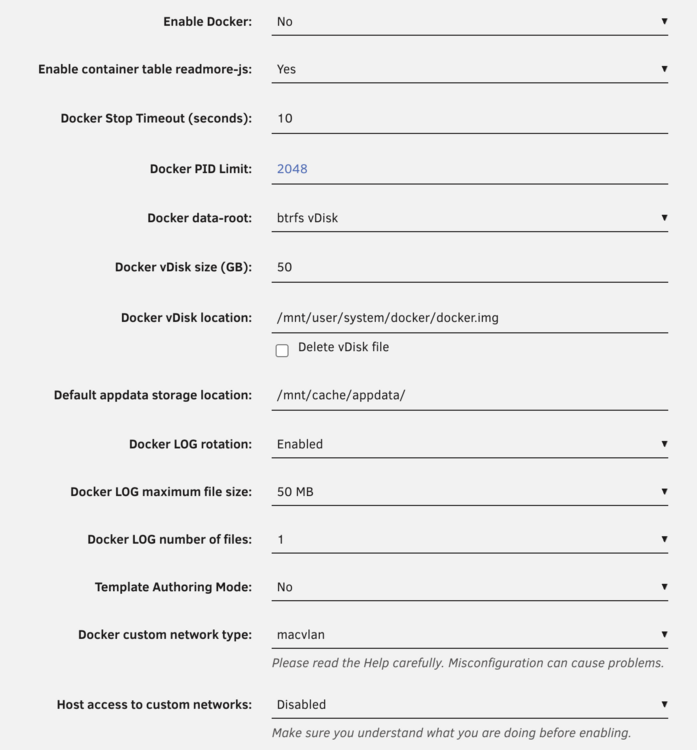
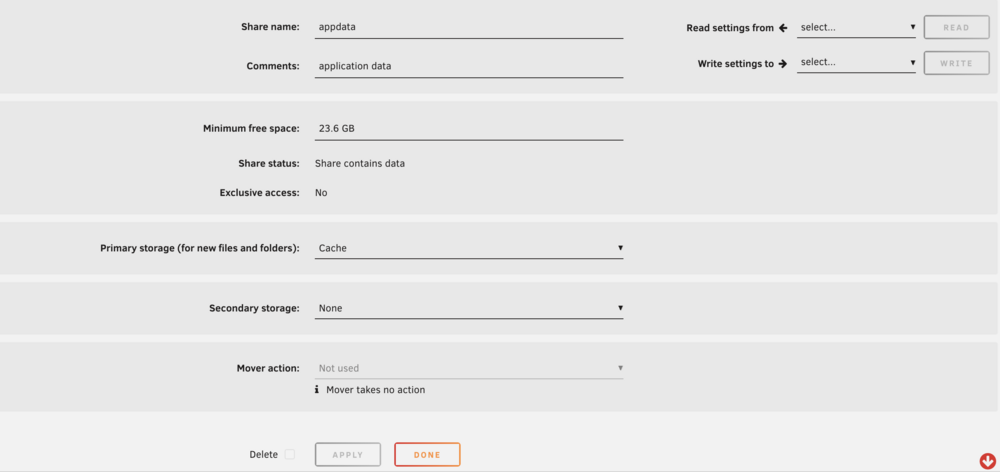
I am currently trying to change my appdata storage location from the array to the cache, but on editing the appdata share settings I can't select a mover action from the dropdown, the dropdown is disabled and says "not used". Steps I took: Set Enable Docker to No, Default appdata storage location to /mnt/cache/appdata/ in the Docker Settings and applied: Set Primary Storage in appdata share settings to Cache, Secondary Storage to None: