Darrel Dearth
Members
-
Joined
-
Last visited
-
after looking into the zfs transfer speed issues in the other posts it doesnt seem the issue is supposed to start and stall the transfer over and over until the data is transfered. Is that correct? or is that something that's currently part of the zfs transfer issues that's happening to other users? It doesnt happen on the xfs systems i have though
-
I've attached the diagnostics file while it's in the middle of transferring around 6TB of large files. It is currently starting and stalling during the entire process. Thanks for your help server-diagnostics-20240727-2117.zip
-
this actually slowed down my transfer speed slightly, but didnt do anything to change the Stalling and starting problem unfortunately.
-
I built a few new Unraid servers at my workplace for large amounts of video footage for post production, but for some reason when transfering these large amounts of larger files wheather through USB or over the 10Gig Network the transferes will always transfer between around 120MBps-160MBps for about a minuite or so, and then drop to 0MBps for about 15 seconds, and will continue doing this over and over until the file has moved onto the server which slows transfers down by days. I've noticed that individual CPU threads will also spike to 100% then drop off and then another CPU thread will Spike to 100% and continue doing this over and over as well. It's a 12900K processor so there's plenty of CPU threads available. All the drives are supposidly healthy according the UNRAID, and i'm NOT using a cache drive, so these transfers are going directly to the Array. I'm also using a 10Gbps networking card in the server, but have done the same in the other servers which havent had this problem. Not sure where to even start looking for a solution. Has anyone had this problem? Thanks,
-
Everything worked again after the rebuild finished. Must just be an issue with the version of unraid I was using. An array restart was needed after the rebuild like you said, and the dockers started working again. Also upgraded to v6.12.2
-
Had the same problem once i updated windows. Online i found this... "If your unRAID folders are public, use 'guest' as username and '1234' as the password and tick the 'remember my credentials'" However, What i did that worked for me was just enter the name of my server (Tower) as the user, and my root user password as the password which worked. Then just click "remember my credentials" so you dont have to do it again every restart.
-
Ok I will once the 2 servers finish their rebuilds of the swapped data drives. Hoping they just start working once the rebuild is complete 🤞
-
backupserver-diagnostics-20230706-0107.zip
-
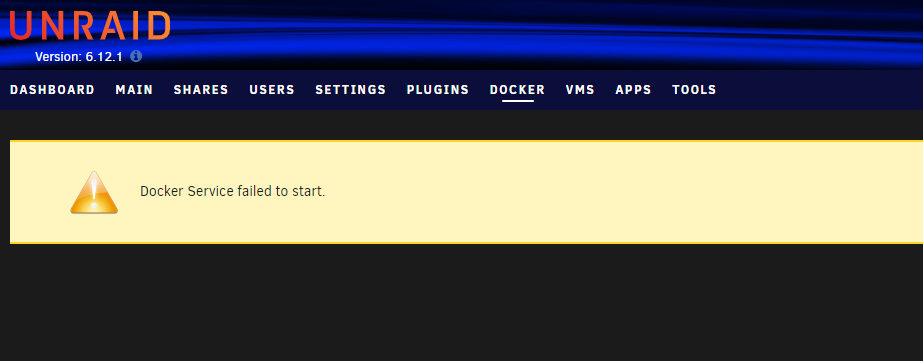
I have 2 servers which have 2 parity drives and 1 data drive (zfs) in each. I stopped the arrays and swapped the single data drives for larger 18TB drives in both servers, and now both servers say "unmountable: unsupported or no filesystem" while the data sync process is still happening in the background. The "Replaced" drive are usually supposed to be emulated during the data rebuild (and if i put my mouse over the orange triangle it does say drive is emulated), but the emulation is not working and all the dockers are down. The dockers tab just shows "Docker Service failed to start.". Is this problem normal when only using 1 data drive even if it has parity? I was trying to get the servers running with small drives then switch to a bunch of 18tB drives now that i had everything working properly on both servers.