TealShirt
Members
-
Joined
-
Last visited
Everything posted by TealShirt
-
Thanks so much, after removing tor from /config/go and removing all files in /config/wiregaurd it xmrig has not shown up again. Running "which tor" returned a result of /bin/tor still even after removing the above and rebooting
-
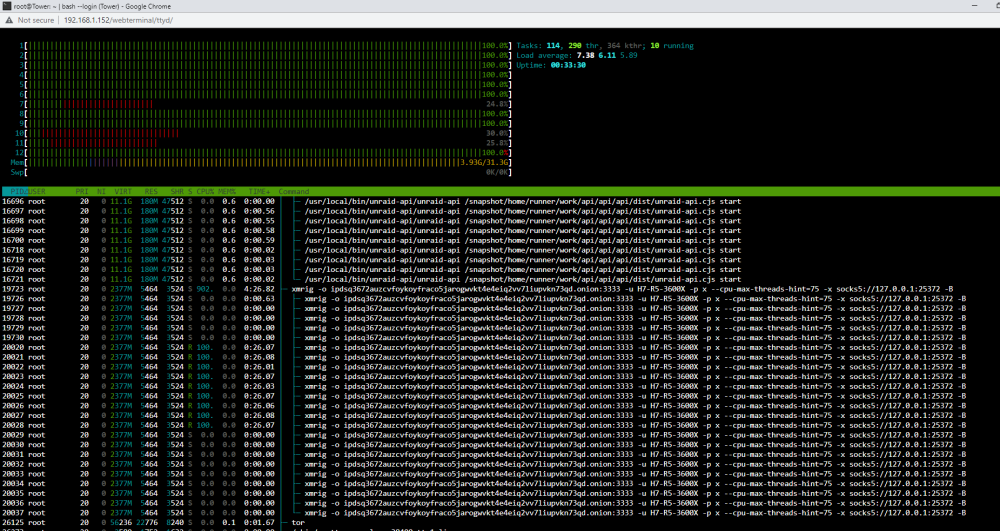
Hi All, Could use some help. I stupidly had my unraid sever accessible via internet, i've already shut down that access and those ports. But a bad actor has gotten in and I have xmrig being run every few minutes. If I kill the process it just starts back up in 5ish minutes. Not sure how I can find out what is launching that command. It doesn't appear to be any docker I'm running , but I think they've slipped something somewhere on my system that is running that command every few minutes. I've checked cron.d and I don't see anything there either. Any help would be greatly appreciated. tower-diagnostics-20230710-1140.zip