





Selinah22
Members
-
Joined
-
Last visited
-
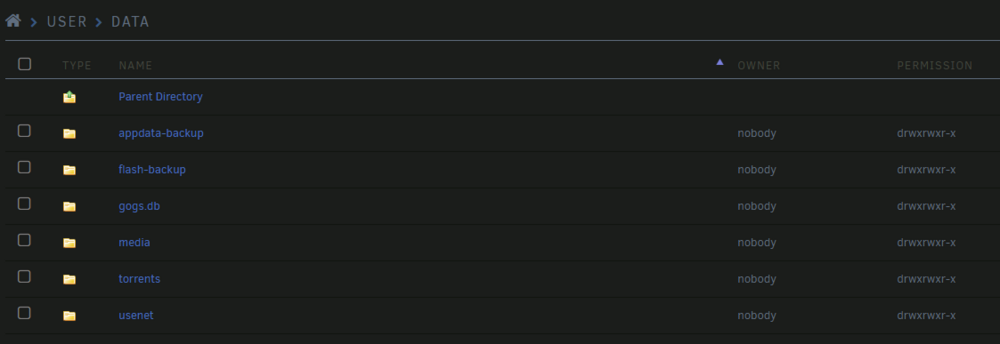
Seems like it has only touched these folders. The ransomware .txt file is in all subdirectories from there. In the "appdata-backup" folder, there is only the .txt and no ".want_to_cry" file extension, so they seem unharmed. To my eyes it looks like it has only really encrypted my media files. My host path for qbittorrent(which was acting up) is /mnt/user/data/torrents/, so if I understand correctly, it should not be able to affect the other folder in /mnt/user/data? The only client with direct access is my desktop which had a clean install of windows last week and have no files affected. The other clients who connects goes only to plex server.
-
So yesterday my server got infected by ransomware. I would love to figure out how, if it's possible? I had Tailscale set up and only open ports to plex server and tailscale. SMB was enabled to (workgroup) and I realized uPnP was enabled in my router I've attached diagnostics. I could see a failed SMB attempt around the same time it happened. I do not know if these type of attacks are instant or if the ransomware is dormant for some time before the attack. What is the recommended procedure for starting clean again? Wipe absolutely everything? Can I keep the OS files on the USB? I have earlier backup of appdata, can I use that to restore after wipe? diagnostics-20241017-1938.zip
