




Skip to content
View in the app

A better way to browse. Learn more.

Unraid

A full-screen app on your home screen with push notifications, badges and more.

To install this app on iOS and iPadOS
  1. Tap the Share icon in Safari
  2. Scroll the menu and tap Add to Home Screen.
  3. Tap Add in the top-right corner.
To install this app on Android
  1. Tap the 3-dot menu (⋮) in the top-right corner of the browser.
  2. Tap Add to Home screen or Install app.
  3. Confirm by tapping Install.

nootish

Members
  • Joined

  • Last visited

  1. Thanks for the advice! This is very helpful. I will aim to download add more RAM. Meanwhile, I will shutdown not frequently used docker containers, and monitor the memory usage closer. I'll update as I get more details.
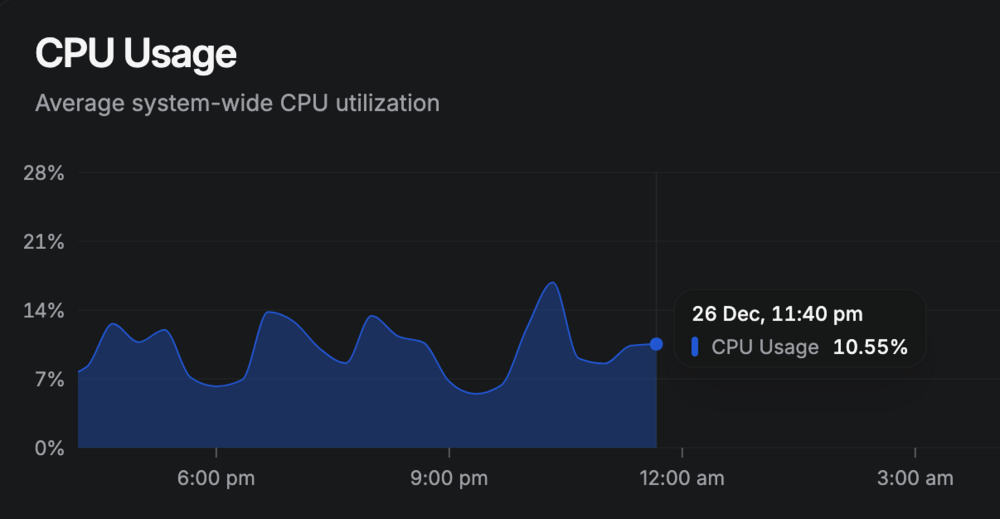
  2. Hello Unraid team and fellow raiders? I hope you could spare some time to help out with my issue. Over the past few weeks, my Unraid setup has become unresponsive multiple times. Docker services and WebUI does not respond. Graceful shutdown is possible in the most recent incident. I have attached the diagnostics and syslog-previous files. Additional note: Beszel monitoring shows the possible time it died, with metrics stopping around 26 Dec, 11:40 PM GMT +8. Thank you! nas-diagnostics-20251227-1538.zip syslog-previous.log
Account

Navigation

Search

Search

Configure browser push notifications

Chrome (Android)
  1. Tap the lock icon next to the address bar.
  2. Tap Permissions → Notifications.
  3. Adjust your preference.
Chrome (Desktop)
  1. Click the padlock icon in the address bar.
  2. Select Site settings.
  3. Find Notifications and adjust your preference.