Ryzen23
Members
-
Joined
-
Last visited
Everything posted by Ryzen23
-
Never mind, I just cleared partitions and started over with the GUI.
-
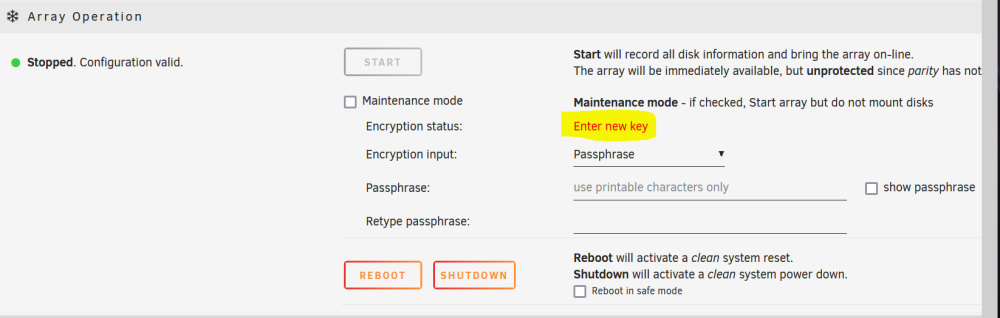
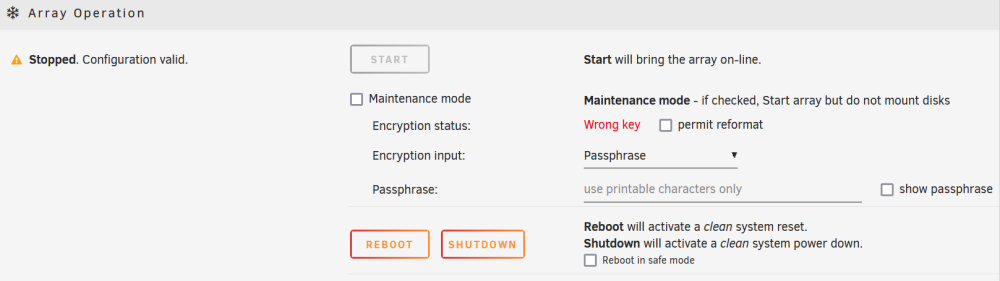
Thank you for the help. When I push Tools->New Configuration, I set up "btrfs - encrypted" for drives of different sizes. I get told to "Enter new key", then I see "Wrong key" after entering it. Image 1: Attempt Image 2: Outcome with error What do I do? Do I try to format all disks? Thanks, Ryzen23
-
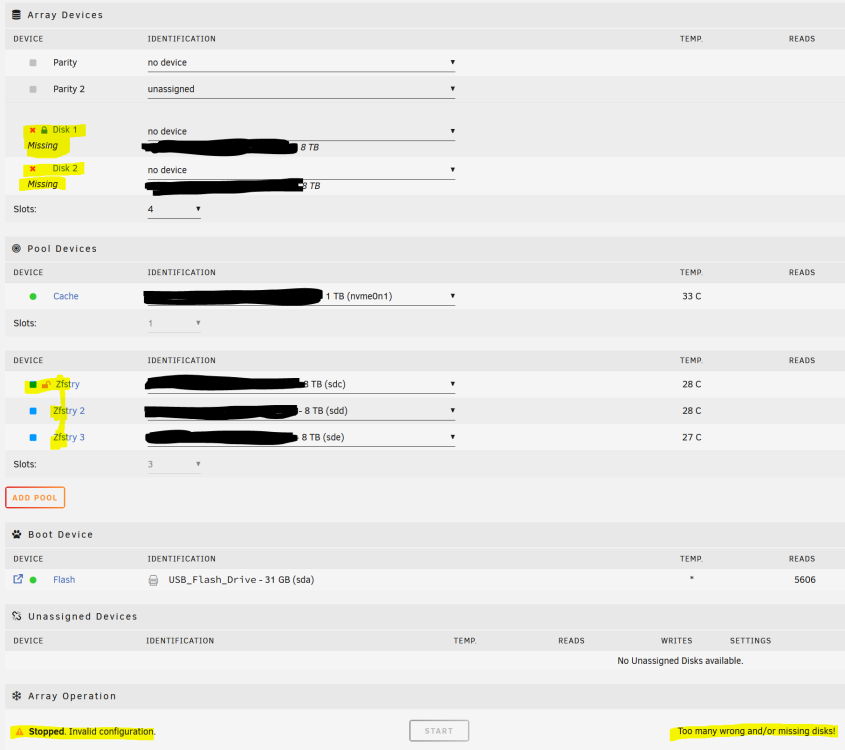
Computer Background 3 Hard Drives 1 NVME AMD, BIOS Adjusted My background My degree involves computers and IT. I am looking to get started with Unraid and I have nothing on my drives I need to save. What I am trying to do Set up ZFS Eliminate old setup where Disk 1 and Disk 2 are marked for parity. The parity started and was canceled to make ZFS work. What problem I have Disk 1 and Disk 2 in Array Devices are marked as Missing with an X. These are supposed to be empty to make ZFS work. ---------- Appendix 1: The details Array Devices 2x Unassigned Parities with no X marks. 2x Disk (1 and 2) set to no device. Each one has a massive X mark that is red marked missing. Pool Devices Green NVME Cache 3 ZFS drives that are blue and a cache. Only 1 has a lock sign on it.