





Slothy2406
Members
-
Joined
-
Last visited
-
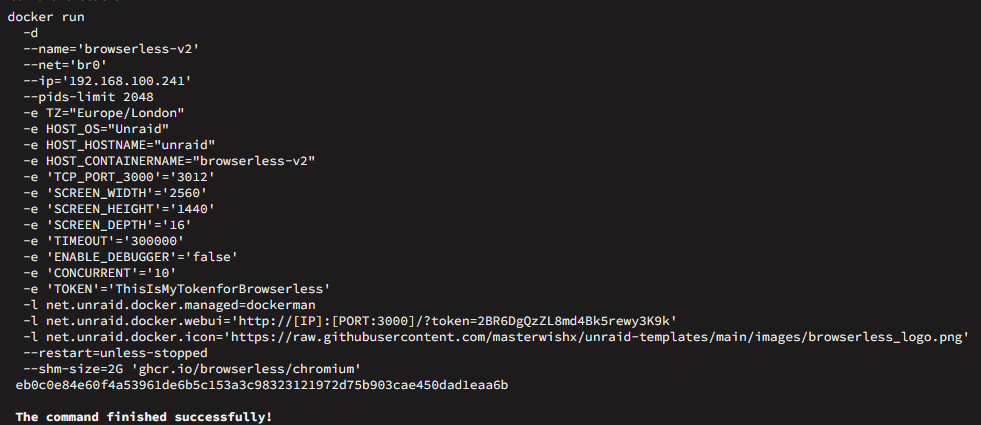
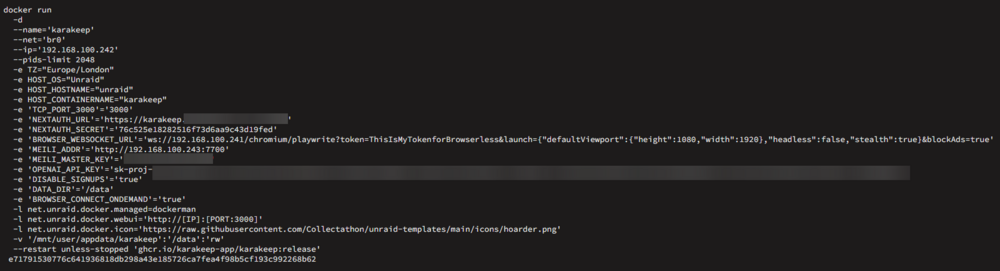
Hi All, I seem to be running in to issues with the browserless part of the setup. I have move to the browserless v2 image, but I think the only issue is the karakeep url for the browserless connection. here is my Karakeep setup and here is my Browserless-v2 setup When I add an Url I get the following message when I look at the page within Karakeep UI "Failed to fetch link content ..." Any ideas would be great. I will try and get logs but a bit new to unraid and docker.
-
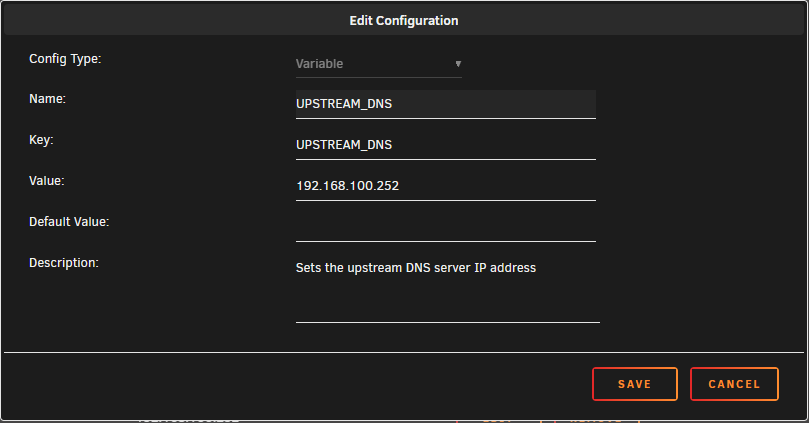
OK, Found my own solution Adding a extra variable to the config of the docker application overrides any default settings, so I added the UPSTREAM_DNS setting and set the value to my PiHole. Docker restarted the application and hey presto! the dns is forwarding to the pihole. I am not too sure if I can mark my own post as a solution or not. Andy
-
Thanks for this. If one does become available I am happy for this to be moved. I had setup docker on a rocky linux box before and was able to change the config file and then run the docker-compose, so I am aware of how to change the config. But I just dont know how to change this within unraid. I had change the json file in the /var/lib/docker/containers/{id} directory and then tried to restart the docker container thinking it would pull in the changes, but this didnt seem to work. I am guessing there is something a bit easy but I am not seeing it at the moment, is it just add a variable within the edit container settings and then restart it?
-
Slothy2406 changed their profile photo
-
HI all, I am a bit new to Unraid and need a little help. I have done some forum searching and my google-fu has also let me down, so please be gentle. I have setup lancache (with DNS) and I need to update the upstream IP address for the lancache.dns application. I have tried updating the config.v2.json file in the relevant containers file, but this obviously doesnt work. Is there an easy way to update the settings and make them live? I also noticed that the json file has the incorrect timezone in it, is this something that can also be changed by changing the unraid main config to the correct timezone. Regards Andy


