Big Ry
Members
-
Joined
-
Last visited
-
How would I restore config without rebuilding? I don't have backups. So if I can't at a minimum verify config in the gui, then I have to rebuild, right?
-
Well that's basically what I've been trying to say. Maybe I'm not using the correct terminology, but I've been saying that it's absolutely possible for any file on that flash drive to be corrupted or otherwise become unusable. Or the drive itself could have a hardware failure. This may prevent the OS from loading, or it may not. If the checksums are stored on the USB, then they're also vulnerable. So anything can happen. The checksum process itself could fail. Without intimate knowledge of the code and the built in failsafes, nobody can say for sure what might happen in any given situation of file corruption. I'm not saying it's likely at all, just saying it's possible. But forget that whole argument anyway. I just want to know what will be the most likely cause of my issues if nobody can derive anything from my logs and diagnostics. If this stick failure could have 'messed my system up' (for lack of more precise terminology), then it would be reasonable to say that I might need to rebuild unraid, right? That's a bit of work on my end, but if this is the most likely cause of my problems then I'll do it. I was just trying to check off the easy stuff first, like checking the USB stick or psu voltages or whatever else.
-
If that is the case, then why would anyone ever rebuild unraid? That is what everyone is telling me to do right now, but if unraid cannot be corrupted then why would I waste my time rebuilding it? It's seems contradictory to say unraid can't be corrupted but I still need to rebuild it. What am I missing here?
-
I'm sorry that I thought it was highly unlikely that 1 month old ram would take a dump right after it tested good on 4 passes of memtest. That's a pretty unlikely occurrence by anyone's standard. Now your suggestion is just to start completely from scratch with no attempt to diagnose anything? That's a nightmare that I'm trying to avoid. I didn't even get backups configured yet, so I have none. I only had this server up for a month, and I was learning everything as I go. So I didn't get backups setup yet. Never in a million years would I have expected it to take a dump so quickly. Any data can be corrupted, including unraid OS. This suggestion that the system files for unraid cannot be corrupted is nonsensical. What basis do you have for that claim? The system resides on volatile flash storage, so of course it can be corrupted. Though it does not matter the storage medium, any system files for any OS can be corrupted at any time. The fact that unraid loads into and runs in memory means nothing for whether or not the system files can be corrupted. They can be corrupted on the flash drive or corrupted in memory. The latter is not a big deal, the former is not going to fix itself without intervention by the user. There's no such thing as a file that cant be corrupted. Instead of me potentially wasting a whole bunch of time rebuilding everything from scratch, I want to actually run some diagnostics to rule out individual components. I've already tried reinstalling plex twice, and I'm still having issues. So it's not that. I have all other containers off, so presumably it can't be them causing issues. My media *may* be partially corrupted, but since that's not system or config files, my assumption is that I can deal with that issue later. Actually, this is easy enough to test. So maybe I'll just create a whole new TV folder with new files and see if it'll load in plex. If it does, then it's going to be a heavy lift to replace all media. So what does that leave as far as diagnostics? 1. Test the flash drive hardware (never done this before, but I know there's software available) 2. Test psu output (annoying but relatively easy) 3. Further test nvme drives (not sure if there's any other way to do this besides pulling them, which would be a challenge since I don't have anything to test them in) 4. Rebuild cache pool from scratch (a lot of work. Might as well rebuilt unraid while at it) 5. Test the mother board (presumably a massive headache. Probably easier to try reinstalling unraid first) It goes without saying that the first thing I plan to do after finally fixing everything is to setup backups. But it would be pointless to do this until I have confirmed that the hardware isn't defective and that the system is running as intended. So that is the necessary next step, and doing the quickest/easiest tests first is the obvious order to follow, as it is with any system.
-
Well that is fantastic news then! But what else could it be? USB stick corruption? Or just simply app corruption?
-
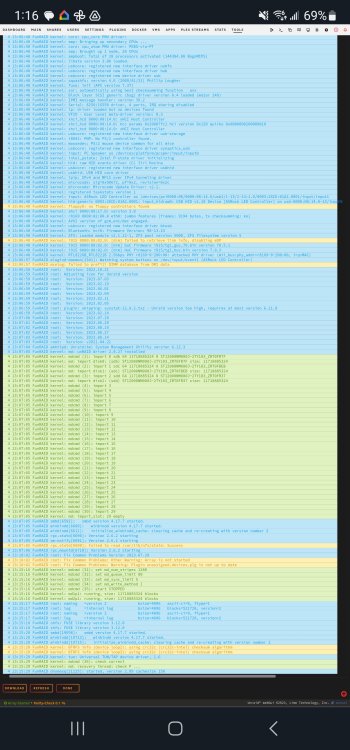
Unraid version: 6.12.4 Plex version: Latest Default linuxserver Radarr/Sonarr version: Latest Dev linuxserver SAB version: Latest default linuxserver Hardware: Asrock Z790 steel legend, i7-12700K (no OC), 2x32GB G. SKill DDR5 (no XMP), 2x Samsung 980 Pro 2TB nvme (ZFS cache mirror), 3x Seagate Exos x18 12TB (XFS single parity array) I built my first unraid server in July. In late August to early September, I began having some odd issues. After several days of troubleshooting, I eventually determined that I had a memory stick failure. I had the server running up until the point that I determined it was the memory. I RMA'd the memory kit, which I just got back this week. I ran Memtest again on the new kit, and it cleared all 4 passes with 0 errors. So I rebooted unraid. Everything seemed to be working fine initially, but I noticed I was having issues with Plex. Plex wasn't recognizing new media that I downloaded with Radarr, despite the files being renamed/moved correctly by Radarr. I also noticed a weird mismatch for a movie that ive had on my disk for a long time. Plex would not let me fix the match. I checked to make sure unraid and all apps were up to date. I ran Fix Common Problems, which found no problems. I restarted Plex. All to no avail. I was thinking I might need to reinstall Plex, but then I checked the unraid system logs and saw several errors and warnings that sound pretty serious. I am very concerned that the memory stick failure, and my subsequent operation of unraid while troubleshooting, may have caused unraid OS corruption and/or app corruption / data corruption. Can anyone make sense of the attached logs and diagnostics? I downloaded these prior to rebooting, and it looks like they cover about 2 days (new memory kit was installed 3 or maybe 4 days ago max). Is there a way to confirm whether or not Unraid is corrupted? And if it is in fact corrupted, is there any way to fix it without having to rebuild from scratch? I did not get backups configured in Unraid yet, so I do not have a restore point to use (even if I knew a safe point to go back to). I know I should have prioritized backing up the system, but I never would have guessed that I'd have a major failure only a mere month after setting everything up. I'm new to unraid, so I am learning as I go here. funraid-syslog-20230930-1203.zip funraid-diagnostics-20230930-0826.zip
-
Anything can go bad at any time, so the same can be said about the cpu and board. I don't think I've ever had a ram failure in my life, at least nothing that was serious enough to cause problems. Point is, I just don't want to go shooting in the dark at this, which is why I asked if something in the logs pointed to ram being the issue. There are a lot of diagnostics that can be run on a system, but many take a very long time to run. I assumed that the errors and warnings in the logs would point to a culprit.
-
It sounded to me like the documentation was saying remote setting were for writing to remote device. What remote IP would you use for a local write? The server IP? And if so, why even make this a setting if it isnt going to change? I built this server in July of this year using all brand new equipment. I used 32x2 G. Skill Ripjaws S5 DDR5 sticks. I ran Memtest on the ram before setting up unraid, and everything tested fine. I can run memtest again, but it seems highly implausible that my brand new memory would kick the bucket in just over a month. As you know, memtest takes quite a while to run, so I'd really rather not do it again if its going to be a waste of time. Is there something in the logs that suggests the memory is bad?
-
How many different ways are there to configure it? There really aren't many options. Anyway, I added the flash drive option, and that seems to be working. Unraid seems to only be freezing now when Dockers are running. Sometimes the entire Docker page fails to load. I managed to get all docker containers turned off and turned auto-start off for all of them. I'm still getting a bunch of kernel errors though. See attached syslog and diagnostics. I had updated to 6.12.4 on Monday, and I thought that fixed the freezing issues. So last night I installed Linuxserver Radarr (dev branch). The install seemed to go perfectly fine. I had everything up and running and was updating a dozen or so items in my movie library overnight. Then this morning I had the warning that the nvme cache drives got hot (both are under ASRock heat spreaders on my board) and the system froze up on me as I mentioned a few posts up. Ive since reverted back to 6.12.3 and removed several plugins, but neither of these did a thing to fix the problem. I'm still getting a bunch of errors and warnings. funraid-diagnostics-20230906-1114.zip syslog (1)
-
I enabled local syslog writing to cache about an hour ago, but it's not writing anything to it.
-
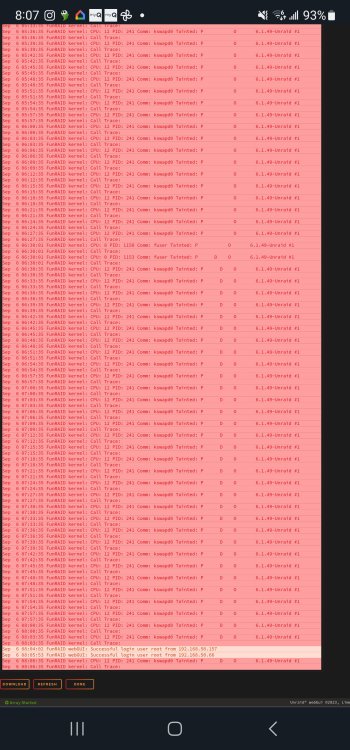
Tried to update to 6.12.4. Everything seemed fine until this morning. Nvme drives got hot, and this is my log this AM...
-
Current os: 6.12.3 Server built: July 2023 Hardware: 12700k (no OC) , z790, 64gb ddr5 (no xmp) , 2x 2tb Samsung 980 pro (zfs cache), 3x 12tb Seagate exos x18 (xfs array) Problem: I was away at my parents over the weekend, and I came home to my server being frozen. I accessed plex from my parents without issue on Saturday. That was the only access of my server, other than perhaps some sonarr media updates. Nothing else was running all weekend. Nothing is set to auto-update either. But come this afternoon, all cpu E-cores were pegged and 1 thread of all P-cores were pegged. My cache was showing 0kb used of 0kb. Unraid said mover was running, but it shouldn't have been running at this time of day. I couldn't access logs, stop dockers, stop array, or even shut down unraid. It kept saying the array was busy. I had to hard reboot. But even after doing that, it froze again a minute after starting the array. I have it started again now, and I got the logs attached. So far it hasn't frozen again. Any idea what these warnings mean?