logika
Members
-
Joined
-
Last visited
Everything posted by logika
-
Bump
-
Ok, thank you @JorgeB for your support.
-
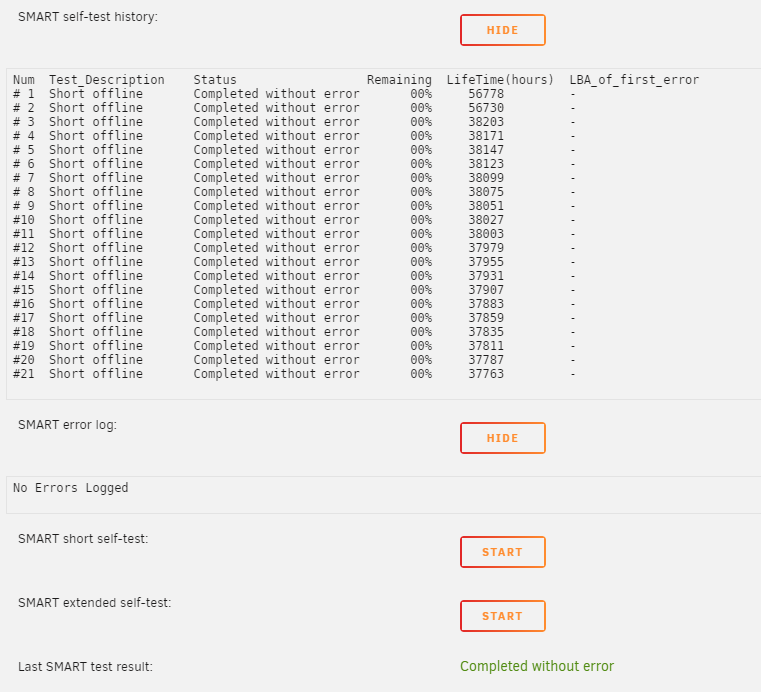
@JorgeB I followed your instructions. I ran en EXTENDED smart test, completed without errors. LOG in attachment. I continue to receive warnings in email, as described in my initial post. WDC_WD40EFRX-68WT0N0_WD-WCC4E7DZ97ED-20230807-1349.txt
-
Thank you, I'll try that way and I will update this post
-
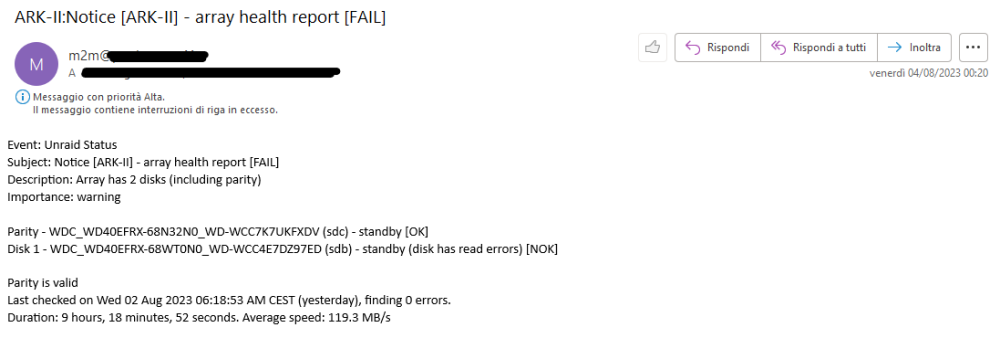
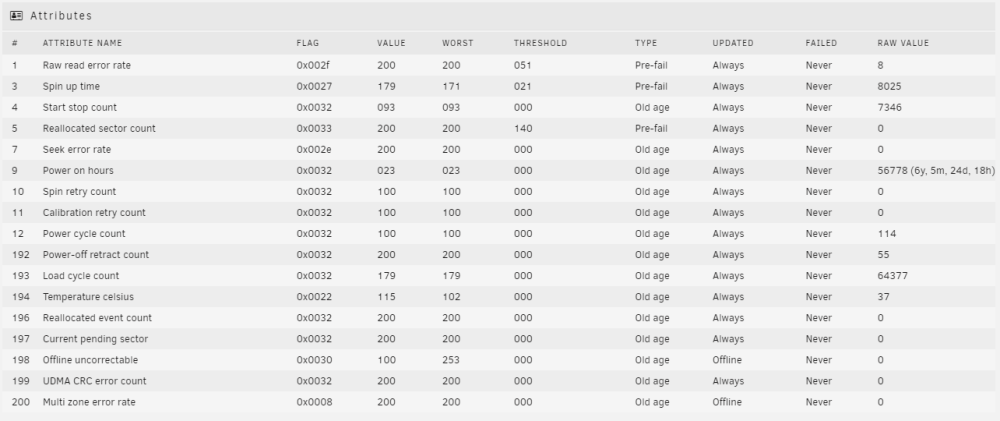
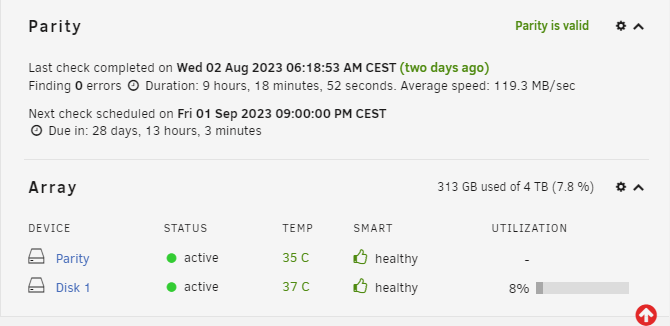
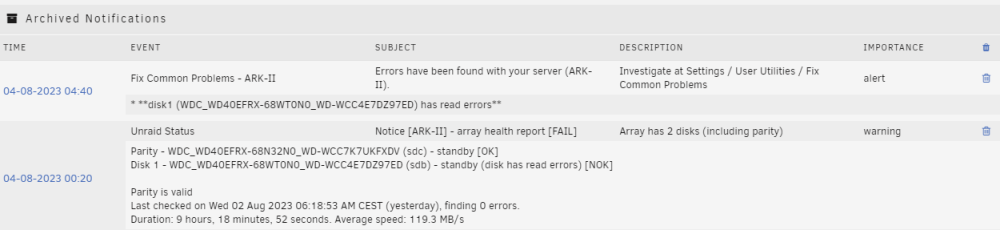
Two days ago I started receiving email alerts like this: Event: Unraid Status Subject: Notice [ARK-II] - array health report [FAIL] Description: Array has 2 disks (including parity) Importance: warning Parity - WDC_WD40EFRX-68N32N0_WD-WCC7K7UKFXDV (sdc) - standby [OK] Disk 1 - WDC_WD40EFRX-68WT0N0_WD-WCC4E7DZ97ED (sdb) - standby (disk has read errors) [NOK] Parity is valid Last checked on Wed 02 Aug 2023 06:18:53 AM CEST (yesterday), finding 0 errors. Duration: 9 hours, 18 minutes, 52 seconds. Average speed: 119.3 MB/s and like this: Event: Fix Common Problems - ARK-II Subject: Errors have been found with your server (ARK-II). Description: Investigate at Settings / User Utilities / Fix Common Problems Importance: alert * **disk1 (WDC_WD40EFRX-68WT0N0_WD-WCC4E7DZ97ED) has read errors** but whenever I login to Unraid dashboard I am not able to find any errors (see attached screenshots). Do I have a faulty HDD or not? Diagnostics file in attachment. ark-ii-diagnostics-20230804-0750.zip