forlorn-daughter-in-law4915
Members
-
Joined
-
Last visited
-
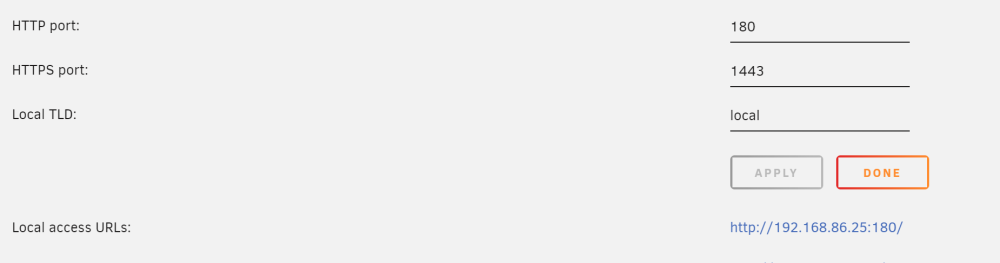
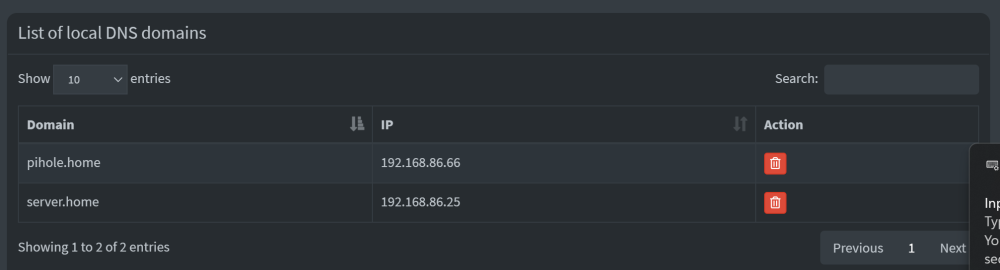
I installed the plugin today and things are working... for the most part. I have pihole and ngnix proxy manager set up for local dns, and my unraid dashboard runs on port 180. Ngnix dashboard runs on unraids default dashboard port 80. Pihole ip is set up as primary dns server on my router. If i connect via tailscale through my phone i can access all my services either via ip:port or my dns entries e.g sonarr.home, except for the unraid dashboard. It works using unraid.home but not by ip:180 directly. tailscale-ip:180 does not work either. Trying to resolve the issue as it would be nice to be able to access unraid remotely in the case where docker service is not running. Does anyone have an idea whats wrong with my setup here? Likely its some misconfiguration on my part with nginx 🙃 Unraid-tailscale-diag-20240308-213458.zip