Skip to content
View in the app

A better way to browse. Learn more.

Unraid

A full-screen app on your home screen with push notifications, badges and more.

To install this app on iOS and iPadOS
  1. Tap the Share icon in Safari
  2. Scroll the menu and tap Add to Home Screen.
  3. Tap Add in the top-right corner.
To install this app on Android
  1. Tap the 3-dot menu (⋮) in the top-right corner of the browser.
  2. Tap Add to Home screen or Install app.
  3. Confirm by tapping Install.

learned-sporophyte6562

Members
  • Joined

  • Last visited

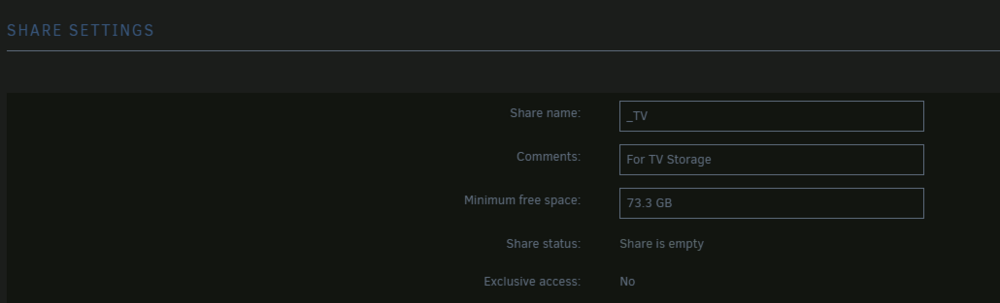
  1. The built-in one shows it empty too. Navigating with Windows shows it empty...
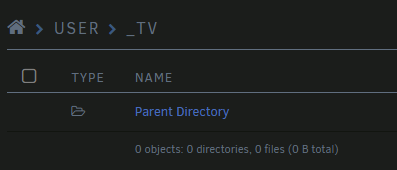
  2. I recently updated to 7.0.1 and shortly after ended up having to replace two drives; another two are also showing errors, and I'm going to replace them soon. I noticed yesterday that some media will not play on Plex. I peeked into Krusader, and the shares were empty. Some media would still play, though. After looking at the shares in Unraid, almost all of them show empty, but my drives are all full of data. The parities rebuilt normally and successfully. I'm not sure how to get it to report the data correctly. coldheart-diagnostics-20250826-1442.zip
Account

Navigation

Search

Search

Configure browser push notifications

Chrome (Android)
  1. Tap the lock icon next to the address bar.
  2. Tap Permissions → Notifications.
  3. Adjust your preference.
Chrome (Desktop)
  1. Click the padlock icon in the address bar.
  2. Select Site settings.
  3. Find Notifications and adjust your preference.