surprised-colouring4689
Members
-
Joined
-
Last visited
-
Not anything at all, il try to look if m config is wrong. Edit: Indeed i had it wrong, it started logging now so il have to hope something usefull comes in it if it crashes again.
-
Thanks for responding, memory waas correct, global c-state was on automatic i turned it off now. I doubt this was the issue since the system ran without crashes for the last 3 years
-
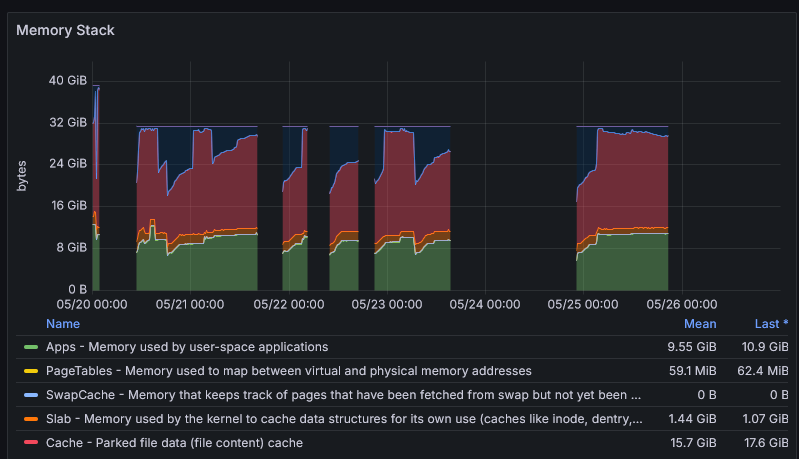
Since a few weeks ago my system started having "random" crashes. Sometimes it would keep up for 24 hours before crashing again and sometimes it stays on 7 days before crashing again. In the past i had a similair issue that was caused by a faulty memory stick so i did a memtest and the system passed. I enabled local syslog server but it never gives results. The syslog itself never indicates anything. I truely appears af th systems freezes suddenly. In grafana i do notice that free memory is pretty low on some crashes but on others there is still more than enough free ram, i also dont find oom errors. I added a screenshot of memory usage from last week ( i also tested with a bit more ram at the start but same results). I just have no clue what to do and this is starting to become quite a pain since im away from home often and cant easily restart My system specs are: Ryzen 7 1700x MSI B450 gamin plus 32GB ram I have added system diagnostics and a screensot, tower-diagnostics-20240529-1416.zip