Skip to content
View in the app

A better way to browse. Learn more.

Unraid

A full-screen app on your home screen with push notifications, badges and more.

To install this app on iOS and iPadOS
  1. Tap the Share icon in Safari
  2. Scroll the menu and tap Add to Home Screen.
  3. Tap Add in the top-right corner.
To install this app on Android
  1. Tap the 3-dot menu (⋮) in the top-right corner of the browser.
  2. Tap Add to Home screen or Install app.
  3. Confirm by tapping Install.

bbben

Members
  • Joined

  • Last visited

  1. bbben started following Trojan
  2. bbben replied to MunchDK's topic in Security
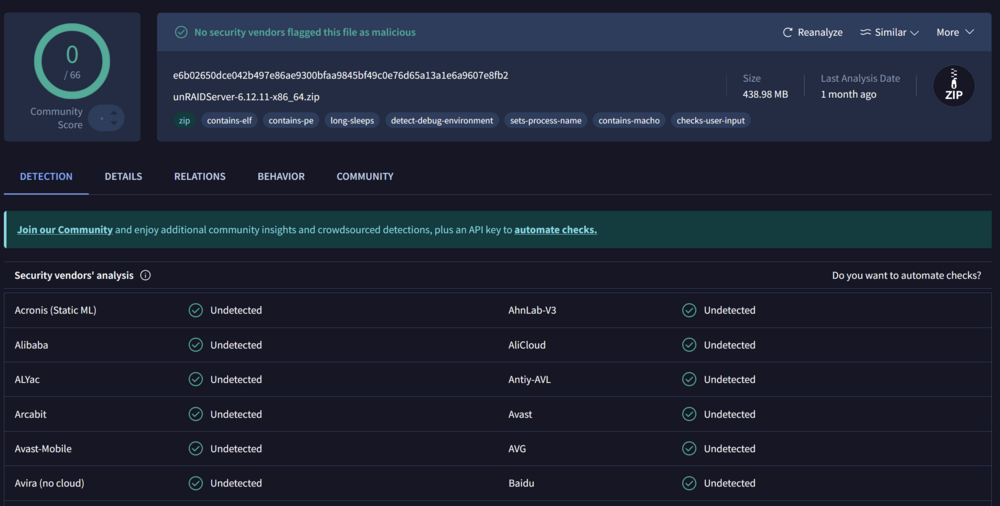
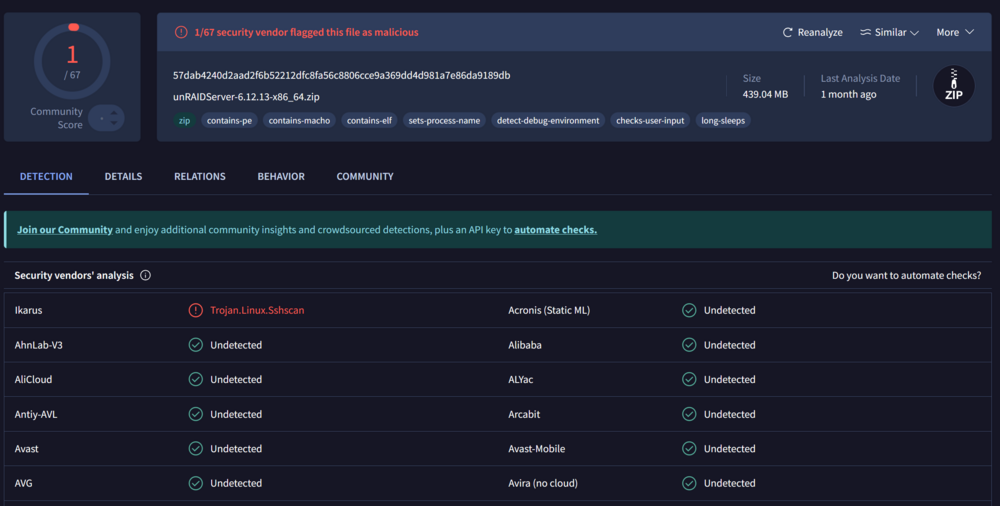
    Tried to use the manual installation method but got another trojan warning in 6.12.13: https://www.virustotal.com/gui/file/57dab4240d2aad2f6b52212dfc8fa56c8806cce9a369dd4d981a7e86da9189db Previous version 6.12.11 however seems to be ok https://www.virustotal.com/gui/file/e6b02650dce042b497e86ae9300bfaa9845bf49c0e76d65a13a1e6a9607e8fb2
  3. bbben replied to MunchDK's topic in Security
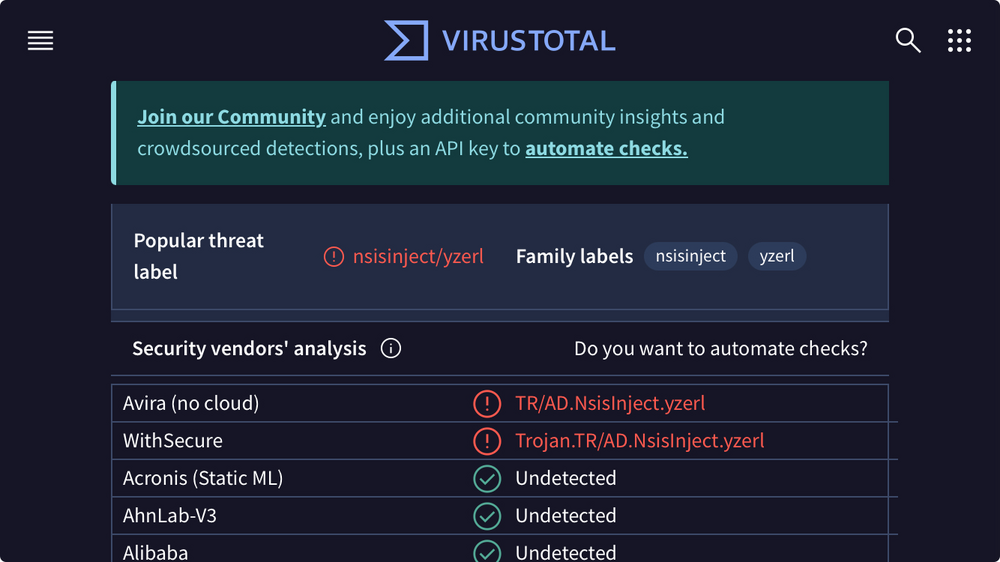
    I downloaded the .exe on my iphone and submitted it to virustotal, just to remove my system (and windows) from the loop. Still got two detections... Don't know if this is even possible, but could there be an infected version cached on a european server for download? I am downloading from Germany.
  4. bbben replied to MunchDK's topic in Security
    NordVPNs FileChecker did block my "unraid-usb-creator-1.0.1.exe" download too and told me, that it found the threat: "TR/AD.NsisInject.5432a7"

Account

Navigation

Search

Search

Configure browser push notifications

Chrome (Android)
  1. Tap the lock icon next to the address bar.
  2. Tap Permissions → Notifications.
  3. Adjust your preference.
Chrome (Desktop)
  1. Click the padlock icon in the address bar.
  2. Select Site settings.
  3. Find Notifications and adjust your preference.