symbolic-attack6838
Members
-
Joined
-
Last visited
Everything posted by symbolic-attack6838
-
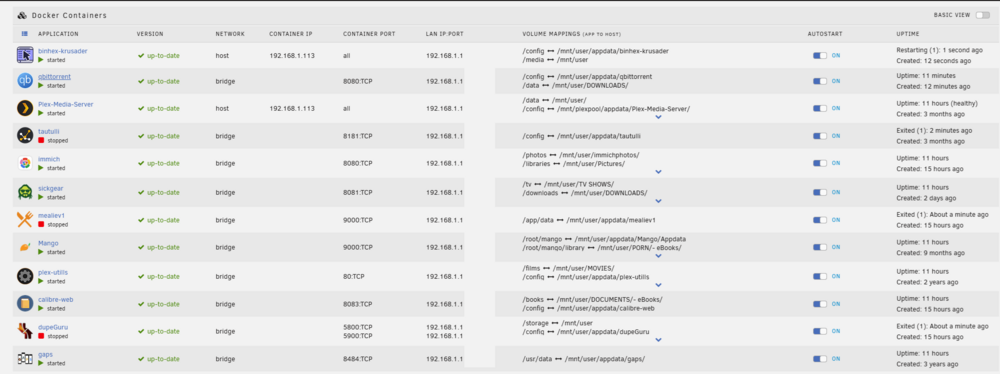
I have installed Transmission (to temporarily use instead of qbtorrent) and it works okay. I have installed doublecommander (to temporarily use instead of krusader) and it works. both of Transmission and doublecommander only been installed now. I still can't use immich (even deleting the container) and reinstalling it.
-
. yes i installed an alternative. some works some don't. Immich (had this like 2 years already now i cant access it.)

-
bump
-
Yes, tried on a laptop and an android tablet. Can connect to unraid, but still cant access the docker webui. <?xml version="1.0"?> <Container version="2"> <Name>qbittorrent</Name> <Repository>ghcr.io/hotio/qbittorrent:release</Repository> <Registry>https://github.com/hotio/qbittorrent/pkgs/container/qbittorrent</Registry> <Network>bridge</Network> <MyIP/> <Shell>sh</Shell> <Privileged>false</Privileged> <Support>https://hotio.dev/discord</Support> <Project>https://hotio.dev/containers/qbittorrent</Project> <ReadMe/> <Overview>WireGuard VPN, Privoxy and Unbound built-in! If you dislike usenet, use this, it'll download your torrents.</Overview> <Category>Downloaders:</Category> <WebUI>http://[IP]:[PORT:8080]</WebUI> <TemplateURL/> <Icon>https://hotio.dev/webhook-avatars/qbittorrent.png</Icon> <ExtraParams>--hostname=qbittorrent.internal --cap-add=NET_ADMIN</ExtraParams> <PostArgs/> <CPUset/> <DateInstalled>1771309186</DateInstalled> <DonateText>You can become a GitHub sponsor, use Open Collective or send some Crypto...Affiliate links for VPN providers are on the website.</DonateText> <DonateLink>https://hotio.dev/donate</DonateLink> <Requires>Don't forget to click Show more settings... for all Variables! If you do not use the VPN feature, you can remove all VPN related Variables and Extra Parameters (turn on ADVANCED VIEW).</Requires> <Config Name="Host Port for 8085" Target="8080" Default="8085" Mode="tcp" Description="" Type="Port" Display="always" Required="true" Mask="false">8085</Config> <Config Name="Host Path for /config" Target="/config" Default="/mnt/user/appdata/qbittorrent" Mode="rw" Description="" Type="Path" Display="always" Required="true" Mask="false">/mnt/user/appdata/qbittorrent</Config> <Config Name="Host Path for /data" Target="/data" Default="" Mode="rw" Description="" Type="Path" Display="always" Required="true" Mask="false">/mnt/user/DOWNLOADS/</Config> <Config Name="PUID" Target="PUID" Default="99" Mode="" Description="" Type="Variable" Display="advanced" Required="false" Mask="false">99</Config> <Config Name="PGID" Target="PGID" Default="100" Mode="" Description="" Type="Variable" Display="advanced" Required="false" Mask="false">100</Config> <TailscaleStateDir/> </Container> <?xml version="1.0"?> <Container version="2"> <Name>Krusader</Name> <Repository>ghcr.io/ich777/krusader</Repository> <Registry>https://hub.docker.com/r/ich777/krusader</Registry> <Network>host</Network> <MyIP/> <Shell>bash</Shell> <Privileged>true</Privileged> <Support>https://forums.unraid.net/topic/83786-support-ich777-application-dockers/</Support> <Project>https://krusader.org/</Project> <ReadMe/> <Overview>Krusader is an advanced orthodox file manager for KDE and other desktops in the Unix world. It is similar to the console-based GNU Midnight Commander, GNOME Commander for the GNOME desktop environment, or Total Commander for Windows, all of which can trace their paradigmatic features to the original Norton Commander for DOS. It supports extensive archive handling, mounted filesystem support, FTP, advanced search, viewer/editor, directory synchronisation, file content comparisons, batch renaming, etc. Language Notice: Enter your prefered locales, you can find a full list of supported languages in: '/usr/share/i18n/SUPPORTED' simply open up a console from the Container and type in 'cat /usr/share/i18n/SUPPORTED' (eg: 'en_US.UTF-8 UTF8' or 'de_DE.UTF-8 UTF-8', 'fr_FR.UTF-8 UTF-8'...) Unassigned Devices mount: If you want to mount a share that is mounted via Unassigned Devices please change the Access Mode to Read/Write - Slave or Read Only - Slave! ATTENTION: Wronge usage of this tool can lead to data loss, be carefull when using Krusader with Unraid. You can delete your whole Array with a single button press if you don't be carefull!!!</Overview> <Category>Productivity: Tools:Utilities</Category> <WebUI>http://[IP]:[PORT:8080]/vnc.html?autoconnect=true</WebUI> <TemplateURL/> <Icon>https://raw.githubusercontent.com/ich777/docker-templates/master/ich777/images/krusader.png</Icon> <ExtraParams>--restart=unless-stopped</ExtraParams> <PostArgs/> <CPUset/> <DateInstalled>1770258798</DateInstalled> <DonateText>If you like my work please</DonateText> <DonateLink>https://www.paypal.me/chips777</DonateLink> <Requires/> <Config Name="Container Path" Target="/krusader" Default="" Mode="rw" Description="" Type="Path" Display="always" Required="true" Mask="false">/mnt/cache/appdata/krusader</Config> <Config Name="Data Path" Target="/mnt/user" Default="" Mode="rw" Description="Main data path to your unRAID shares (if you want to get access to a disk mounted through UnassignedDevices change the Host and Container Path to '/mnt' and change the Access Mode to Read/Write Slave, if you want to get system level access change the Host Path to '/' and the Container Path to '/mnt', you will then find the mounted path in Kruser in '/mnt')." Type="Path" Display="always" Required="true" Mask="false">/mnt/user</Config> <Config Name="TCP - VNC Port" Target="8080" Default="" Mode="tcp" Description="noVNC Port" Type="Port" Display="always" Required="true" Mask="false">8080</Config> <Config Name="Locales - Language" Target="USER_LOCALES" Default="" Mode="" Description="Enter your prefered locales, you can find a full list of supported languages in: '/usr/share/i18n/SUPPORTED' simply open up a console from the Container and type in 'cat /usr/share/i18n/SUPPORTED' (eg: 'en_US.UTF-8 UTF8' or 'de_DE.UTF-8 UTF-8', 'fr_FR.UTF-8 UTF-8'...)" Type="Variable" Display="always" Required="true" Mask="false">en_US.UTF-8 UTF-8</Config> <Config Name="Run as root" Target="RUNASROOT" Default="false|true" Mode="" Description="Set this variable to 'true' if you want to run Krusader as root to edit system files (please remember you have to also change the Data Path to edit system level files)" Type="Variable" Display="always" Required="false" Mask="false">false</Config> <Config Name="Local Scaling" Target="NOVNC_RESIZE" Default="" Mode="" Description="Delete this value if you don't want local scaling." Type="Variable" Display="advanced" Required="true" Mask="false">remote</Config> <Config Name="Custom Resolution Width" Target="CUSTOM_RES_W" Default="" Mode="" Description="Enter the preferred resolution width" Type="Variable" Display="advanced" Required="true" Mask="false">1280</Config> <Config Name="Custom Resolution Height" Target="CUSTOM_RES_H" Default="" Mode="" Description="Enter the preferred resolution height" Type="Variable" Display="advanced" Required="true" Mask="false">768</Config> <TailscaleStateDir/> </Container>
-
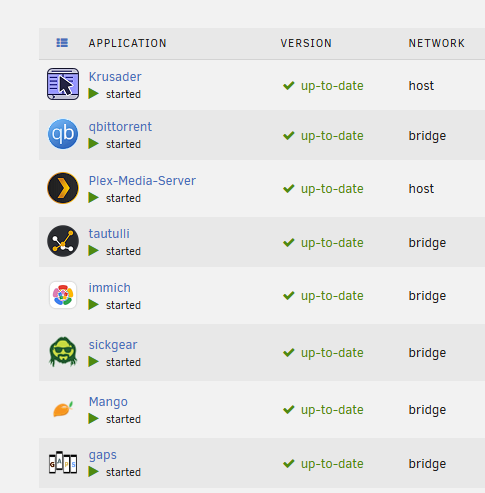
followed instructions on that and set the size to 30 G and its still the same. Some can be loaded with the webui. Some still dont plex, mango and gaps i can connect using webui the others still refuse to connect.
-
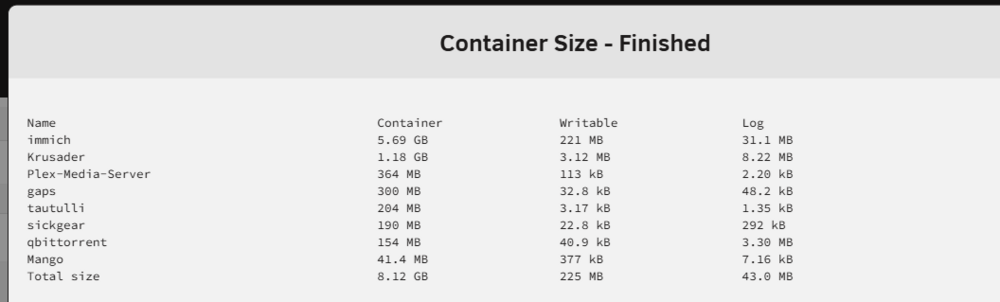
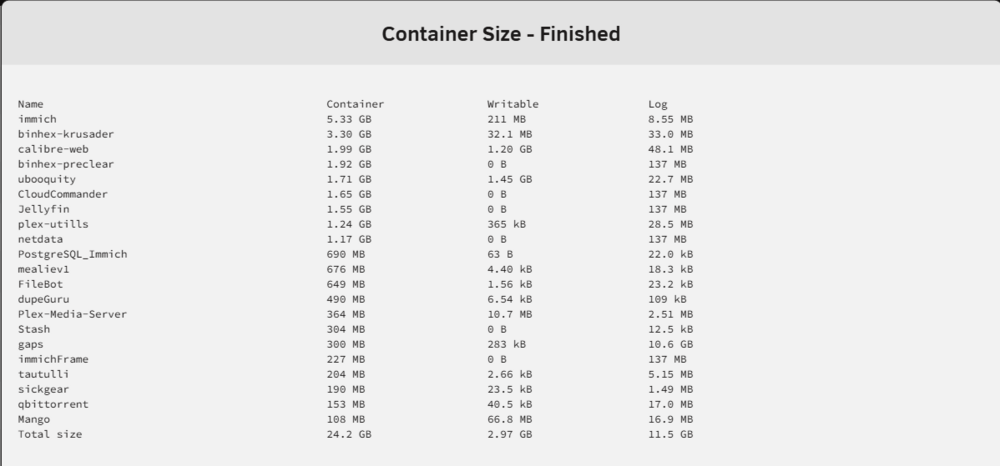
when i first started unraid, i read somewhere to make a bigger docker image. (thats the reason why its 150gb) why is the writable size low or 0 b? this is my 1st time exploring this side, so im not sure if i had problems writing to it.
-
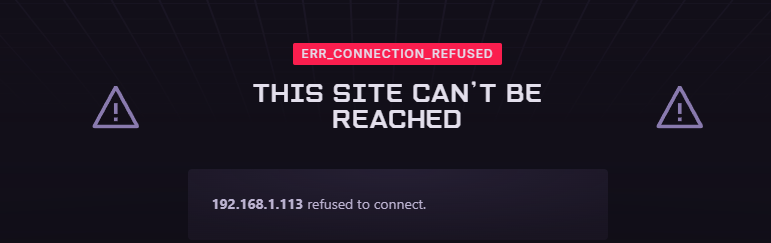
yes. and its saying that its still refusing to connect. I can access plex on my TV (so i know some of the dockers are working fine) some wont start anymore too.

-
bump
-
Hi, im not great with unraid, it was working a few days ago now i cant access the web i tried to uninstall and install the dockers but it still cant be access the webui. I have attached the diagnostics. TIA! darwin-diagnostics-20260112-1156.zip