




Skip to content
View in the app

A better way to browse. Learn more.

Unraid

A full-screen app on your home screen with push notifications, badges and more.

To install this app on iOS and iPadOS
  1. Tap the Share icon in Safari
  2. Scroll the menu and tap Add to Home Screen.
  3. Tap Add in the top-right corner.
To install this app on Android
  1. Tap the 3-dot menu (⋮) in the top-right corner of the browser.
  2. Tap Add to Home screen or Install app.
  3. Confirm by tapping Install.

lowly-grate5136

Members
  • Joined

  • Last visited

  1. This is the diagnostics tower-diagnostics-20231018-1420.zip
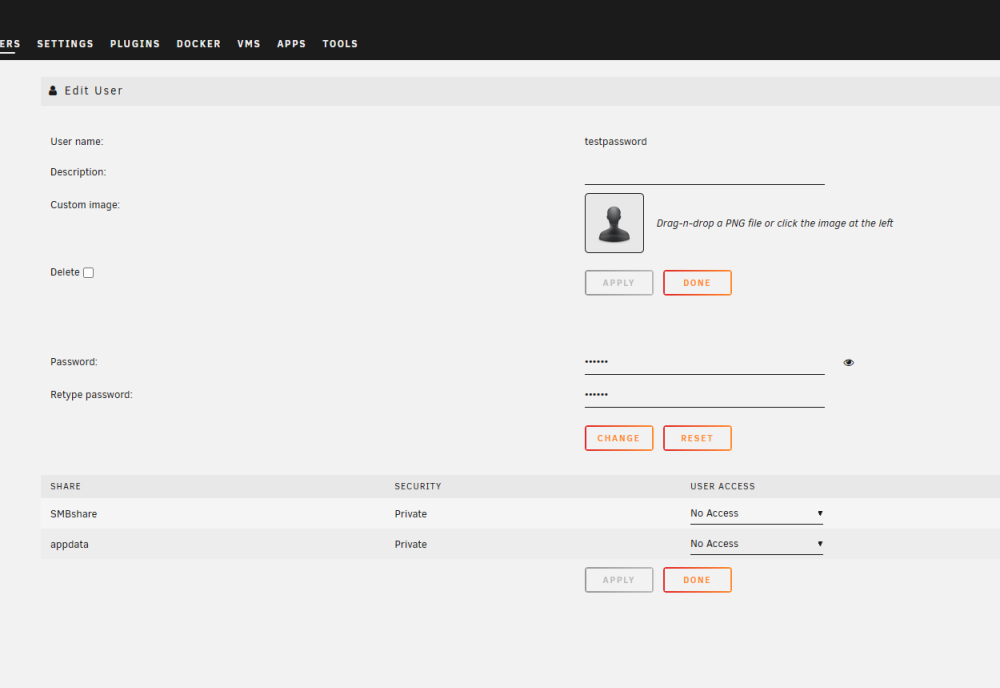
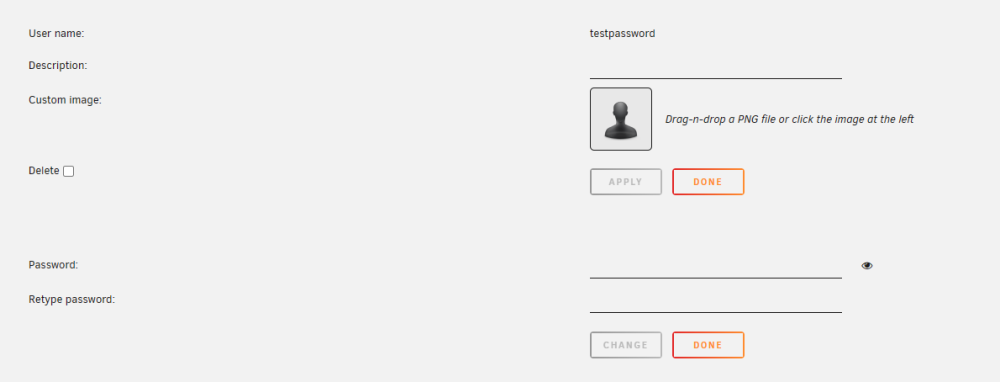
  2. I can't modify the information for the users. Especially the passwords. I noticed I couldn't access any files through the SMB because it didn't let me use my user account saying I have incorrect password. On the webgui, I could see that all the user accounts didn't have any password the password was all empty. So, I tried to assign passwords to the accounts, but it doesn't change. It looked like I am having very similar problem as this person. As soon as I changed the password, it becomes null. It looks like it forgets, or the password get corrupted. I tried things like change web browsers, turning the server on and off and trying to make new account. All of them didn't work. Any idea to solve this problem?
Account

Navigation

Search

Search

Configure browser push notifications

Chrome (Android)
  1. Tap the lock icon next to the address bar.
  2. Tap Permissions → Notifications.
  3. Adjust your preference.
Chrome (Desktop)
  1. Click the padlock icon in the address bar.
  2. Select Site settings.
  3. Find Notifications and adjust your preference.