sins
Members
-
Joined
-
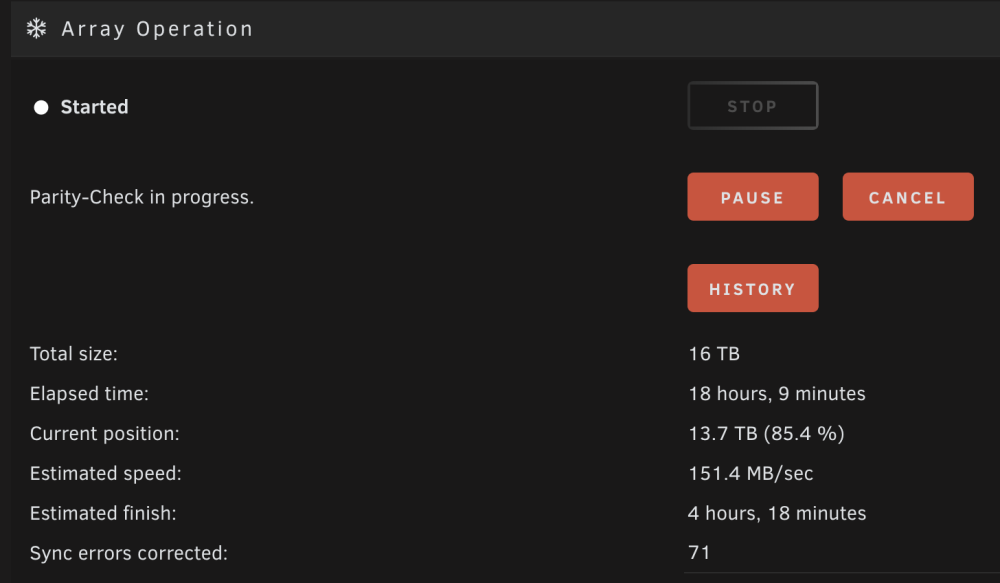
Sorry for the late response! I think I had a hard restart due to a power outage. If cutting power can cause sync errors, I guess that'd be why. It was a scheduled check as well. I have one set for the 1st of every month. Thank you for the non-correcting sync setting recommendation. I had that enabled as I thought it'd be the safest option. I'll be sure to turn that off. Should I keep "Cumulative parity check" disabled too?
-
Hi, I did a parity check the results told me that I have over 70 sync errors. I have never seen sync errors before and read that it could be an indicator of a failing drive. What should my next steps be to make sure I don't have data loss? I have exported my syslog and diagnostics as suggested in the read me post. I just got around the making this post after 3 weeks of receiving the errors. My system did a parity check a few days ago as well and it said I had no sync errors. Thank you for any help you can provide! homelab-diagnostics-20240105-0031.zip homelab-syslog-20240105-0532.zip