





visitor
Members
-
Joined
-
Last visited
-
Thanks man! I will continue testing and if I do not encounter any further problems within the next 1 or 2 weeks, I hope it was really just a messed up share or something like this.
-
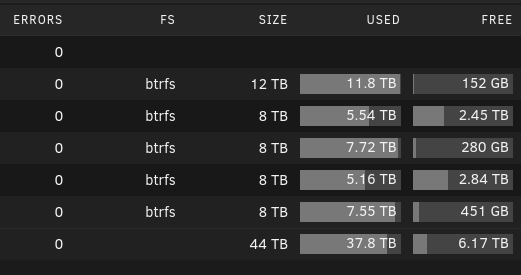
Hi JorgeB, Thank you for your reply! In the mean time I moved a lot of data from disk4 to disk2 and now it seems to work again... But usually an operation like you can see in the second screenshot would not work before. And it would give me the error posted above. I just tried out an even "bigger" move, where I moved two complete tv shows from one share to another and it also worked. But is there a general problem to fill up disks in Unraid? (There is even an option for the shares to fill up disks)


-
Hello Guys, I'm using Unraid for quite some time and its working great so far. But now I have an issue. Every time I try to rename or move something on my share data he says: mv "XXX" "YYY" mv: cannot move 'XXX' to 'YYY': No space left on device But I have more then enough space left imo. Changes directly through /mnt/diskX are woring fine on every disk. What should I do? What other information do you need? Many thanks in advanced! server-diagnostics-20231028-1959.zip
