





omjj4
Members
-
Joined
-
Last visited
-
问个问题,我有三个网口,两个网口绑定与互联网连接,一个网口设为与电脑直连,docker就不能用,三个网口都绑定docker就能连接互联网
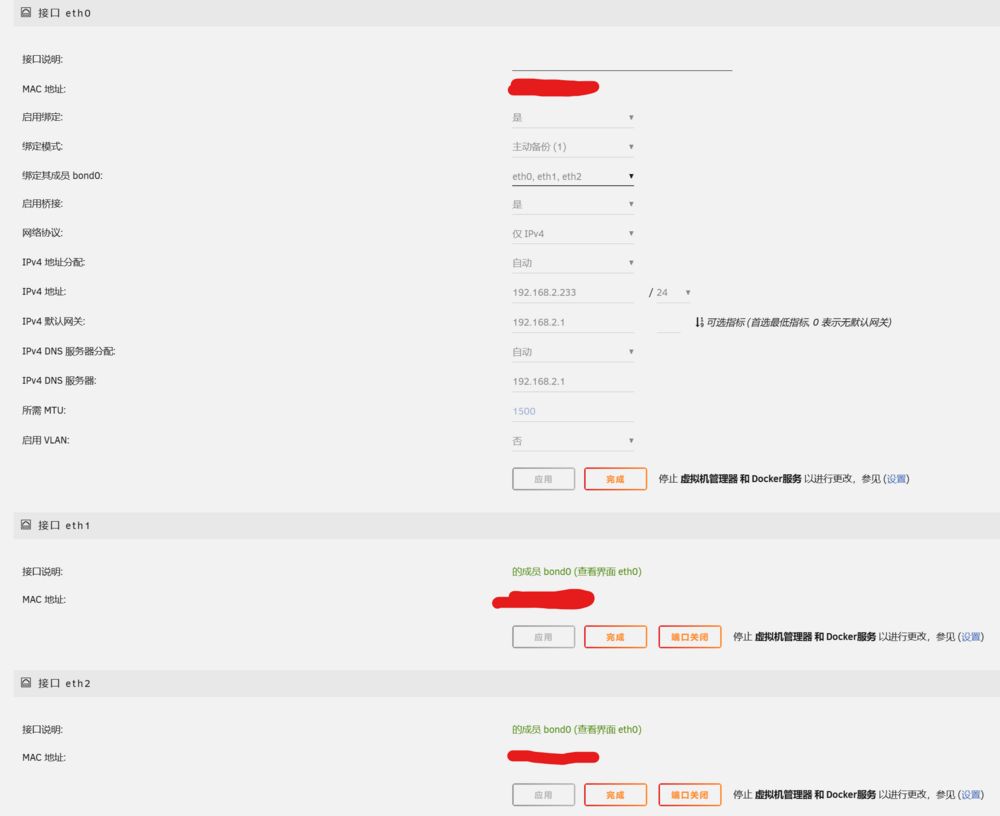 如题所示,docker网络类型选择bridge和host都无法连接外网 tower-syslog-20240618-1512.zip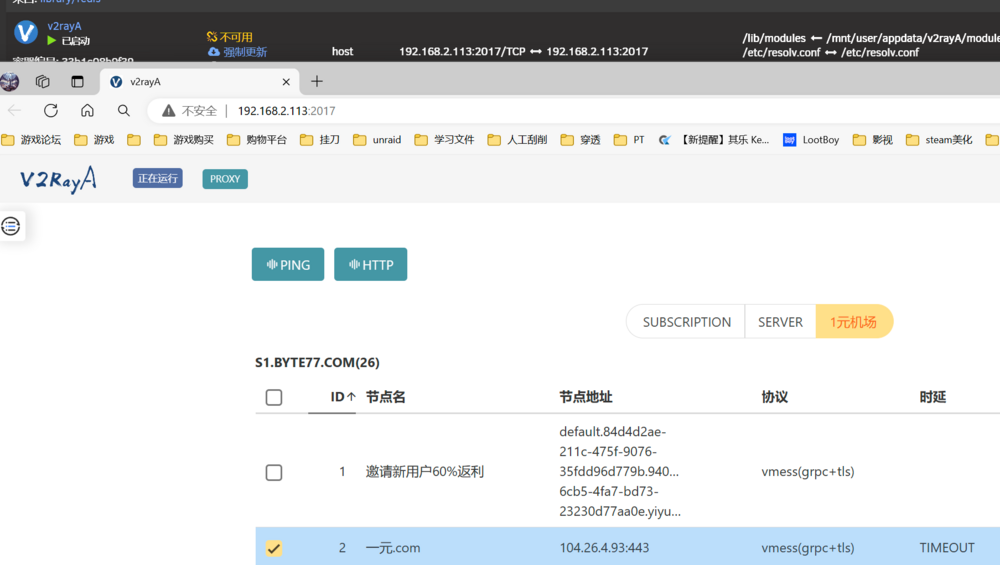
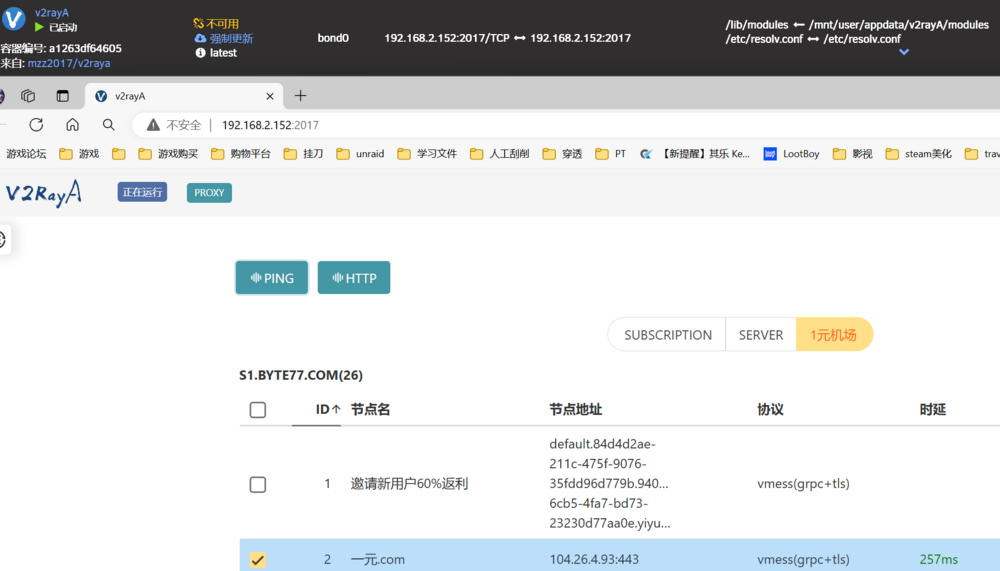
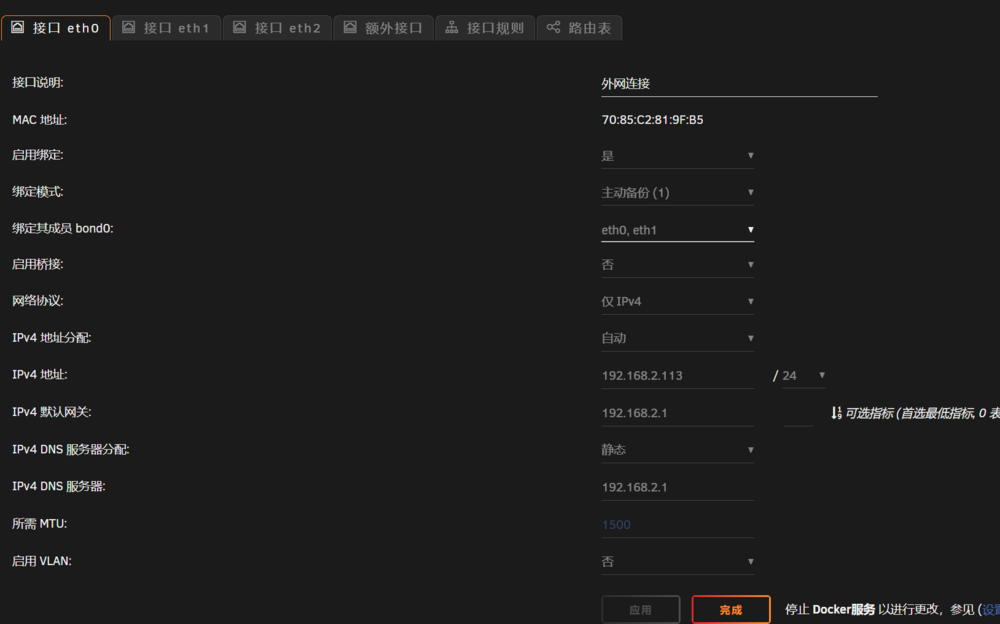
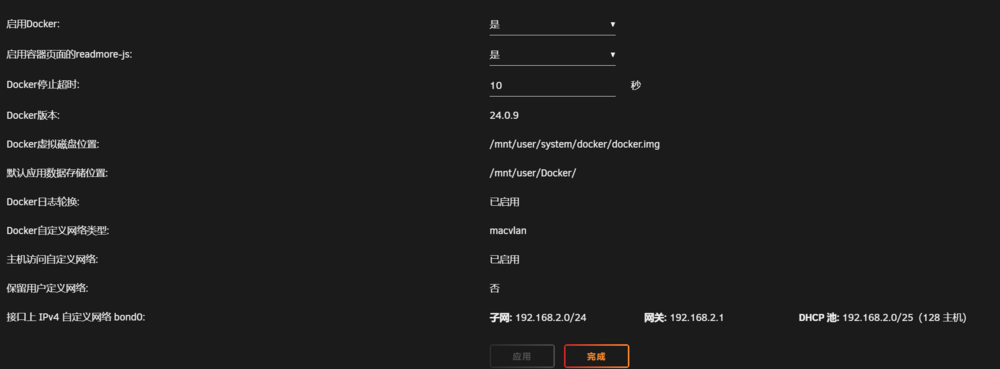 开启了ipv6后,无法反向代理后,就关闭了ipv6,然后docker就一直 6 月 18 日 20:54:44 塔内核:docker0:端口 6(veth846fb92) 进入禁用状态 6 月 18 日 20:54:44 塔内核:vetha181437:从 eth0 重命名 Jun 18 20:54:44 塔内核:docker0:端口 6(veth846fb92) 进入禁用状态 6 月 18 日 20:54:44 塔内核:设备 veth846fb92 左混杂模式 6 月 18 日 20:54:44 塔内核:docker0:端口 6(veth846fb92) 进入状态 禁用6 月 18 日 20:54:45 塔内核:docker0:端口 6(vethe121b7c) 进入阻塞状态 6 月 18 日 20:54:45 塔内核:docker0:端口 6(vethe121b7c) 进入禁用状态 6 月 18 日 20:54:45 塔内核:设备 vethe121b7c 进入混杂模式 6 月 18 日 20:54:45 塔内核:docker0:端口 6(vethe121b7c) 进入阻塞状态 6 月 18 日 20:54:45 塔内核:docker0:端口 6(vethe121b7c) 进入转发状态 6 月 18 日 20:54:45 塔内核:docker0:端口 6(vethe121b7c) 进入禁用状态 6 月 18 日 20:54:47 塔内核:eth0:从 veth044b48d 重命名 6 月 18 日 20:54:47 塔内核:IPv6:ADDRCONF(NETDEV_CHANGE):vethe121b7c:链路准备就绪 6 月 18 日 20:54:47 塔内核:docker0:端口 6(vethe121b7c) 进入阻塞状态 6 月 18 日 20:54:47 塔内核:docker0:端口 6(vethe121b7c) 输入转发统计信息 tower-syslog-20240618-1304.zip


