





.png.08c91a334315a867bb43aefa0148a2b9.png)
Spark-Dani
Members
-
Joined
-
Last visited
Everything posted by Spark-Dani
-
it worked, I tried again with another video card, I rebooted once again and there seems to be no problem anymore. I don't understand what happened. Thank you.
-
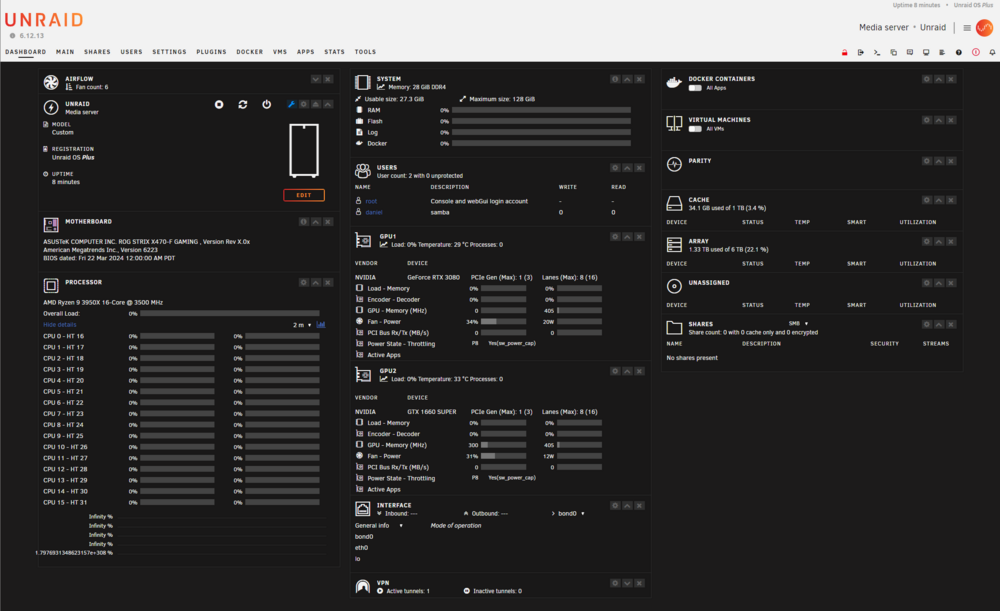
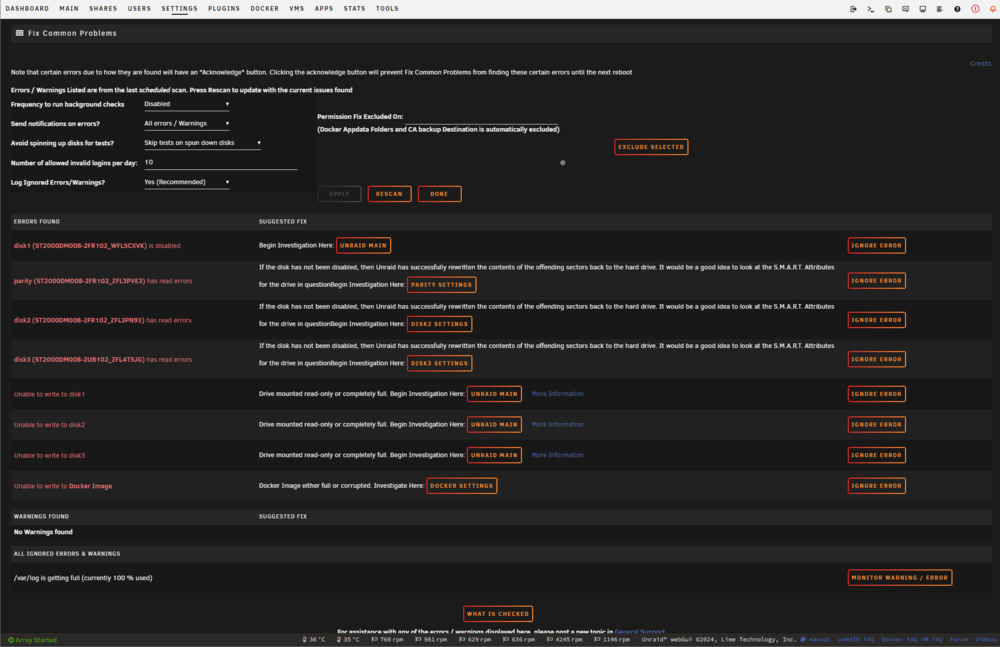
I tried as you wrote and tried from the phone too but nothing changed, the dashboard remains like this and also tells me that one disk is disabled, the others have reading errors and that they are not writable...
-
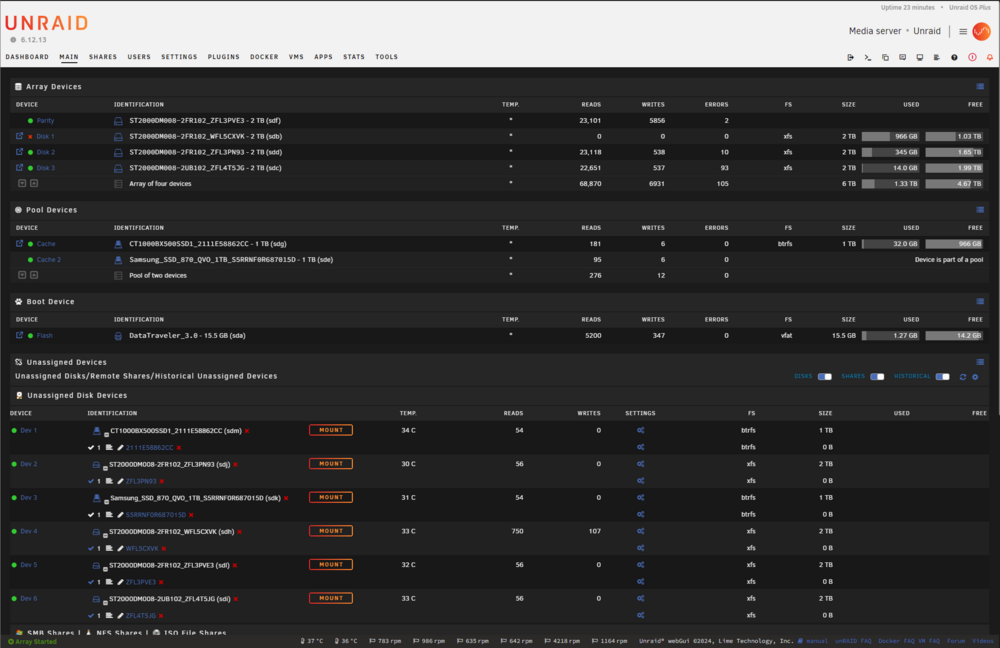
Hi everyone, Two days ago, I did a normal reboot of my Unraid server to connect a GPU to a VM. Everything was working fine before the reboot, but since then, the dashboard has stopped functioning properly and the disks seem to be having issues. In the dashboard i cant see anything, Ram is 0%, CPU 0% and disk is not showing but i can navigate through the pages... I’ve also tried removing the GPU from the VM to see if that would fix the issue, but nothing has changed. I’ve attached two photos of the dashboard showing the issues and the server diagnostics, hoping they can help identify what’s going wrong. Has anyone experienced a similar issue or have any suggestions on what I could do to fix it? I’m a bit stuck and not sure what to try next. Thanks in advance! unraid-diagnostics-20240914-1059.zip
.thumb.png.42143379bda7a5548fd9debe180cd49a.png)


