




Skip to content
View in the app

A better way to browse. Learn more.

Unraid

A full-screen app on your home screen with push notifications, badges and more.

To install this app on iOS and iPadOS
  1. Tap the Share icon in Safari
  2. Scroll the menu and tap Add to Home Screen.
  3. Tap Add in the top-right corner.
To install this app on Android
  1. Tap the 3-dot menu (⋮) in the top-right corner of the browser.
  2. Tap Add to Home screen or Install app.
  3. Confirm by tapping Install.

power

Members
  • Joined

  • Last visited

  1. 谢谢大佬,我是拉去的4.6之前的版本。安装后再升级最新版。搞定了😂
  2. power changed their profile photo
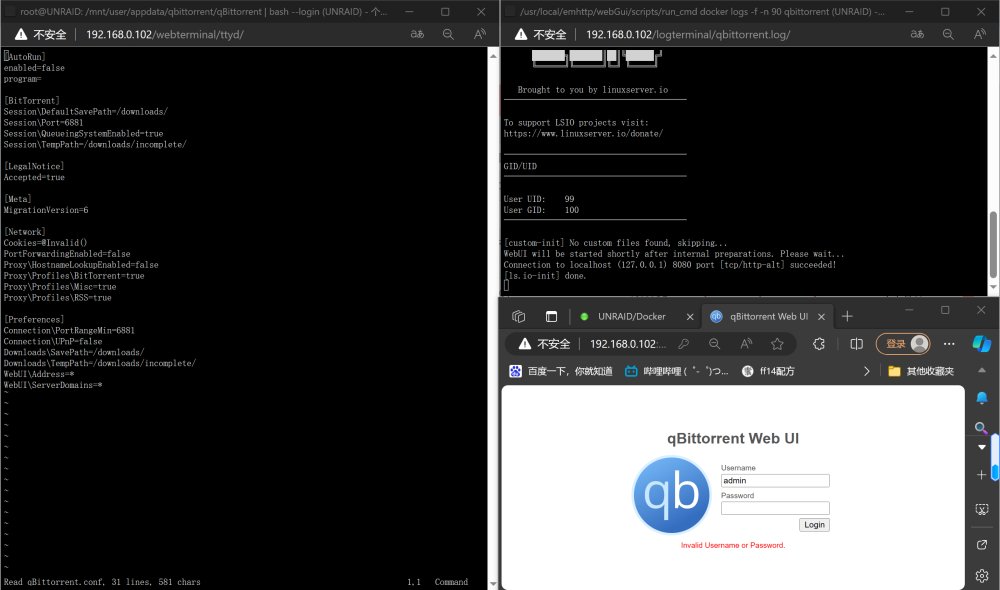
  3. 听说最新的qb密码随机了,请问密码在哪里看,如何看docker日志 能不能把istoreos 里的config文件拷贝过来,谢谢大佬。 qb的日志里的密码不显示,能不能控制台设置密码,各位老爷们可以来个命令行吗
  4. 刚开始玩,随便找了个U盘装了很多软件,又卸载了很多软件。想格式化U盘重新装个新的。请问大佬们,不更换U盘的话,重装后直接点激活可不可以。换了新U盘的话,把config里的文件或者key考进新U盘能不能激活,谢谢各位
  5. 刚入unraid 我不会这么惨吧 都失效了😭

Account

Navigation

Search

Search

Configure browser push notifications

Chrome (Android)
  1. Tap the lock icon next to the address bar.
  2. Tap Permissions → Notifications.
  3. Adjust your preference.
Chrome (Desktop)
  1. Click the padlock icon in the address bar.
  2. Select Site settings.
  3. Find Notifications and adjust your preference.